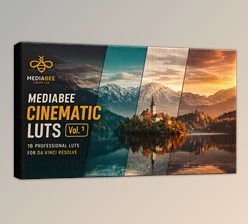
Downloadable Files
You can download the product Cinematic LUTs for free at the end of this page.
✨ A Quick Hook: Make Your Videos Look Like Films
If you’ve ever wanted to make your videos look like films, then you're in the right place. The key to creating that cinematic look is color grading - and that’s where cinematic LUTs come into play. With just a few clicks, your ordinary videos can be transformed into visually stunning masterpieces.
🎨What Are LUTs?
A look-up table, or LUT, does just that: it allows your footage to be looked up and colored in a specific way. Similar to Instagram filters, these are used to enhance the appearance of your videos.
💡 Why Use Cinematic LUTs?
- They save time by eliminating manual color grading.
- They ensure consistent color tones across your entire project.
- They help you achieve professional film aesthetics like teal & orange, moody shadows, or warm cinematic tones.
🎥 Real-World Examples
- A travel vlog becomes more vibrant and immersive.
- A wedding film gains warm, emotional tones.
- A documentary looks more polished and cohesive.
These improvements make your content feel more intentional, engaging, and professional.
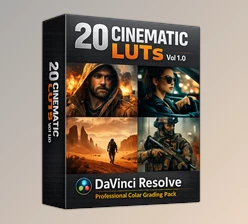
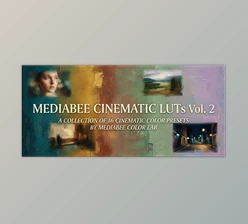
🚀 Meet the Tool: Cinematic LUTs Vol 1.0
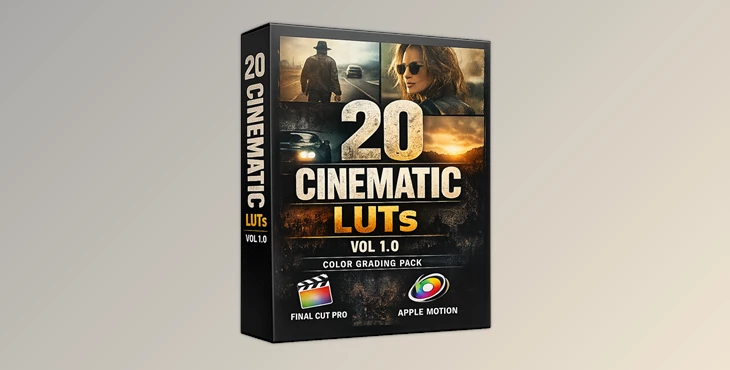
Cinematic LUTs Vol 1.0 contains a professional collection of 20 cinematic LUTs created specifically for Final Cut Pro and Apple Motion users.
⚙️ Features
- 20 Premium .cube LUT Files: Ready-to-use cinematic presets for different moods and styles.
- Native Compatibility: Works directly with Final Cut Pro (10.4.4+) and Apple Motion (5.4.4+)—no plugins required.
- Custom LUT Effect Integration: Apply LUTs instantly using built-in tools.
- Adjustable Intensity (Non-Destructive Workflow): Fine-tune the look using the Mix slider without damaging your original footage.
- Wide Format Support: Compatible with ProRes, H.264, H.265, and log footage like Log C, S-Log, and V-Log.
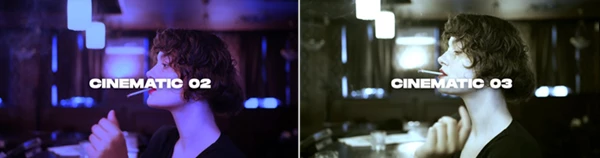
- Variety of Styles: Includes warm tones, cool tones, teal & orange, film emulation, and moody cinematic grades.
🎬 Real Impact in Projects
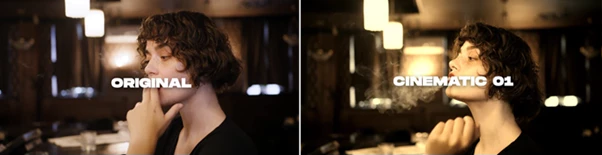
- Turn flat log footage into cinematic scenes instantly.
- Give YouTube videos a polished, branded look.
- Enhance storytelling in short films and music videos.
🎯 Pro Tips for Better Results
- Don’t overuse the effect. Adjust the intensity setting to make the look more natural in your footage.
- Use the LUTs according to the feeling that you want to create in your videos. Use warm tones for emotional scenes in your videos. Use cool tones for dramatic scenes or mysteries in your videos.
- Make sure that your footage has good exposure before using these LUTs.
- Perform basic color corrections before using these cinematic LUTs.
- Experiment with different LUTs to see what works best for your project.
🎬 Final Thoughts: Why It’s Worth Trying
Cinematic LUTs offer an easy and effective way to enhance your video projects. They allow you to focus on the important aspects of film editing: creating compelling stories and developing your project’s creative ideas.
No matter your experience with video editing software, these tools can enhance your skills right away. If you’re looking to give your videos a more professional look and feel, then these tools are definitely something you should explore.

Files Password : gfxplugin.com OR 123456