Downloadable Files
You can download Stock Link Extractor for free from the end of this page.
🚀 A Faster Way to Handle Stock Footage Links
If you’ve ever worked on a video project packed with stock footage, you already know how frustrating it can be to track down every single source link. Endless searching, copying file names, digging through history… it adds up fast. That’s where Stock Link Extractor comes in. It simplifies a tedious process into a single click—giving you instant access to all your stock footage URLs so you can focus on what actually matters: creating.
💡 What Is It & Why It Matters
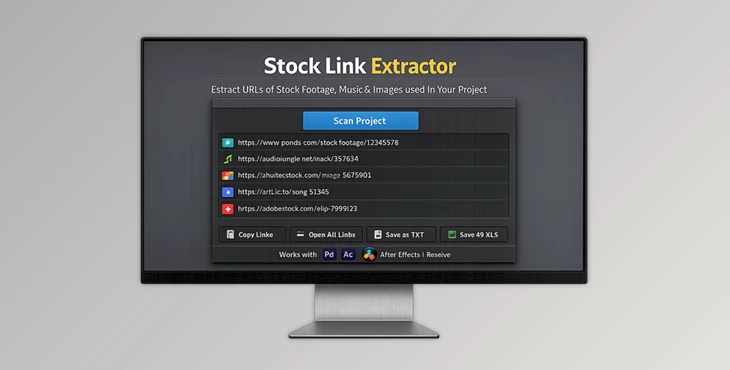
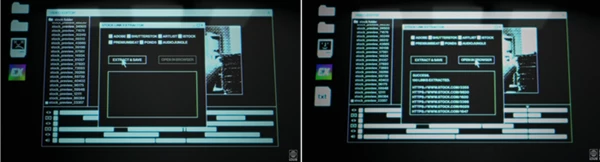
At its core, Stock Link Extractor is a smart utility that scans your project files and pulls out all the preview URLs of the stock footage you’ve used.
Why is that useful?
Imagine finishing a project and needing to:
- License all the clips properly
- Send references to a client
- Double-check sources before delivery
Normally, this could take hours. With this tool, you get:
- A clean list of URLs in TXT or XLS format
- Instant access to every source
- Zero manual searching
This means fewer mistakes, faster workflows, and a much more organized production process.
🎬 Meet the Tool: Stock Link Extractor
Stock Link Extractor is built specifically for video professionals who want to save time and avoid repetitive tasks. It integrates smoothly with:
- Premiere Pro
- After Effects
- DaVinci Resolve
✨ Features
- One-Click Extraction: Instantly export all stock footage URLs used in your project—no manual work required.
- Multiple Export Formats: Save your links as TXT or XLS files for easy organization and sharing.
- Direct Browser Access: Open all extracted URLs in your browser with a single click to preview or purchase licenses.
- Time-Saving Workflow: Skip the hassle of searching filenames or browsing history—everything is ready instantly.
- Easy Sharing Options: Copy links to clipboard and share them with clients, editors, or producers effortlessly.
🎥 Real-World Example
Picture a commercial project with 30+ stock clips. Instead of manually tracking each one:
- Run the extractor
- Export the list
- Open links in seconds
What used to take hours now takes less than a minute.
🎯 Pro Tips for Better Results
- Run extraction before final export: This ensures all assets are accounted for and ready for licensing.
- Organize your XLS file: Add notes or categories (e.g., “approved,” “pending license”) for better tracking.
- Use browser batch opening wisely: Great for quick reviews, but close tabs in groups to stay focused.
- Share early with clients: Sending links during review stages improves transparency and speeds up approvals.
🔥 Final Thoughts
Stock Link Extractor is one of those tools that quietly transforms your workflow. It doesn’t just save time—it removes friction from one of the most annoying parts of video production.
Instead of chasing links, you stay in control of your project, your time, and your creative energy. If you regularly work with stock footage, this tool isn’t just helpful—it quickly becomes essential.

Files Password : gfxplugin.com OR 123456