Downloadable Files
You can download the product CorridorKey for free at the end of this page.
✨ A Smarter Way to Handle Keying
If you’ve ever struggled with green screen footage—dealing with rough edges, color spill, or slow rendering—you’re not alone. Keying can make or break your final result.
That’s where CorridorKey comes in. It’s designed to simplify the entire process while delivering clean, professional-quality results with minimal effort. Once you try it, you’ll notice how much smoother your workflow becomes.
🎯 What Is CorridorKey and Why It Matters?
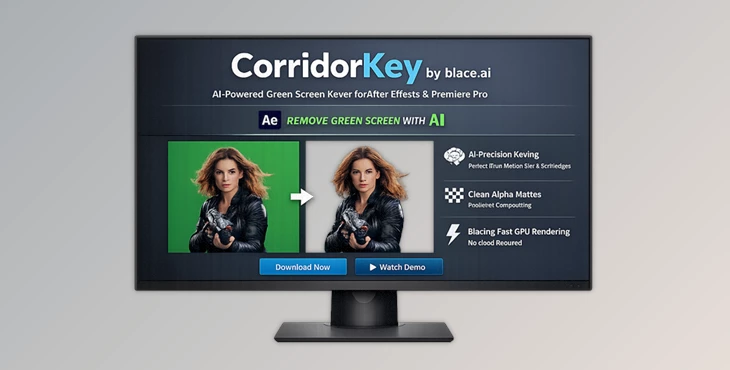
CorridorKey by blace.ai is an AI-powered chroma keying plugin for After Effects and Premiere Pro that helps you remove backgrounds quickly and accurately.
💡 What Does It Do?
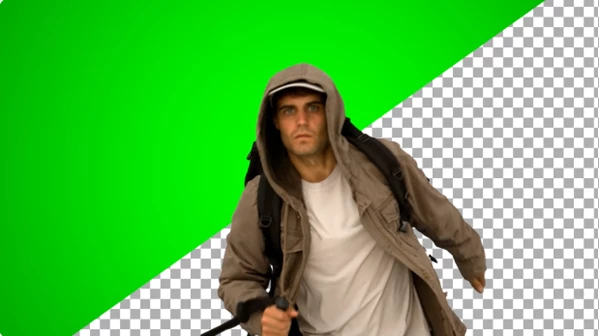
In simple terms, it separates your subject from the background (like a green screen) using advanced AI models and hardware acceleration.
🎬 Real-World Applications
- YouTube and content creation videos
- Film and VFX compositing
- Commercial and advertising edits
- Social media content with polished visuals
🚀 Why These Features Improve Your Results
- AI-based keying gives you cleaner edges and better subject isolation
- Hardware acceleration ensures smooth performance even at 4K
- Stable C++ architecture reduces crashes and lag
All of this means less time fixing issues—and more time creating.
🛠️ Professional Tool Overview
CorridorKey is built in collaboration with Corridor Crew and powered by the blace.ai engine, bringing studio-level keying directly into your editing software.
🔥 Features
- Corridor Crew x Blace Integration: Uses the official CorridorKey model developed with Corridor Crew for high-quality AI keying.
- SOTA Rendering Speed: Achieves 2x–4x faster rendering speeds thanks to full hardware acceleration (tested on RTX 3090).
- Fully Hardware Accelerated: From Full HD 8-bit to 4K 32-bit, performance remains consistent without slowdowns.
- C++ Based Stability: No Python environments—just a clean, stable, and secure C++ implementation.
- Local Processing: All rendering happens on your machine. Your data stays private and secure.
- Easy to Use Interface: Minimal controls with maximum impact—perfect for both beginners and professionals.
🎥 Real Impact Example
Imagine working on a green screen YouTube video:
- Instead of tweaking multiple settings, you get a clean key in seconds
- No lag while previewing in high resolution
- Faster exports, saving hours on larger projects

🎓 Pro Tips & Techniques
Want even better results? Try these practical tips:
- Use After Effects’ Advanced Spill Suppressor: This helps remove unwanted green/blue color reflections for a cleaner composite.
- Enable GPU Acceleration (CUDA): For best performance, use an NVIDIA GPU with Mercury GPU Acceleration enabled.
- Disable “Cache Frames When Idle”: This improves responsiveness while working with the plugin.
- Light Your Green Screen Properly: Even lighting + subject separation = dramatically better keying results.
- Keep It Simple: Since CorridorKey already handles complex processing, avoid over-adjusting.
🎉 Final Thoughts
CorridorKey is more than just another keying plugin—it’s a complete upgrade to your workflow. With faster rendering, stable performance, and AI-powered precision, it removes many of the common frustrations of green screen work.
Whether you’re a beginner or a professional, this tool helps you achieve cleaner results with less effort. It’s one of those tools that quietly saves you time while improving your final output.
If you care about speed, quality, and simplicity, it’s definitely worth trying.

Files Password : gfxplugin.com OR 123456