Downloadable Files
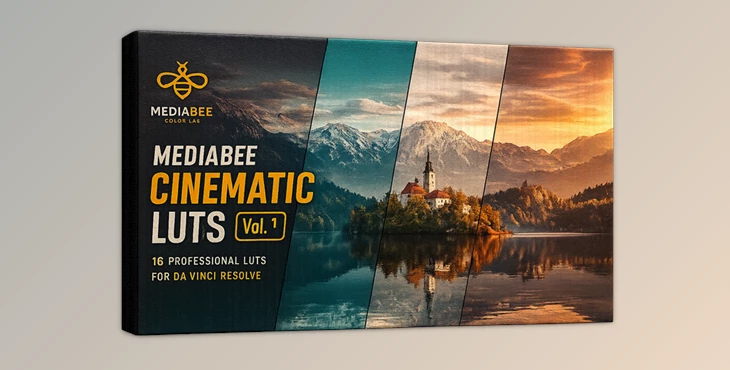
You can download MEDIABEE CINEMATIC LUTS for free at the end of this page.
✨ A Quick Way to Make Your Footage Look Cinematic
Have you ever looked at professionally edited film footage and wondered how they get that color? If so, you are not alone! The process of color grading for film footage allows editors and filmmakers to create a more emotional and memorable viewing experience for their audience members.
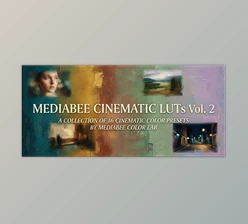
MEDIABEE CINEMATIC LUTS will allow you to quickly achieve this same effect without having to dedicate hours to color grading your footage manually.
🎨 What Are LUTs and Why Do They Matter?
A Look-Up Table (or LUT) is essentially a color preset that will allow your footage to be graded to feature specific color tones. These can act as professional Instagram filters for your footage - but for filmmaking!
🎥 Real-World Uses
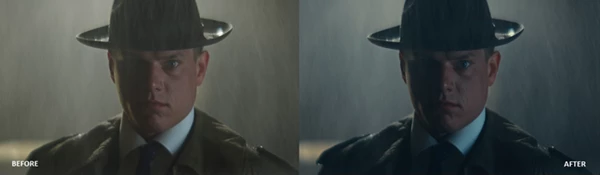
- Turning daylight footage into a moody noir scene
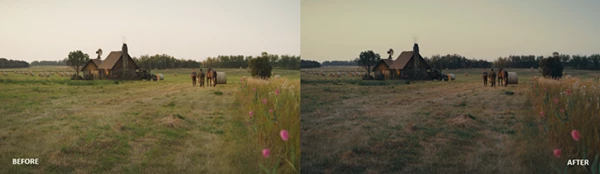
- Enhancing golden-hour warmth for emotional storytelling
- Creating cinematic blue tones for dramatic scenes
- Matching shots across different lighting conditions
💡 Why LUTs Improve Your Work
- Save time in post-production
- Ensure consistent color across scenes
- Add a professional, cinematic look instantly
- Help convey emotion through color
Instead of starting from scratch, LUTs give you a strong visual foundation to build on.
🚀 Meet the Tool: MEDIABEE CINEMATIC LUTS
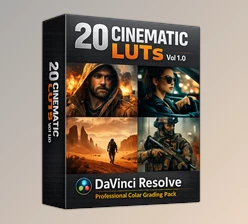
MEDIABEE CINEMATIC LUTS Vol. 1 is designed specifically for filmmakers and content creators who want high-end cinematic results inside DaVinci Resolve. It simplifies complex color grading into an easy, efficient workflow—while still giving you full creative control.
🔥 Features
🎭 Cinematic Variety
A wide range of looks for different moods and genres:
- Eclipse & Obsidian → Dark, high-contrast noir aesthetics
- Halo & Solstice → Warm, emotional, sunlit tones
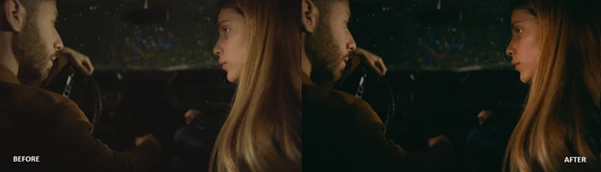
- Drift & Nocturne → Soft, moody, introspective vibes
- Verve & Pulse → Bold, vibrant, high-energy visuals
🎨 Professional Color Science
- Designed for DaVinci Wide Gamut Intermediate
- Maintains natural skin tones
- Balanced contrast and highlight roll-off
⚡ Easy Integration
- Works seamlessly with DaVinci Resolve
- Simple node-based workflow using CST (Color Space Transform)
🎬 Film-Inspired Looks
Each LUT is crafted with a cinematic intention:
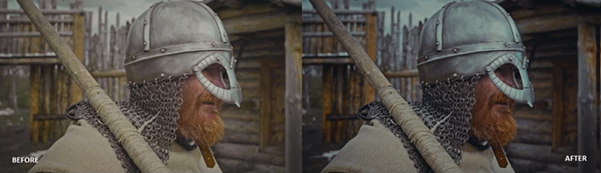
- Dune → Sci-fi and gritty atmospheres
- Sienna → Warm, nostalgic storytelling
- Lagoon → Deep teal and cinematic cool tones
- Ember → Rich reds and dramatic intensity
🎥 Real Impact Examples
- A travel vlog instantly becomes a cinematic journey with Lagoon
- A fashion shoot pops with energy using Verve
- A short film gains emotional depth with Halo
- Night scenes become immersive with Nocturne
These LUTs don’t just change colors—they shape the feeling of your story.
🎯 Pro Tips for Better Results
✔️ Prepare Your Footage First
Always adjust:
- Exposure
- White balance
- Contrast
Before applying the LUT.
✔️ Use CST Nodes Properly
- Input CST → Convert to DaVinci Wide Gamut
- Output CST → Convert to Rec.709
This ensures accurate color reproduction.
✔️ Control Intensity
Use the Key Output Gain in DaVinci Resolve to fine-tune the LUT strength.
✔️ Don’t Overdo It
Sometimes lowering the LUT intensity gives a more natural, cinematic result.
🎬 Final Thoughts
MEDIABEE CINEMATIC LUTS is more than just a preset pack—it’s a creative shortcut to cinematic storytelling. Whether you’re making films, social media content, or commercial work, these LUTs help you achieve professional results faster and more consistently. If you want your visuals to feel more emotional, polished, and film-like, MEDIABEE CINEMATIC LUTS Vol. 1 is definitely worth exploring.

Files Password : gfxplugin.com OR 123456
.png)