Downloadable Files
You can download Social Exporter for free from the end of this page.
🚀 Edit Once, Export Everywhere
If you’ve ever resized your video for YouTube, TikTok, Instagram Reels, or another social media channel, you know the time and energy it takes to do this for every single platform.
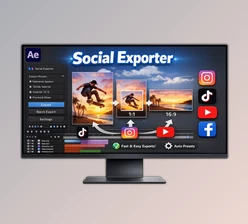
With Social Exporter, you can skip all of that tedious work and instantly create versions of your edited video that are ready to be published on every major social media platform.
🎯 What Is It & Why It Matters
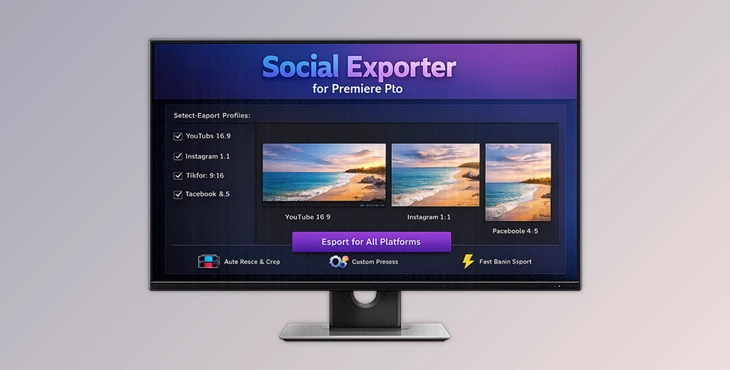
Social Exporter for Premiere Pro is a powerful tool that was created to allow you to automate the process of creating videos of different sizes and formats.
Instead of having to manually create videos of different sizes, all you have to do is create your video as you wish, select the platforms you want to export to, and Social Exporter will automatically create the appropriate versions for you.
💡 Real-World Use Cases
Imagine you’re a content creator:
- You edit a horizontal YouTube video
- With one click, you get vertical versions for TikTok and Reels
- Square formats for Instagram posts
Or if you’re working for a brand:
- Apply consistent watermarks across all exports
- Maintain branding without extra effort
✅ Why It Improves Results
- Saves hours of repetitive work
- Keeps branding consistent
- Reduces human error in resizing
- Speeds up delivery for clients
🧩 Meet the Tool
Social Exporter for Premiere Pro is built directly into Premiere Pro, making it a seamless part of your editing workflow. Instead of exporting manually:
- It creates new platform-ready sequences
- Final rendering is handled through Adobe Media Encoder
It turns a complex multi-platform process into a few simple clicks.
⚙️ Features
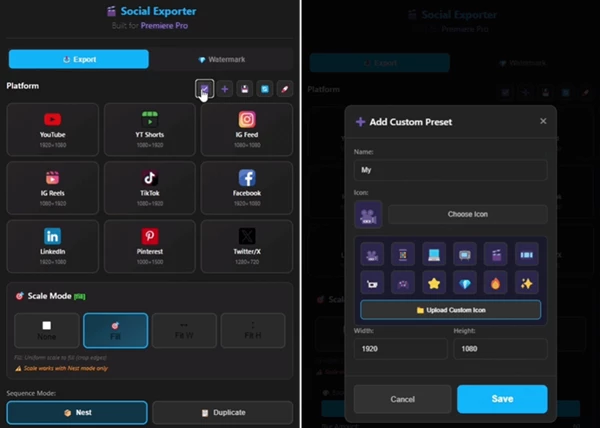
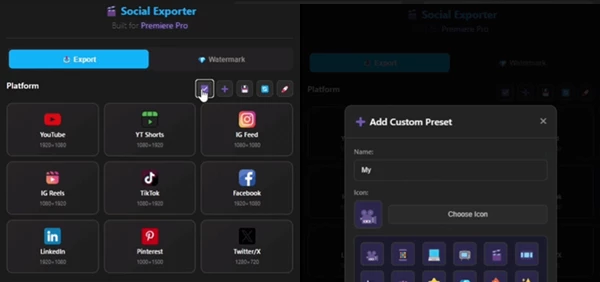
🎬 Multi-Platform Presets
Quickly generate sequences for:
- YouTube
- TikTok
- Instagram Reels
- Shorts and more
No need to rebuild edits for each format.
📐 Smart Scaling System
Adapt your content with flexible scaling modes:
- Fill – full-frame coverage
- Fit Width – perfect for horizontal to vertical
- Fit Height – vertical to horizontal
- None – keep original scale
👉 This ensures your content always looks intentional—not stretched or awkward.
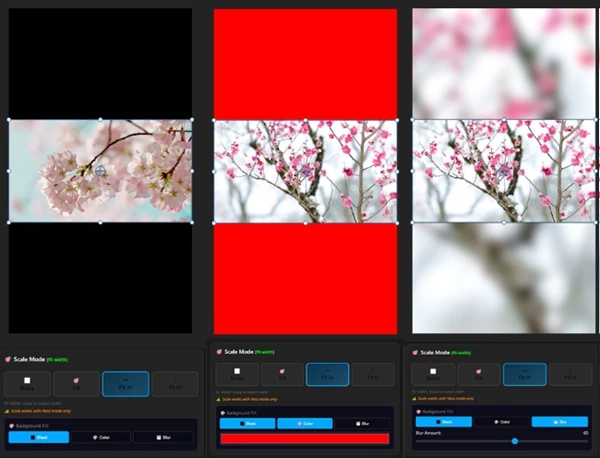
🎨 Background Fill Options
When aspect ratios don’t match:
- Black background
- Solid color
- Blur effect
This helps avoid unprofessional black bars and creates a polished look.
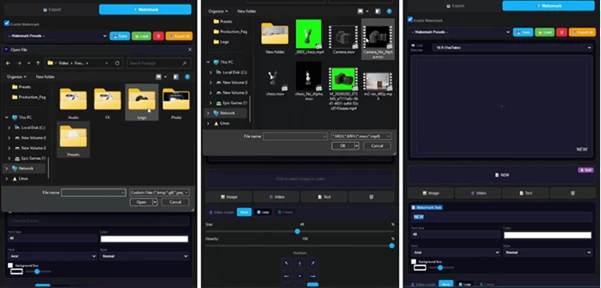
🏷️ Advanced Watermark System
Add branding effortlessly:
- Image watermarks
- Video overlays
- Text-based branding
Key capabilities:
- Drag & drop positioning
- Focus preview for precision
- Preset management
- Export and reuse setups
🔁 Video Watermark Repeat Mode
Automatically loops watermark clips across the full video duration—clean, seamless, and no manual duplication needed.
⏱️ Watermark Spacing Control
Show your watermark at intervals instead of constantly:
- Cleaner visual experience
- Less distraction for viewers
🎞️ MOV + Alpha Support
Use animated transparent overlays:
- Ideal for logos and lower thirds
- Professional-grade branding
🎥 Real Impact in Projects
- Content creators can publish across 5+ platforms in minutes
- Agencies can maintain consistent branding across campaigns
- Editors reduce repetitive workload dramatically
💡 Pro Tips for Better Results
✨ Choose the Right Scaling Mode
- Use Fill for immersive social content
- Use Fit Width/Height when preserving composition matters
🎨 Use Blur Backgrounds Smartly
Blurred backgrounds often look more modern than black bars—especially for social media.
🏷️ Keep Watermarks Subtle
- Avoid large or distracting logos
- Use spacing to make branding feel natural
⚡ Save Presets
If you work regularly with the same platforms, save your settings to speed up future projects.
🔚 Final Thoughts
Social Exporter is a tool that can instantly improve the editing workflow for social media managers and content creators. It saves time and effort and allows editors to focus on their most important task: creating inspiring and engaging content. Instead of having to edit and resize videos five or more times to get them ready for different social media platforms, the tool helps to automate this process into a few easy clicks. For anyone who creates content for several different social media platforms, Social Exporter for Premiere Pro is a game-changing editing tool.