Downloadable Files
You can download the product Super3D Extra Format Bridge for free at the end of this page.
🚀 Break Blender’s Format Limits
If you’ve ever tried opening a file in Blender only to get stuck because the format isn’t supported, Super3D Extra Format Bridge is exactly what you’ve been waiting for. Super3D Extra Format Bridge removes that frustration by letting you import and export a huge range of 3D formats with ease.
Think of it as a smart bridge between Blender and the rest of the 3D world. No more worrying about compatibility—just focus on creating.
🎯 What Is It & Why It Matters
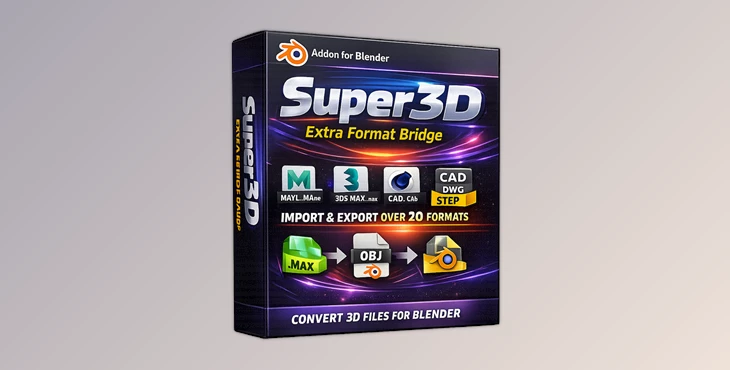
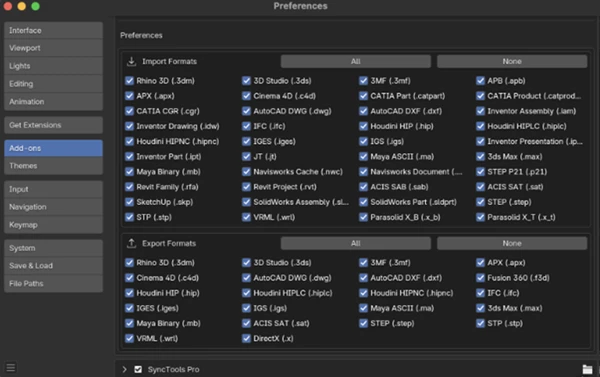
At its core, Super3D Extra Format Bridge is an add-on that expands Blender’s native capabilities by supporting over 20 additional 3D file formats that Blender doesn’t handle by default.
💡 Real-World Uses
- Opening client files from other software like Maya, 3ds Max, or Cinema 4D without conversion headaches
- Working with CAD models, such as STEP or IGES, in Blender for visualization
- Collaborating across pipelines where different tools are used
- Importing engineering assets like DWG or IFC into creative workflows
✅ Why It Improves Your Workflow
Instead of juggling multiple software tools or converters, this add-on:
- Saves time by automating conversion
- Reduces errors from manual file handling
- Keeps your workflow inside Blender
- Makes collaboration smoother across industries
🧩 Meet the Tool: Super3D Extra Format Bridge
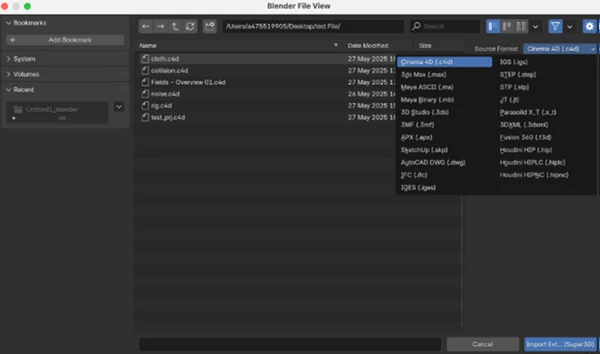
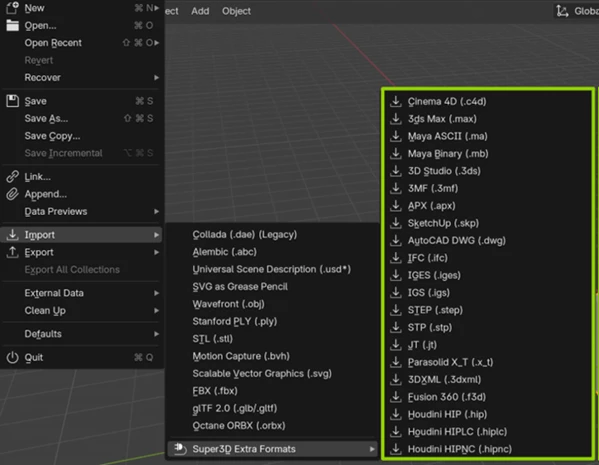
This add-on integrates directly into Blender’s File → Import / Export menus, making it feel like a native feature.
🔧 Features
- Support for 20+ 3D file formats
- Works with DCC tools (Maya, 3ds Max, Cinema 4D, Houdini)
- Compatible with CAD formats (STEP, IGES, DWG, IFC, Parasolid, JT)
- Handles popular 3D formats (SKP, 3DS, 3MF, 3DXML, APX)
- Automatic conversion system via Super3D service
- Lightweight single .py add-on
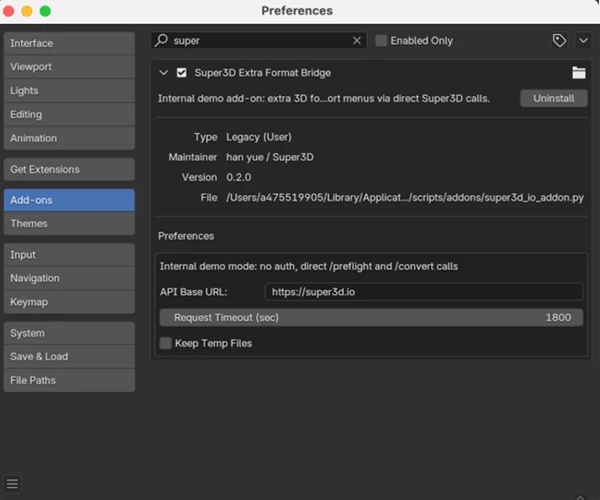
- Adjustable API timeout (30 sec to 2 hours)
- Option to keep or remove temporary files
- Fully compatible with Blender 4.0+
- No external dependencies beyond Blender’s Python
🔄 How It Works (Simple & Smart)
Import:
- Choose a format from Blender’s Import menu
- File is uploaded to Super3D
- Converted to OBJ and loaded into your scene
Export:
- Export scene as OBJ
- Convert to the desired format via Super3D
- Save locally in your chosen format
🎬 Practical Example
Imagine receiving a Fusion 360 (.f3d) file from a client:
- Normally, you’d need another tool to convert it
- With this add-on: Import directly → edit → export to any needed format
💡 Pro Tips for Better Results
⚙️ Optimize Your Workflow
- Use higher timeout settings for large CAD files
- Enable temporary file cleanup to keep your system tidy
- Always check scale and units after import (especially for CAD files)
🎨 Improve Quality
- Clean meshes after conversion (remove duplicates, fix normals)
- Use Blender modifiers to refine imported geometry
- Combine with retopology tools for better animation results
🤝 Work Smarter
- Use this add-on when collaborating with teams using different software
- Keep original files as backup for re-conversion if needed
🌟 Final Thoughts
Super3D Extra Format Bridge is one of those tools that quietly transforms your workflow. It removes technical barriers and lets you focus on creativity instead of compatibility issues.
Whether you’re a 3D artist, architect, or engineer, this add-on opens doors—literally—to formats you couldn’t access before.
Give it a try and see how much smoother your Blender experience becomes.

Files Password : gfxplugin.com OR 123456