Downloadable Files
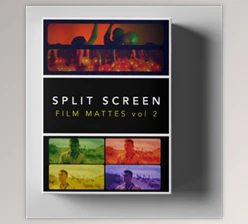
You can download the product Split Screen Film Mattes for free from the end of this page.
✨ A Fresh Way to Transform Your Visuals
If you’ve ever wanted to make your videos or designs feel more cinematic and dynamic, Split Screen effects are one of the easiest ways to do it. Instead of showing just one scene, you can combine multiple shots into a single frame and instantly make your content more engaging. That’s exactly where Split Screen Film Mattes come in. These overlays give your visuals a professional film-inspired layout—with almost no effort. Just drag, drop, and watch your project come to life.
🎬 What Are Split Screen Film Mattes?
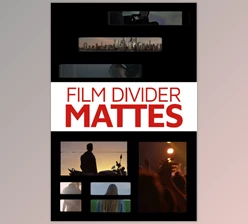
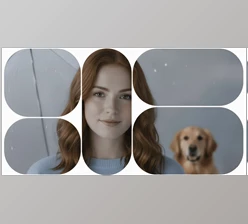
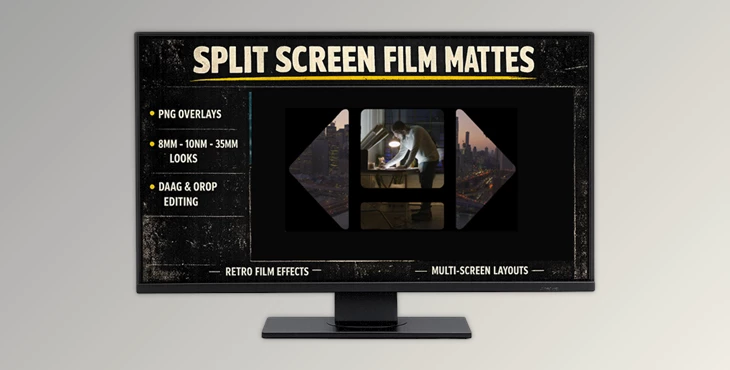
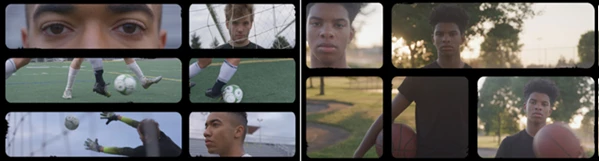
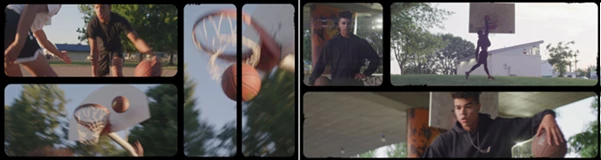
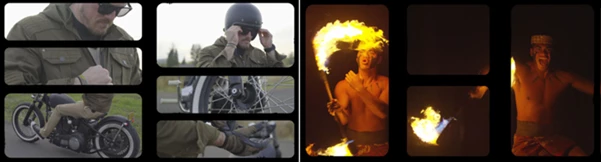
At their core, Split Screen Film Mattes are transparent PNG overlays designed to divide your screen into multiple sections. Each section can display a different clip, image, or angle—creating a layered storytelling experience.
Why is this useful?
- You can show multiple perspectives at once
- It adds a cinematic, editorial feel
- It helps keep viewers visually engaged
Real-world examples:
- A travel video showing different locations simultaneously
- A fashion edit combining close-ups and wide shots
- A social media reel comparing “before & after” scenes
These features improve your final result by making your content more visually rich, storytelling-driven, and professional-looking—without requiring complex editing techniques.
🎥 Meet the Tool: Split Screen Film Mattes
This pack is a complete solution for anyone looking to add cinematic Split Screen effects quickly and easily. It includes 90 high-quality PNG film mattes in 8K resolution (7680×4320), designed from real film frame letterboxes with smooth, rounded corners.
🔧 Features
90 Total PNG Mattes
- A wide variety of layouts to match different creative needs
3 Unique Categories
- Clean (minimal look)
- Dirty (light film texture)
- Dirtiest (heavy vintage feel)
Ultra High Resolution (8K)
- Perfect for both video and high-end design projects
Drag & Drop Simplicity
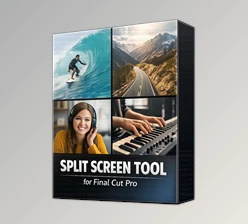
- Works seamlessly in Premiere Pro, After Effects, Photoshop, FCPX, DaVinci Resolve, Illustrator, and more
Real Film Inspiration
- Based on authentic formats like 8mm, Super 8mm, 16mm, 35mm, and Super 35mm
Practical Use Cases:
- Editing cinematic YouTube videos
- Creating stylish Instagram reels
- Designing posters or photo collages
- Enhancing commercial or brand storytelling
🎯 Pro Tips for Better Results
Want your Split Screen edits to look truly professional? Try these:
- Mix motion and stills: Combine video clips with static images for a more dynamic composition
- Use color consistency: Apply LUTs or color grading to keep all sections visually cohesive
- Layer with textures: Combine with film burns, grain, or light leaks for a richer cinematic feel
- Keep it balanced: Avoid overcrowding—sometimes 2–3 panels look better than 6
- Match storytelling to layout: Use split screens intentionally (e.g., comparison, contrast, or simultaneous action)
These small tweaks can turn a simple layout into something that feels polished and intentional.
🚀 Final Thoughts
Split Screen Film Mattes is a tool that will instantly improve the quality of your editing projects. It saves you time and allows you to experiment with more creative ideas in your next project. Whether you are a video editor, a graphic designer, or a social media content creator, these Split Screen Film Mattes will allow you to enhance your projects to wow your audience. If you want to experiment with adding more depth, design elements, and storytelling features to your projects, then these Split Screen Film Mattes are definitely worth a try.

Files Password : gfxplugin.com OR 123456