Downloadable Files
You can download KoreOutliner for free at the bottom of this page.
🔹 Stop Losing Your Objects in Blender
If you’ve ever worked on a heavy Blender scene, you probably know the pain—clicking an object in the viewport and then digging through the Outliner just to find it.
It breaks your flow. It wastes time.
KoreOutliner fixes that in the simplest way possible. It keeps your selection and the Outliner perfectly in sync, so you always know where you are.
🔹 What Is KoreOutliner?
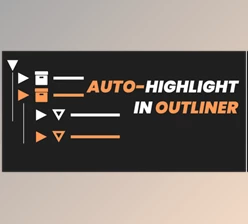
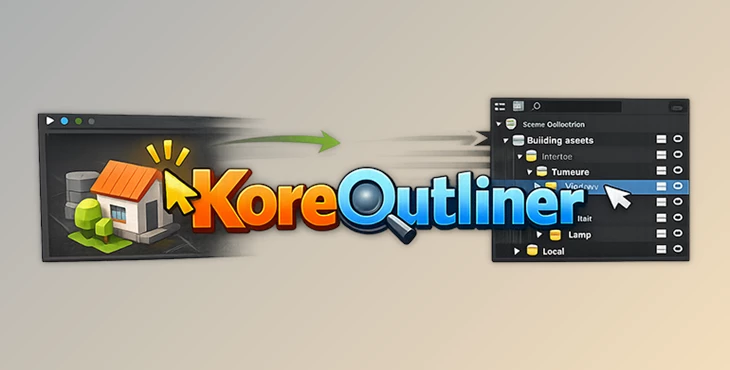
KoreOutliner is a small Blender add-on that automatically highlights and reveals the object you select in the 3D Viewport—right inside the Outliner.
🧩 Why It’s Useful
Whenever you select something:
- The Outliner scrolls directly to it
- Hidden collections open up automatically
- You instantly see where the object is located
💡 Why This Matters
Instead of interrupting your workflow to search manually, everything becomes instant. That means:
- Less frustration
- Better focus
- Faster scene management
🔹 Meet KoreOutliner
KoreOutliner is one of those tools that quietly improves your workflow without getting in the way. It’s lightweight, simple, and does exactly what you need.
⚙️ Features
- Auto-scroll
Jumps to the selected object in the Outliner right away - Auto-expand collections
Opens parent collections so nested objects are visible - Selection-aware
Works even when selecting your first object - Lightweight
Uses a smart timer, so performance stays smooth - Wide compatibility
Works with Blender 3.6 up to 5.1 on all major operating systems - Easy install
Just install the zip file—no extra setup needed
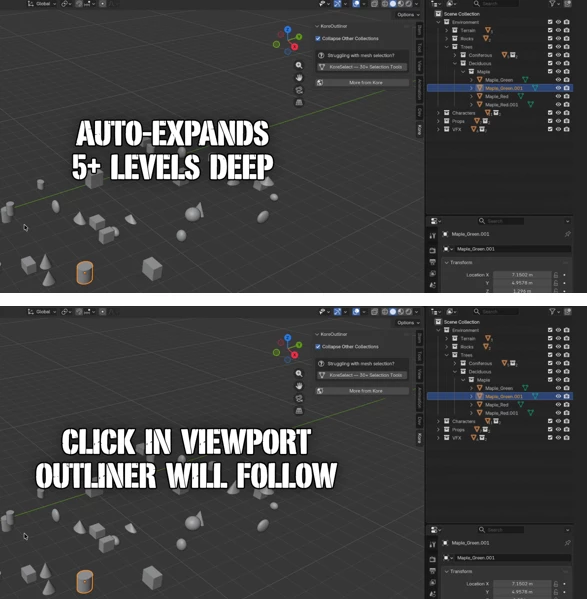
🎬 Example in Action
Picture a large scene with hundreds of objects:
- Click an object → it instantly shows up in the Outliner
- Select something buried deep → collections expand automatically
- No searching, no guessing
🔹 Pro Tips
Here are a few simple ways to get even more out of it:
- Use clear naming for your objects
- Keep your Outliner visible while working
- Use it when cleaning up or organizing scenes
- Combine it with collection-based workflows
These small habits can make a noticeable difference in speed and control.
🔹 Final Thoughts
KoreOutliner doesn’t try to do too much—and that’s exactly why it works so well.
It removes a small but annoying problem that every Blender user faces. And once it’s gone, everything just feels smoother.
If you spend a lot of time in complex scenes, this add-on is an easy win. Try it once, and you’ll probably keep it in your toolkit for good.

Files Password : gfxplugin.com OR 123456