Downloadable Files
You can download the Marker Conductor for free from the end of this page.
🎬 A Smarter Way to Control Your Timeline
Do you often struggle with placing markers on your timeline in sync with the beats in your project? You’re not alone in this struggle. However, with the Marker Conductor, you’ll be able to overcome this hurdle and create projects that require precision in their timing.
⏱️ What Is Marker Conductor & Why It Matters
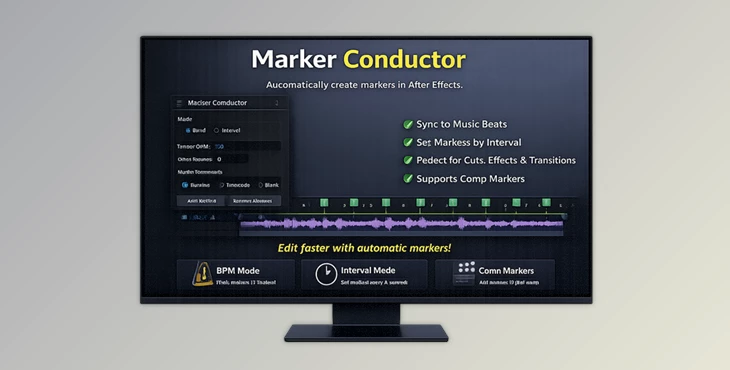
The Marker Conductor will automatically place markers on your timeline based on the time intervals or the BPM of your project. This tool will save you the effort of having to place these markers manually.
Why is this useful?
Imagine you’re editing a music video or syncing animations to sound:
- You need markers exactly on every beat → Marker Conductor handles it instantly.
- You want evenly spaced time markers → Done in seconds.
- You need structured timing for motion sequences → It keeps everything consistent.
This precision improves your workflow by:
- Saving time
- Reducing human error
- Making your animations and edits feel more polished and rhythmic
🚀 Meet the Tool: Marker Conductor
Marker Conductor simplifies timeline management and enhances creative control—especially for professionals working in After Effects (CC 2017 and later).
✨ Features
Automatic Marker Placement
Add markers based on:
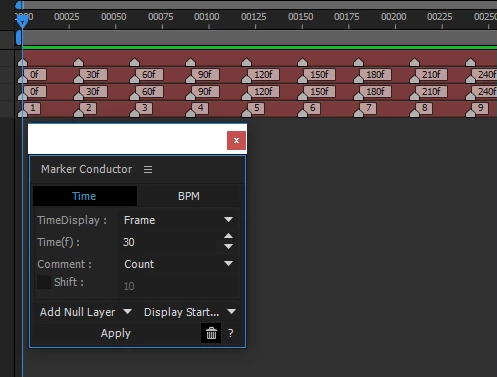
- Specific time intervals
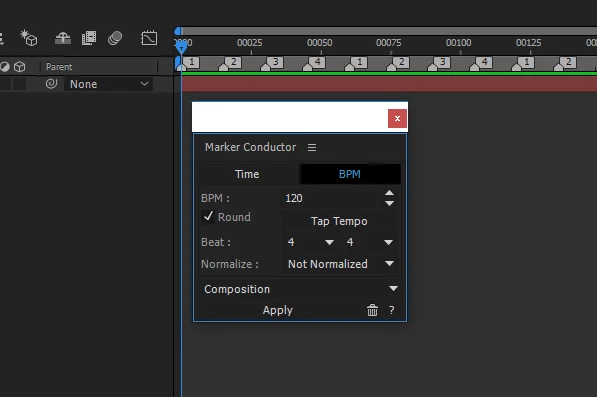
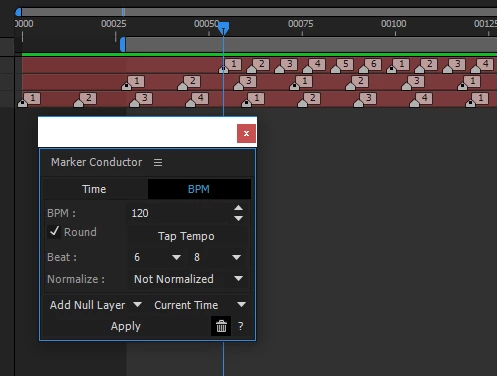
- BPM (beats per minute)
Composition Marker Support
- Fully compatible with composition markers in newer versions (CC 2017+).
Flexible Marker Comments
Markers can include:
- Marker count
- Time
- Time + unit
- Or no comment at all
BPM Control Options
- Enter BPM manually
- Use the Tap Tempo button for real-time rhythm detection.
🎯 Real-World Example
Let’s say you’re animating a logo to music:
- Use BPM mode → markers land exactly on each beat.
- Align keyframes to markers → animation syncs perfectly with the track.
- Result → smoother, more professional motion.
💡 Pro Tips for Better Results
- Use Tap Tempo for Accuracy: If you are not certain of the BPM of your project, use the Tap Tempo button to automatically set the BPM to the music in your composition.
- Combine Marker Types: Use both time-based markers as well as BPM markers to give yourself more control over your project.
- Keep Your Timeline Clean: Avoid placing too many markers in your project. Use this tool to enhance your editing experience by only adding markers that will aid your project’s animation.
- Sync Keyframes to Markers: Add keyframes to your project to automatically align to the markers placed along your timeline. This will give you a more professional and polished product.
🔥 Final Thoughts
Marker Conductor is one of those tools that can transform the way you work. It will save you time and help you create more professional results. Give this tool a try to see just how smooth your projects can be when you no longer struggle with timing issues.

Files Password : gfxplugin.com OR 123456