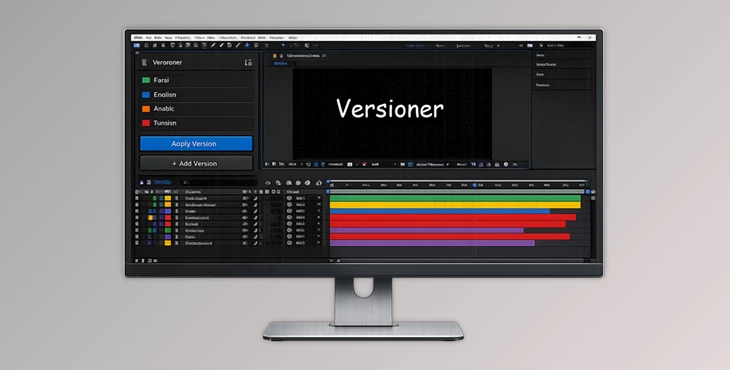
Downloadable Files
You can download Versioner for free from the end of this page.
⚡ Effortless Version Control in After Effects
Managing multiple versions of a project — different languages, client revisions, or text options — can get messy fast. This product takes the chaos out of the equation. With a single click, you can instantly switch between versions while keeping only the relevant layers active. Say goodbye to duplicates and clutter, and hello to a cleaner, smarter workflow.
🎨 What Is Versioner and Why You’ll Love It
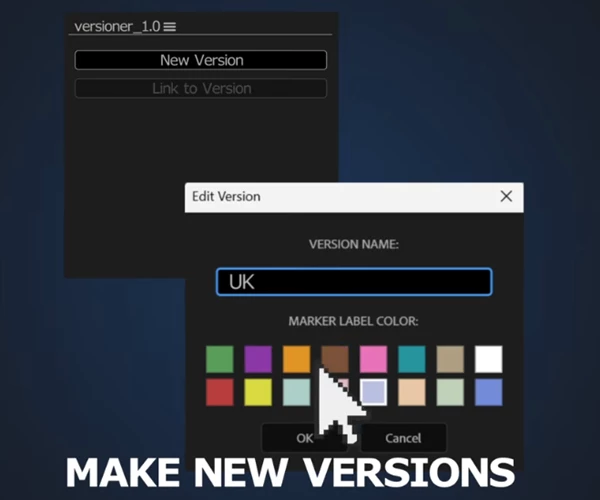
Versioner is a tool for Adobe After Effects that helps you manage multiple content versions without duplicating your compositions or layers. Think of it as a tagging system for your timeline — every layer can belong to one or more versions, and you can toggle between them effortlessly.
Real-World Applications
- Multi-language projects: Easily switch between English, Spanish, or French layers without creating separate comps.
- Client revisions: Keep “Option A” and “Option B” in the same timeline, then switch views instantly.
- Text and design variations: Test different headlines, captions, or graphics without duplicating anything.
These features save time, reduce errors, and keep your projects organized, making collaboration smoother and revisions faster.
🛠 Features That Make Your Workflow Smoother
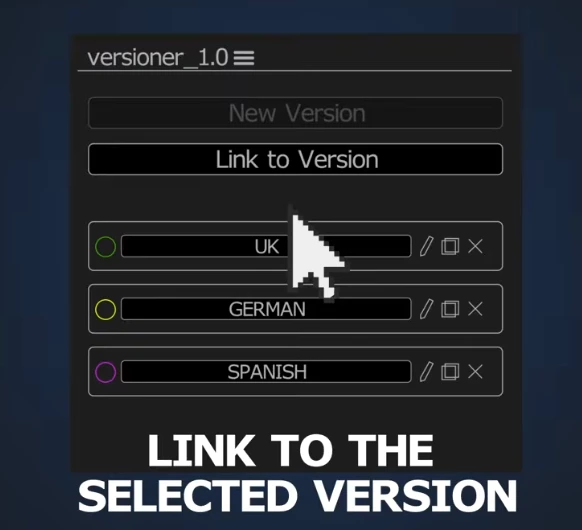
- One-Click Version Switching: Instantly toggle between versions — only the correct layers are enabled, while all others are safely disabled.
- Color-Coded Version Markers: Each version gets its own AE label color. Markers on layers help you visually inspect which layers belong to which version directly in the timeline.
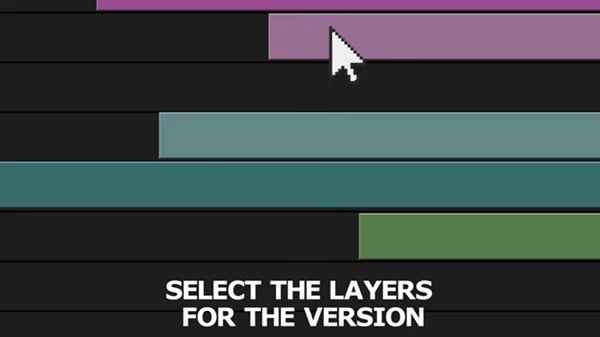
- Link Layers to Multiple Versions: Select layers and assign them to multiple versions at once. Perfect for elements shared across languages or client options.
- Clean Unlinking: Remove layers from specific versions safely. If a layer doesn’t belong to any version, this tool automatically clears its internal ID.
- Smart Duplicate Handling: After Effects duplicates everything — including metadata. Versioner detects duplicated layer IDs and lets you clean them up with one click.
- Safe Version Deletion: Deleting a version removes its markers, clears unused IDs, but never touches your artwork or layers.
- Built-in Debug Mode: Optional debug logs are stored inside your project for troubleshooting and support.
- Automatic Recovery System: Accidentally lost the internal storage? Versioner scans layer IDs and timeline markers to rebuild your version structure automatically.
Real Impact on Projects
Whether you’re working on a multi-language promo video, client-specific variations, or testing different graphics, this product keeps your project organized, saves hours of work, and ensures nothing is accidentally deleted.
💡 Pro Tips for Using Versioner
- Plan your versions ahead: Assign meaningful names and colors for each version to make switching faster.
- Reuse layers smartly: Link shared design elements to multiple versions instead of duplicating them.
- Clean duplicates regularly: Use the built-in cleanup tool after duplicating comps to avoid conflicts.
- Debug mode is your friend: Enable it when working on large projects to quickly trace issues.
These simple habits make your workflow smoother, faster, and more professional.
✅ Why Versioner Is a Game-Changer
This tool is more than just a tool — it’s a significant boost to your productivity. With Versioner, you can keep timelines, layers, and versions in your project easily accessible. Try Versioner today and experience how effortless version control can be — your projects and stress levels will thank you!

Files Password : gfxplugin.com OR 123456