Downloadable Files
You can download the Supertabs product for free from the end of this page!
🚀 Take Control of Your Blender Sidebar
Ever felt lost in Blender’s endless scroll of tools and panels? Supertabs turns that chaos into a clean, structured workspace. Imagine all your favorite tools, add-ons, and editors organized exactly where you want them — ready for one-click access. Workflow frustration becomes a thing of the past, and your muscle memory finally works in your favor.
🔍 What Supertabs Actually Does
At its core, Supertabs is the ultimate N-Panel controller. But what does that mean for your daily work?
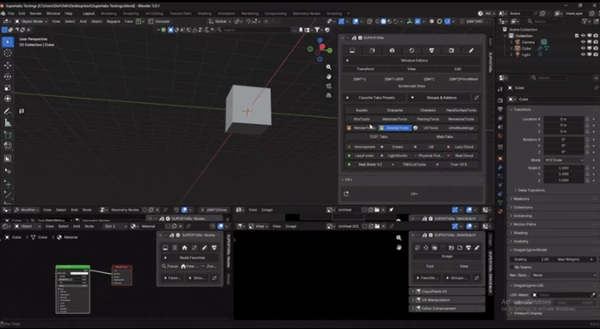
- N-Panel Management: Create unlimited main groups and subgroups, merge multiple add-ons into a single panel, hide clutter, and restore your setup automatically every time Blender starts.
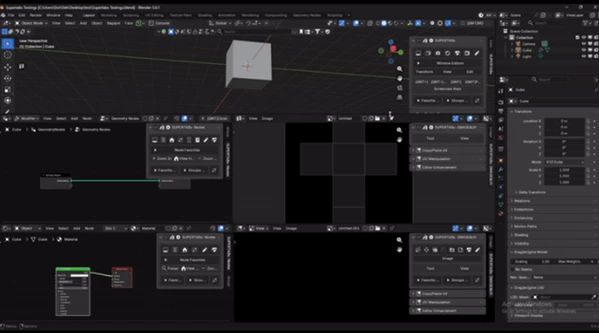
- Full Editor Support: Works in 3D View, Image & UV Editors, and all Node Editors — Shader, Geometry, Texture, and Compositor.
- Workflow Acceleration: Quick shortcuts, pie menus, focus mode, stack mode — all designed to speed up your workflow.
- Operations Center: Handy tools like viewport statistics, UV syncing, node arranging, and batch image operations — everything without switching panels.
- Personal Workflow Management: Hide what you don’t need, standardize across teams, and structure sidebars for maximum efficiency.
- Add-ons Hub Management: Enable/disable add-ons, mark favorites, export and restore setups — keep your Blender organized across projects and machines.
These features don’t just save time — they make your work smoother, more predictable, and enjoyable. Imagine working on a complex shader node setup, and with one click, all your essential nodes are arranged and ready. That’s the power of Supertabs.
✨ Features That Make a Difference
- Create & Organize Panels: Unlimited main groups, tab groups, and icons.
- Merge Add-ons: Combine scattered tools into a single, logical layout.
- Quick Access Shortcuts: Pie menus, focus/stack modes, favorite presets.
- Multi-Editor Support: Node editors, 3D view, UV, and Image editors.
- Operations Made Easy: Node stats, UV packs, batch image saves, viewport overlays.
- Workflow Consistency: Save your layout in JSON, restore across Blender startups, or even across multiple machines.
Real projects feel the difference immediately. Whether you’re animating, texturing, or creating complex geometry nodes, Supertabs keeps your workspace neat and your hands on what matters.
💡 Pro Tips to Work Smarter
- Stack Panels: Use Shift + Click to open multiple panels together — perfect for comparing node setups.
- Focus Mode: Left Click isolates a single tab, reducing distraction when you’re deep in editing.
- Shortcut Your Favorites: Mark frequently used tools and saved them in presets for instant access.
- Hide the Noise: Remove unused UI elements to create a clean canvas — your workflow becomes faster and more enjoyable.
Even simple tweaks like these can save minutes (or hours!) on complex projects, giving you more time to focus on creativity.
🎯 Why Supertabs is a Game-Changer
With Supertabs, your Blender workspace finally feels like it works with you, not against you. Panels stay where you want them, add-ons are instantly accessible, and your workflow becomes intuitive and predictable. In short: fewer clicks, less scrolling, and a more enjoyable creative process. If you’ve ever wished Blender’s sidebar could adapt to your way of working, Supertabs delivers — and then some.

Files Password : gfxplugin.com OR 123456