Downloadable Files
You can download Nikon Contemporary for free at the end of this page.
Capture Nikon’s Signature Colours in Your Own Photos
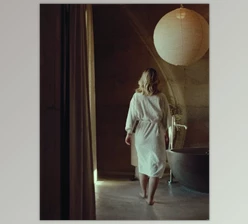
Imagine giving your photos the same vibrant, professional-quality colours as the latest Nikon cameras—without even owning one. Nikon Contemporary lets you do exactly that, bringing the rich tonal depth and vivid hues of Nikon’s modern cameras straight into Lightroom. It’s like adding a magic filter that doesn’t just change colours—it captures their essence.
What It Is and Why It Matters
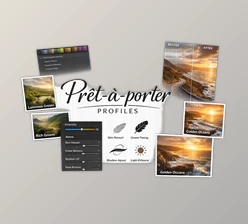
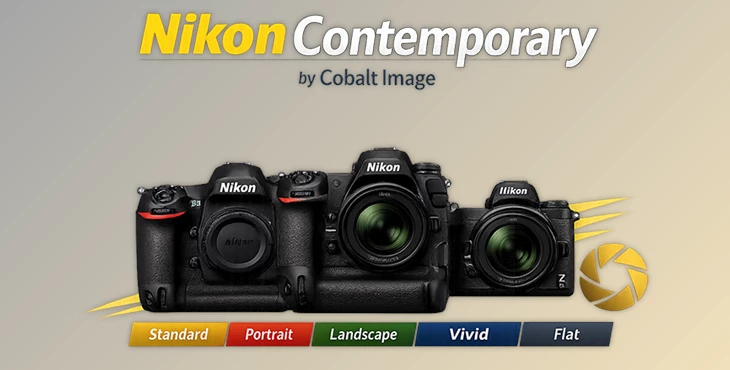
At its core, Nikon Contemporary for Adobe is a collection of colour profiles meticulously crafted to replicate the unique digital colour fingerprint of Nikon cameras. Whether you’re shooting portraits, landscapes, or high-speed action, these profiles translate the look and feel of a Nikon D5 or Z9 to your own images.
Think of it like this: every photo tells a story, but the right colours make that story pop. By using these profiles, you get:
- True-to-life colourimetry: Colours so accurate, they’re almost indistinguishable from Nikon originals.
- Professional tonal range: From deep shadows to vibrant highlights, your images gain depth and sophistication.
- Versatility: Perfect for portraits, landscapes, monochrome projects, and more.
Features That Make Photography Easier and More Stunning
Nikon D5 Profiles:
- Deep Tone Mono
- Flat
- Flat Mono
- Landscape
- Monochrome
- Neutral
- Portrait
- Rich Tone Portrait
- Standard
- Vivid
Nikon Z9 Profiles:
- Deep Tone Mono
- Flat
- Flat Mono
- Landscape
- Monochrome
- Neutral
- Portrait
- Rich Tone Portrait
- Standard
- Vivid
These profiles faithfully reproduce the output of NX Studio when processing NEF files from the Nikon D5 or Z9, giving your images the professional-grade palette that these cameras are known for. Whether it’s the dramatic depth of a Rich Tone Portrait or the subtle elegance of Neutral, your photos will instantly look more polished and cinematic.


Pro Tips for Using Nikon Contemporary
- Start with Neutral or Standard for general adjustments, then layer specialty profiles like Landscape or Rich Tone Portrait for a creative boost.
- Experiment with Mono profiles to give your black-and-white shots a classic Nikon feel.
- Use Flat profiles when you plan to do heavy post-processing—you’ll retain the most detail and flexibility.
- Consistency is key – apply the same profile across a series of images for a uniform, professional look.
These tips are designed to help both beginners and seasoned photographers get more out of every shot, making your workflow smoother and your results more stunning.
Why You’ll Love It
With Nikon Contemporary, you’re not just applying colour—you’re elevating your photography. Every portrait, landscape, or creative project gains the depth, vibrancy, and precision that define Nikon’s modern cameras. Even if you’re using a completely different camera, your photos can carry that professional Nikon signature.

Files Password : gfxplugin.com OR 123456