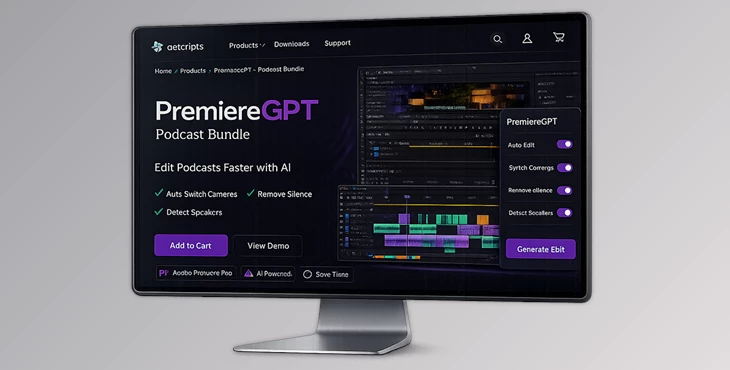
Downloadable Files
You can download the Podcast Bundle for free from the end of this page.
Turn Hours of Podcast Footage Into a Clean Edit in Minutes
Editing a multi-camera podcast can easily take hours. You have to watch every clip, find the active speaker, cut between cameras, remove awkward pauses, and keep the pacing natural. It’s repetitive, time-consuming, and often frustrating.
This is where the Podcast Bundle becomes a real game-changer.
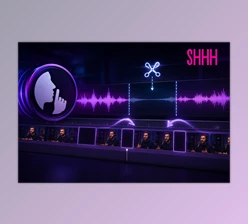
Instead of manually switching between cameras and trimming silence, the tool uses AI-powered active speaker detection to automatically build your podcast edit.
In just a few minutes, it analyzes your footage, detects who is speaking, removes silent gaps, and generates a dynamic multi-camera timeline directly inside Adobe Premiere Pro. The result? A professional podcast edit without the usual hours of manual work.
Understanding AI-Powered Podcast Editing
At its core, Podcast Bundle is designed to automate one of the most repetitive parts of video production: multi-camera editing.
Normally, when editing a podcast with multiple cameras, you must constantly check which person is speaking and switch to their camera angle. If two people speak together, you may switch to a wide shot. On top of that, you need to trim pauses and maintain a smooth rhythm.
This tool simplifies the process using next-generation active speaker detection. The AI analyzes audio waveforms with high precision to determine exactly who is speaking at any moment.
For example:
In a two-person interview, the AI automatically switches between cameras based on the speaker.
In a panel discussion, it can detect overlapping voices and cut to a wide shot.
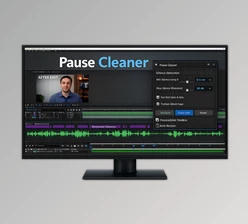
In a podcast with pauses, it removes silent moments and keeps the conversation flowing.
These features significantly improve editing efficiency because they remove repetitive manual tasks while still allowing full creative control. Instead of spending hours cutting clips, editors can focus on storytelling, pacing, and polishing the final result.
Meet the Tool: Podcast Bundle
Podcast Bundle is an AI-powered assistant built specifically for Adobe Premiere Pro. It helps editors automate multi-camera podcast editing while keeping the entire workflow inside Premiere.
The biggest advantage is that everything runs locally on your computer. There is no need to upload files to the cloud, which keeps your footage secure and speeds up processing.
It transforms raw recordings into a clean, dynamic edit within seconds while still generating standard Premiere cuts that you can fully adjust afterward.
Features
Next-Gen Active Speaker Detection
The core technology analyzes audio waveforms to detect who is speaking at any given moment.
Unlike basic detection systems, this algorithm ignores background noise and focuses on actual voice patterns. This ensures that camera switches happen naturally and accurately.
In a podcast with three speakers, for instance, the system instantly determines the active speaker and switches to the correct camera angle.
Rhythm & Jump Cuts
Good podcast editing requires proper pacing.
PremiereGPT automatically removes silence and awkward pauses using Jump Cuts, allowing you to control the rhythm of the conversation. You can also define the minimum shot duration to avoid overly rapid camera switching.
This helps create edits that feel smooth and natural instead of robotic or chaotic.
Wide Shot Intelligence
Conversations are rarely perfectly sequential. Sometimes multiple people talk at the same time.
The AI recognizes these moments and intelligently switches to a wide group shot when appropriate. This keeps the edit visually balanced and prevents confusing camera cuts during overlapping dialogue.
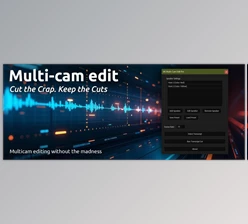
Fully Automated Multi-Cam Timeline
The workflow is simple and efficient:
Import your footage into Premiere Pro.
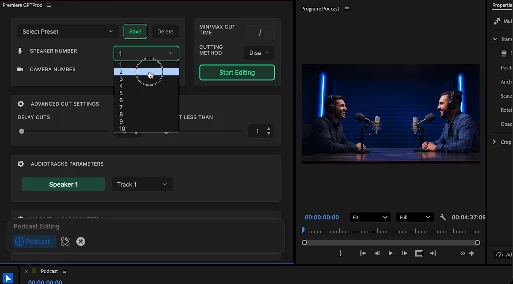
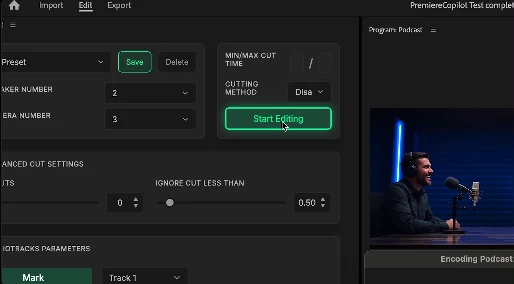
Assign each speaker to their corresponding camera angle.
Click
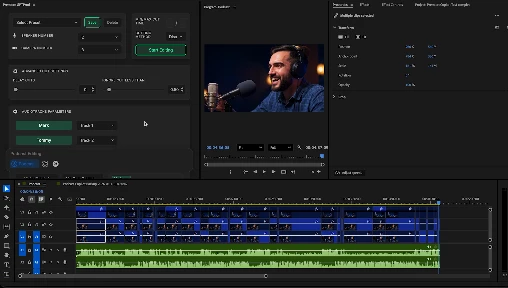
Within seconds, PremiereGPT generates a complete multi-camera timeline using standard Premiere Pro edits that you can refine and customize.
Pro Tips for Better Podcast Edits
Even with AI automation, a few smart editing techniques can make your podcast look even more professional.
- 1. Use Clear Audio Tracks: Assign each speaker to a clean audio track whenever possible. This allows the active speaker detection to work with maximum accuracy.
- 2. Set a Natural Minimum Shot Duration: If camera switches happen too quickly, the video can feel chaotic. Setting a minimum duration ensures smoother pacing.
- 3. Combine AI Cuts with Manual Highlights: Let the AI handle the base edit, then manually add reaction shots, close-ups, or emphasis cuts to enhance important moments.
- 4. Keep Wide Shots for Key Moments: Wide shots work best when multiple speakers interact. Use them strategically to visually reset the scene.
These small adjustments can elevate the automatically generated edit into something that feels polished and intentional.
Final Thoughts
Podcast Bundle has been designed to integrate accurate and intelligent editing tools directly into Premiere Pro—and there's no better news than knowing that all this can dramatically reduce the time it takes to create multi-camera podcast videos.
The best part is that this tool still allows complete creative freedom, since all editing is done on your local machine rather than relying on cloud-based apps.
Premiere Pro’s new podcasting tools will save you a ton of time!

Files Password : gfxplugin.com OR 123456