Downloadable Files
You can download Autodesk Golaem for free at the end of this product page.
Step Into Living, Breathing 3D Worlds
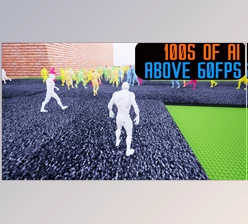
Imagine opening your scene to a stadium full of cheering crowds, a City full of walking pedestrians, or an epic battlefield with marching soldiers? This is what the creative potential of Autodesk Golaem can offer you! Instead of manually animating dozens—or hundreds—of characters, Golaem allows you to generate and control massive crowds with precision and ease. It’s designed to spark creativity, speed up production, and give you full artistic control without overwhelming complexity. If you’ve ever wanted your scenes to feel bigger, richer, and more cinematic, this tool is built exactly for that.
What Is Autodesk Golaem and Why Does It Matter?
At its core, Autodesk Golaem for Maya is a professional crowd simulation and character layout tool. It enables artists to create, manage, and animate multiple characters—humans, animals, or fantasy creatures—inside complex 3D scenes. But it’s more than just “adding more characters.” It’s about:
- Creating believable environments
- Controlling movement and behavior
- Making large-scale scenes feel natural and immersive
Real-World Creative Uses
Here’s how it transforms projects:
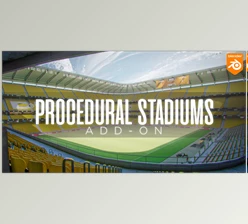
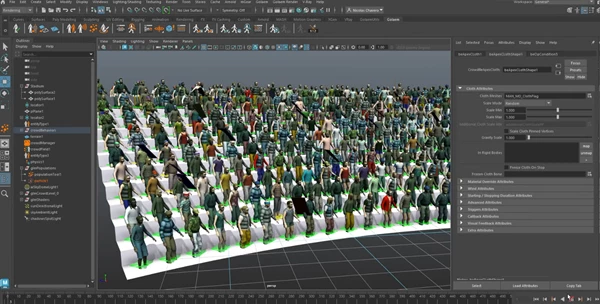
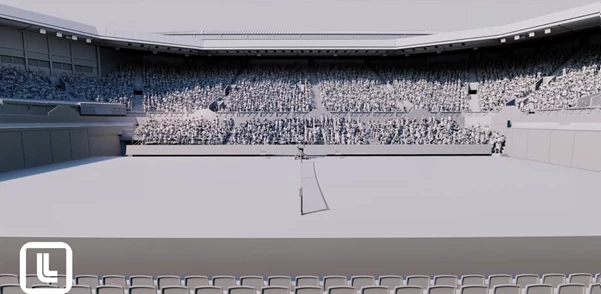
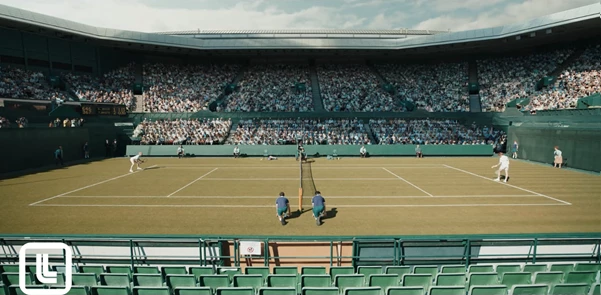
- Packed Stadiums: With intuitive placement tools, you can fill thousands of seats with cheering fans in just a few clicks. Instead of repeating identical characters, you can import custom models or modify predefined ones to create visual diversity and realistic reactions.
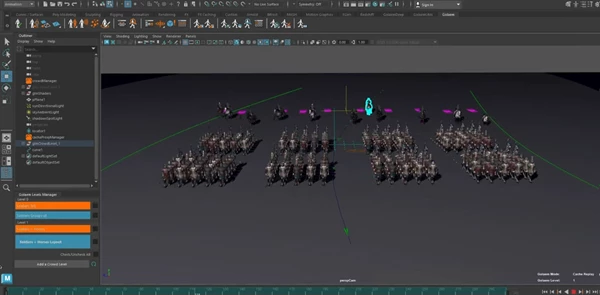
- Epic Battles: Design large-scale battle scenes with soldiers marching in formation, riding horses, shooting arrows, or engaging in close combat. Procedural animation tools help retarget motion, adapt to ground surfaces, and coordinate group behavior—saving massive amounts of time.
- Living City Scenes: Populate streets with pedestrians who react to their environment. Add moving traffic or birds flying overhead. The result? A vibrant, believable world that enhances storytelling and visual impact.
These features dramatically improve production quality by reducing manual animation work while increasing realism and scalability.
Meet the Professional Tool Behind the Magic
Autodesk Golaem in the Media & Entertainment Collection for Maya is for artists looking to own large character scenes - the quick way. It’s not just a dream. You can now direct and animate huge character scenes. What you get
1. Create Huge Crowds in Seconds
Populate stadiums, arenas and more with smart placement tools. You can:
- Instantly generate thousands of characters
- Adjust crowd variants
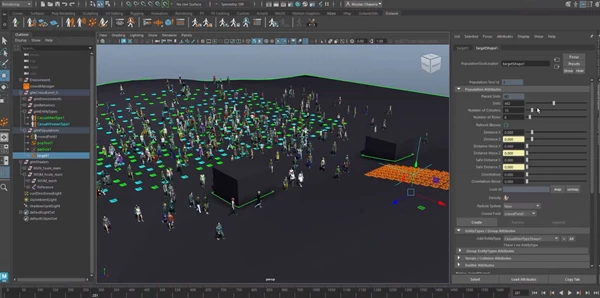
- Set behaviors and responses
- Adjust existing characters or include your own
To make sure your scenes don’t look artificial.
2. Advanced Procedural Character Animation
Golaem includes a powerful embedded procedural animation engine that allows you to:
- Direct multiple characters simultaneously
- Retarget motion efficiently
- Adapt characters to terrain automatically
- Maintain realistic movement across large simulations
Instead of manually adjusting every animation, you can fine-tune behavior at scale—saving hours or even days of production time.
3. Artist-Friendly Layout & Iteration
One of the biggest advantages is non-destructive editing. Using the Layout tool inside Maya’s viewport, you can:
- Visualize simulations in real time
- Manipulate and adjust characters directly
- Modify crowd setups without restarting from scratch
This encourages experimentation and faster creative iterations.
4. Optimized Rendering & Lightweight Scenes
Golaem keeps scenes efficient by filtering unnecessary characters and enabling procedural rendering with Arnold or other render engines. The result:
- Faster rendering workflows
- Cleaner scene management
- Better performance in large productions
5. Seamless Pipeline Integration
After building your simulation in Maya, you can refine and extend it in other professional tools, such as:
- 3ds Max
- Houdini®
- Katana®
- Unreal Engine®
It supports major industry file formats, including USD, Alembic, and FBX, making collaboration across departments smooth and efficient.
Pro Tips for Better Crowd Results
Want your scenes to look even more natural and cinematic? Here are some practical techniques:
Vary Motion and Timing
Even small timing offsets between characters prevent robotic repetition. Use behavior controls to create subtle differences in reactions.
Mix Character Variations
Change clothing, body types, and animation cycles to avoid obvious duplication—especially in stadium or city scenes.
Adapt to Environment
Use ground adaptation tools for uneven terrain in battle scenes or outdoor environments. It dramatically improves realism.
Focus on Camera Framing
You don’t always need maximum density everywhere. Concentrate on the details where the camera sees most clearly and optimize background characters.
Iterate Often
Take advantage of non-destructive editing. Test different crowd sizes, behaviors, and formations until the scene feels alive.
Final Thoughts: Bigger Worlds, Smarter Workflow
Autodesk Golaem empowers artists to create large-scale, believable worlds without overwhelming complexity. Whether you’re filling a stadium, directing a battle, or bringing a city to life, it turns what used to be an enormous challenge into a manageable and creative process. It doesn’t just add more characters—it adds atmosphere, scale, and emotional impact to your scenes. If you’re working in Maya and want your projects to feel cinematic, dynamic, and production-ready, Autodesk Golaem is a tool worth exploring.