Downloadable Files
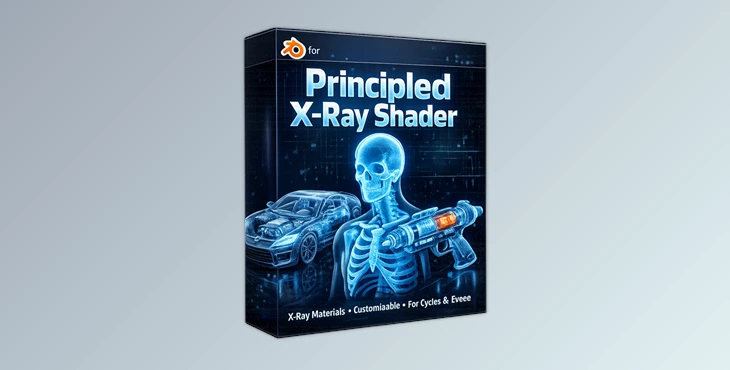
You can download the Principled X-Ray Shader for free at the end of this page.
See Inside Your Models Like Never Before
Have you ever wanted to reveal the inner structure of your 3D models with a clean, futuristic X-ray look — without building a complicated node setup from scratch? The Principled X-Ray Shader makes it incredibly easy to transform ordinary Blender scenes into sleek, high-impact visual experiences. Whether you’re designing a medical visualization, showcasing a mechanical cutaway, or building a sci-fi asset with glowing internals, this shader gives you the power to control every detail — while keeping your workflow simple and efficient. It’s procedural, flexible, and built for artists who want both precision and style.
What Is an X-Ray Shader and Why Does It Matter?
At its essence, an X-ray shader is a material that allows internal viewing and transparency while maintaining shape and volume. It doesn’t just make things transparent; it visualizes structure, outlines, and internal contents in an appealing way. The Principled X-Ray Shader expands on this concept to include:
- Transparent layers
- Emission
- Customizable wireframe
- Physical roughness and transmission
Why These Features Improve Your Results
- Enhanced Depth Perception: The Corner Highlight feature adds subtle edge lighting, helping define form and volume.
- Better Focus on Internal Details: Wireframes and emission controls allow you to emphasize internal geometry.
- Maintained Realism: The optional base material blend prevents the object from looking flat or artificial.
- Full Artistic Control: Adjustable alpha, roughness, and transmission weight give you precision over how “see-through” or glossy your material feels.
The result? Cleaner renders, stronger visual storytelling, and more professional-looking scenes.
Meet the Professional All-in-One Solution
The Principled X-Ray Shader by REDMOON is a fully procedural material generator designed for Blender users who want complete control without complex setups. It works seamlessly in both Eevee and Cycles, ensuring consistent, stunning results regardless of your rendering engine. Instead of building multiple node groups manually, you get everything inside one optimized setup — saving time while expanding creative possibilities.
Features
- Fully Procedural Setup: No textures required. Everything is generated inside the shader, making it lightweight, scalable, and easy to customize.
- Customizable Wireframe Controls: Adjust thickness, intensity, and visibility to create anything from subtle technical overlays to bold sci-fi grid structures.
- Emission Glow Control: Fine-tune emission strength to create glowing internals — perfect for futuristic devices, robotics, or energy cores.
- Transparent Layer & Alpha Control: Control how much of the internal structure is revealed, from subtle translucency to dramatic X-ray transparency.
- Base Color, Roughness & Transmission Settings: Maintain realism by blending the X-ray effect with a physically accurate base material.
- Corner Highlight System: Adds edge-based lighting that enhances depth and silhouette definition — making your model pop even in darker scenes.
Real-World Creative Scenarios
- Medical Visualizations: Showcase anatomical structures with glowing outlines and layered transparency.
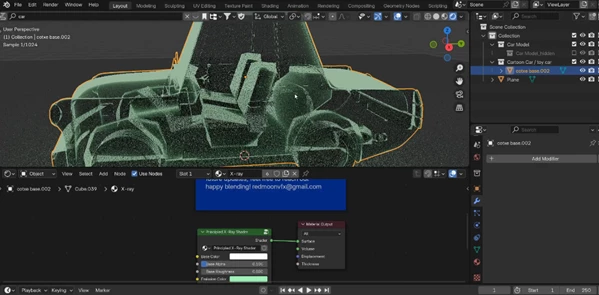
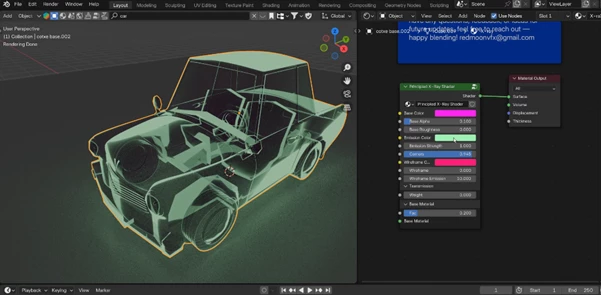
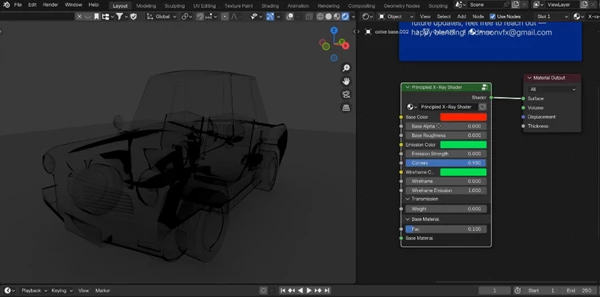
- Automotive Cutaways: Reveal engine components while keeping the body structure visible.
- Sci-Fi Assets: Create energy-powered devices with internal glowing cores and wireframe overlays.
- Product Showcases: Highlight internal engineering details in a visually engaging way.
In each case, the shader doesn’t just make the object transparent — it makes it informative and visually striking.
Pro Tips for Better Results
- Balance Emission Carefully: Too much glow can flatten details. Start subtle and increase gradually to maintain depth.
- Use Corner Highlights for Shape Definition: If your model feels flat, slightly increase the corner highlight intensity to enhance edges and contours.
- Combine with Subtle Lighting: A strong HDRI combined with controlled emission creates a more cinematic and realistic look.
- Blend with Base Material for Realism: For technical presentations, mix a small percentage of the original material to keep surfaces believable.
- Adjust Wireframe for Context: Use thinner wireframes for medical or technical work, and thicker, brighter lines for sci-fi scenes. These small adjustments can dramatically elevate the final render.
Final Thoughts: Precision Meets Style
The Principled X-Ray Shader is a tool that saves time, simplifies complex tasks, and gives you complete control over an effect that’s hard to achieve otherwise. If you want to add an element of clarity, drama, or futurism to your projects, this shader is definitely worth exploring. So, try it out, play around with it, and see how easy it is to add a whole new dimension to your visual storytelling toolkit!

Files Password : gfxplugin.com OR 123456