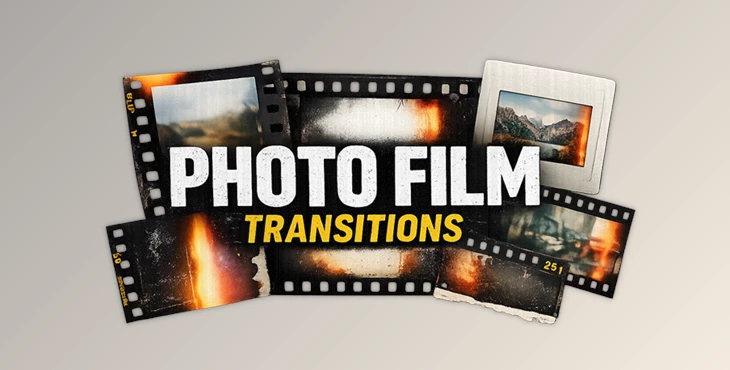
Downloadable Files
You can download PHOTO FILM TRANSITIONS for free at the bottom of this page.
Instant Film Energy for Your Videos
Have you ever watched a cinematic edit and thought, “How do they make those film-frame transitions look so real?” That analog, mixed-media vibe usually takes a lot of time—unless you have the right template. PHOTO FILM TRANSITIONS is made for editors who want fast, stylish, film-inspired transitions that instantly add personality to their videos. It’s simple to use, looks professional, and gives your edit that classic photo-film collage feel in just a few clicks.
What Are Photo Film Transitions (And Why Do They Look So Good)?
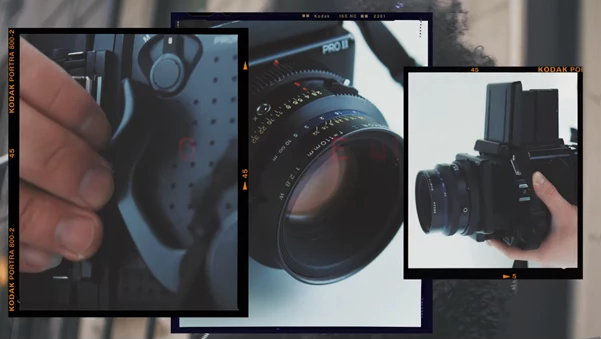
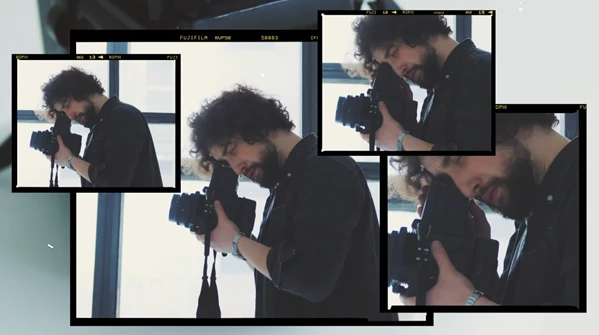
Photo film transitions are animated transitions that simulate real 35mm and 120mm photo film frames moving across the screen. In a simple way, they do three things at once:
- They create smooth, stylish scene changes
- They add authentic film texture and framing
- They boost rhythm and energy in your edit
Real examples you can imagine:
- A travel vlog jumping between locations with a 2-frame film strip transition
- A fashion reel switching outfits with a 3-frame collage transition
- A music video montage using 4-frame film frames plus shutter sounds
Why this improves your final result
Instead of using basic zooms, motion blur cuts, or generic transitions, you get something that feels:
- More cinematic
- More creative
- More premium
- More memorable
And since these transitions are built using real film frames, the look feels authentic—not digital or fake.
Introducing the Pack: PHOTO FILM TRANSITIONS by Sickboat
PHOTO FILM TRANSITIONS is a professional transition pack that includes 35+ photo film collage transitions, built as:
- A full After Effects 2024 template
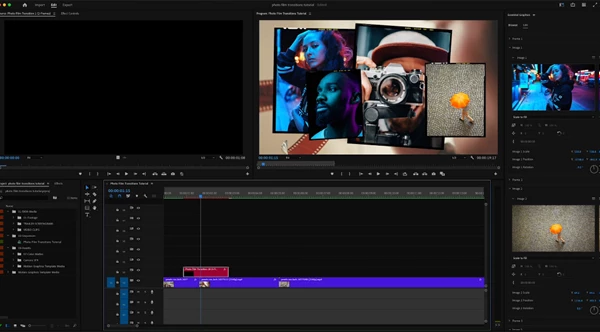
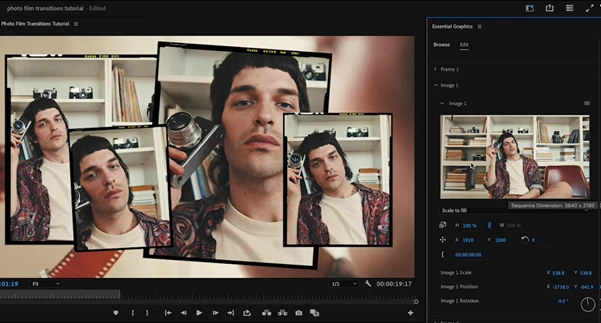
- Plus drag & drop MOGRTs for Premiere Pro
That means you can use it whether you edit in After Effects or prefer working directly inside Premiere Pro.
Features
✅ 35+ Photo Film Collage Transitions (AE Template + MOGRTS)
You get a large collection of transitions designed for different moods—from fast and snappy to more cinematic and smooth.
🎞️ 35mm + 120mm Film Frame Styles
The pack includes both:
- 35mm photo film transitions (classic cinematic style)
- 120mm photo film transitions (more artistic, vintage collage look)
🧩 2 / 3 / 4-Frame Transition Options
This is one of the most useful features because you can match the transition to your edit style:
- 2-frame: minimal and clean
- 3-frame: balanced and energetic
- 4-frame: bold, collage-heavy, high-impact
🔊 Camera Sound Effects Included
Film transitions feel far more realistic when paired with:
- shutter clicks
- camera snaps
- analog movement sounds
This pack includes camera SFX, so you don’t need to hunt for sounds elsewhere.
🧠 Beginner-Friendly After Effects Template
Even if you’ve never used After Effects before, the template is built to be easy. You can simply:
- Replace media
- Customize if needed
- Export and use anywhere
🎯 Drag & Drop Media Placeholders
Just drop your video clips or images into the placeholders and the transition animation is already done for you.
🛠️ Modular Design for Customization
You can easily customize:
- timing
- frame order
- media placement
- transition intensity
This gives you full creative control without a complicated setup.
🖥️ 4K Resolution (3840×2160)
Every transition is built in true 4K, so you get sharp, clean results for:
- YouTube videos
- commercial projects
- reels and short-form content
- cinematic edits
🚫 No 3rd Party Plugins Needed
No extra plugins. No scripts. No paid add-ons. Just After Effects 2024 and Premiere Pro.
🔄 Free Regular Updates
The pack also includes free updates, meaning it can grow and improve over time.
Pro Tips to Make It Look Even More Cinematic
Using the pack is already easy—but these small tips can make your results look even more professional.
🎬 Tip 1: Match the Transition to the Beat
If you’re editing music videos, reels, or fast montages, sync the transition hit with the beat. This instantly makes your edit feel intentional and high-end.
🎞️ Tip 2: Use 35mm for “cinematic”, 120mm for “art”
A simple rule:
- 35mm = clean cinematic energy
- 120mm = vintage collage + artistic mood
Mixing both styles keeps your video visually interesting.
🧩 Tip 3: Don’t Overuse 4-Frame Transitions
4-frame transitions are powerful, but if you use them too often, your edit may feel too busy. Use them for:
- intros
- beat drops
- major scene changes
- montage highlights
🔊 Tip 4: Keep Camera Sounds Subtle
The pack includes sound effects, but for a more professional feel:
- lower the volume
- blend it under the music
- Add a touch of reverb if needed
This makes it feel natural, not “too loud.”
🖼️ Tip 5: Combine with Other Film Textures
These transitions become even better when paired with mixed-media assets such as:
- film burns
- film artifacts
- paper textures
- tape overlays
- vintage LUTs
This creates a full cinematic collage style that feels handcrafted and unique.
Final Thoughts
If you want your videos to look:
- more cinematic
- more creative
- more textured
- more professional
...PHOTO FILM TRANSITIONS is a great choice. This pack is beginner-friendly, fast, and flexible. It includes an After Effects template AND Premiere Pro MOGRTs – it has everything you need! Once you start using film-frame transitions in your work, you'll see how your videos transform from generic to signature-style edits.

Files Password : gfxplugin.com OR 123456