Downloadable Files
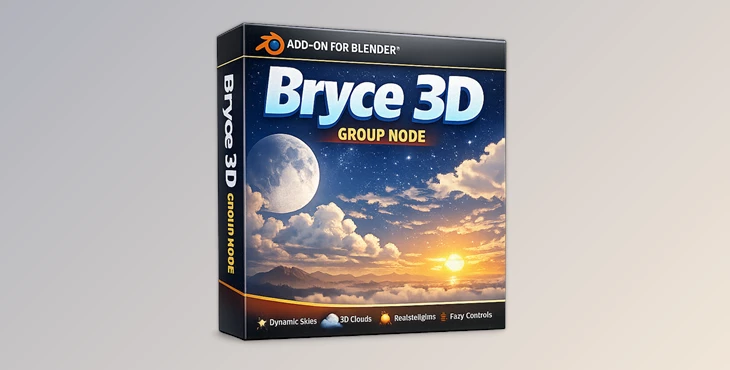
You can download the product Bryce 3D Group Node for free at the bottom of this very page.
Bring the Classic Bryce Sky Magic into Blender
Have you ever admired the dramatic skies and atmospheric landscapes created in Bryce 5.5? The glowing horizons, cinematic moons, dreamy haze, and procedural materials that felt alive? The Bryce 3D Group Node brings that nostalgic yet powerful sky system directly into Blender — with modern flexibility and professional control. It transforms your environment lighting, atmosphere, and reflections into something far more dynamic, cinematic, and immersive. If you love crafting skies that feel alive rather than flat HDR backgrounds, this tool is going to spark your curiosity.
What is the Bryce 3D Group Node and Why It Matters?
At its core, Bryce 3D Group Node is a comprehensive shader and node system for Blender that recreates the iconic Bryce 5.5 sky and material behavior — but fully integrated into Blender’s workflow. Instead of relying on static sky textures or limited procedural setups, this system gives you:
- A fully procedural dynamic sky
- A 3D rendered moon
- Stars, halo, glow effects
- Camera-responsive cloud systems
- Advanced atmospheric fog and haze using AOVs
- Accurate Blinn shading
- Procedural textures inspired by Bryce
- A separate reflection node (independent from Glossy/Specular)
- World ambient shader controls
- Compositor support for planets
Why These Features Improve Your Results
- Dynamic sky color transitions create realistic time-of-day moods.
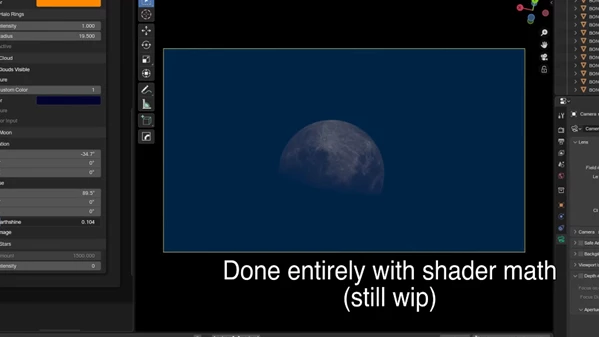
- 3D moon rendering adds depth and realism compared to flat textures.
- Camera-following cloud mapping keeps skies immersive in animation.
- Compositor fog with AOVs allows precise atmospheric control in post.
- Accurate Blinn shading improves material realism for classic render looks.
- The independent reflection node offers finer control over reflective behavior.
The result? More cinematic renders, deeper atmosphere, and stronger visual storytelling.
A Professional Tool Designed for Atmospheric Control
The Bryce 3D Group Node is a game-changer for any 3D artist looking to add environments and atmospheres to their scenes. This node group will help you:
- Build dramatic landscapes faster.
- Achieve cinematic skies.
- Add believable haze and depth.
- Recreate the nostalgic Bryce aesthetic.
With this node group, creating cinematic and atmospheric 3D scenes just got a lot easier—and a lot more fun!
Features
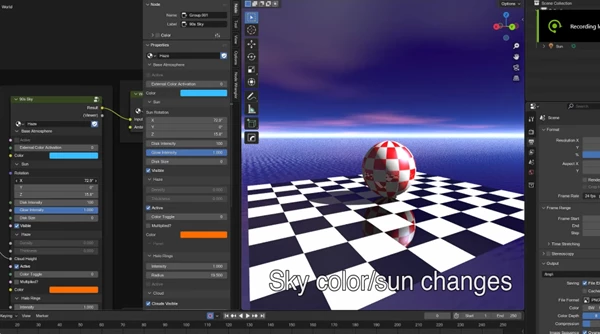
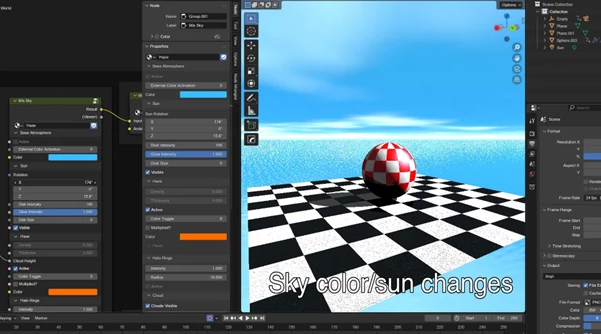
☀ Bryce Sky Node (Advanced Sky System)
- Huge parameter control list
- Fully 3D rendered moon
- Dynamic sky color shifts
- Star field system
- Halo and glow effects
- Atmosphere variation controls
Perfect for sunrise scenes, space environments, or stylized landscapes.
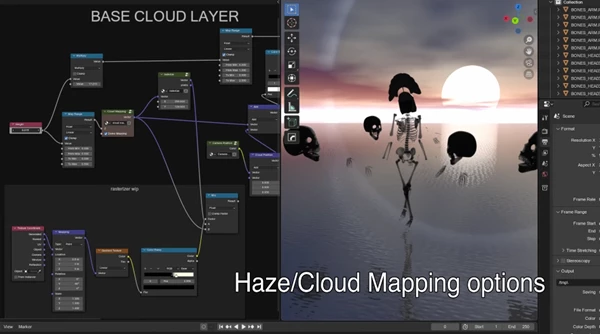
☁ Smart Cloud Setup
- Basic procedural cloud system
- Dome cloud mapping
- Perspective cloud mapping
- Clouds that move with the camera
Ideal for animations where static skies would break immersion.
🪐 Compositor Planet Support
Seamlessly add planets to your sky with compositor workflows.
Ideal for sci-fi locations, alien planets, and space views.
🌍 World Ambient Shader
Sets the ambient tone of the atmosphere and balances lighting across the environment.
Avoids flat / over-contrasted environments for more realistic results.
🎨 Bryce Material System
- Accurate Blinn shading
- Multiple procedural textures inspired by Bryce
- Stylized yet realistic surface rendering
Excellent for terrains, rocks, architecture, and retro-inspired scenes.
🌫 Compositor Fog & Haze (Using AOVs)
- Depth-based fog
- Atmospheric haze control
- Enhanced cinematic depth
Makes landscapes feel vast and layered instead of flat.
✨ Reflection Node (Separate from Glossy/Specular)
Unlike traditional setups, reflection is controlled independently from BSDF specular values. This allows:
- Artistic reflection control
- Classic Bryce-style reflectivity
- More precise material tuning
Pro Tips for Better Results
- Balance Sky and Fog Together: Don’t push sky saturation too high without adjusting haze. Subtle fog creates depth and realism.
- Animate Cloud Movement Gently: Small motion values work best. Over-animation makes clouds look artificial.
- Use Reflection Node Creatively: Try combining low specular with stronger reflection for stylized, retro Bryce aesthetics.
- Leverage AOVs in Compositor: Fine-tune fog intensity separately from lighting for cinematic control.
- Test Time-of-Day Variations: Slight changes in sky hue can dramatically alter the emotional tone of your scene.
Final Thoughts — Why the Bryce 3D Group Node Is Worth Exploring
The Bryce 3D Group Node is more than a shader; it’s an atmospheric toolkit that reintroduces character to your environment work. It can:
- Make things more realistic.
- Simplify complex sky configurations.
- Give you more room for creativity.
- Add cinematic character
- Bring the nostalgic Bryce vibe back to Blender.
If you’re a fan of environments, landscapes, or looking to craft retro-stylized scenes, the creative doors this tool provides are simply limitless. Dive into its features, play around with the moods of the skies, and give your scenes some room to breathe!

Files Password : gfxplugin.com OR 123456