Downloadable Files
You can download the Social Exporter product for free at the end of this page. Stop Rebuilding the Same Video Again and Again
Stop Rebuilding the Same Video Again and Again
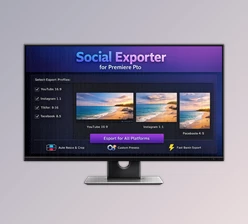
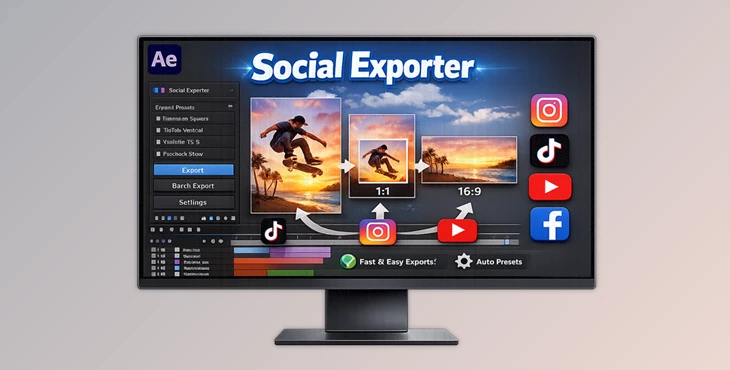
If you use Adobe After Effects and create content for social media, you know the pain! One project has to be exported in so many different formats – YouTube (16:9), Instagram (1:1), TikTok (9:16), LinkedIn, Facebook, etc... Spending hours of your life resizing, duplicating compositions, frame rates, and exporting. Not anymore thanks to **Social Exporter** which transforms the entire process in a few clicks so you don’t have to reconstruct every time for all different social media formats!
What Is Social Exporting and Why Is It Important?
Creating multiple versions of one composition for different social platforms by exporting Instead of redesigning the video for different social media platforms, someone can use this to have different versions of the same video.
Examples of Different Versions
- Different Dimensions (1920×1080 Versus 1080×1920)
- Vertical versus Horizontal
- 1080×1080 For Instagram
- Export for Different Social Media Platforms (TikTok, Instagram, YouTube)
Why This Improves Your Results:
- Your videos look professionally formatted
- Text and important visuals stay readable
- Correct frame rates are maintained
- You save time and reduce technical mistakes
Instead of focusing on repetitive technical work, you can focus on creativity.
Introducing the Professional Tool: Social Exporter
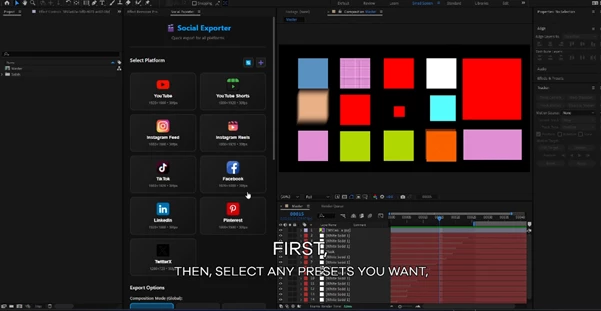
Social Exporter is a powerful After Effects plugin designed to export your active composition into multiple social media formats in just a few clicks. It automatically prepares the required compositions and sends them directly to the After Effects Render Queue. You simply click Render.
Quick Start Workflow:
- Save your project (Ctrl / Cmd + S)
- Open the composition you want to export
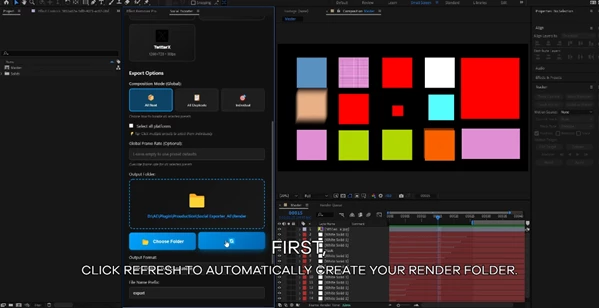
- Click Refresh (a Render folder is created automatically)
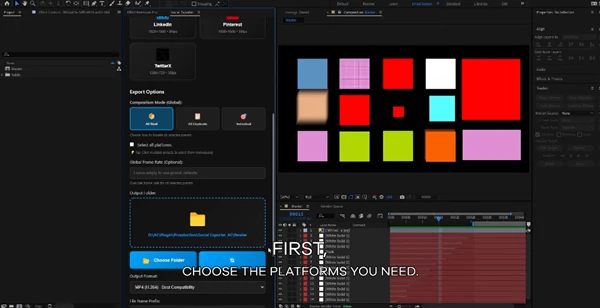
- Select your target platforms
- Click “Export Now”
- Hit Render in After Effects
You can export in any output format supported by After Effects, including MP4, MOV, and ProRes.
Features
Automatic Render Folder Creation
- The plugin automatically creates a Render folder to keep your exports organized.
Preset Management
- Create, edit, or delete presets anytime. Customize them based on your workflow.
Multi-Platform Export in One Click
- Export to YouTube, Instagram, TikTok, Facebook, LinkedIn, and more simultaneously.
Ready-Made Presets
- Pre-built presets for popular social media formats save setup time.
Three Export Modes
- 1) Individual Mode: Each preset keeps its own export settings. If one preset uses Nest and another uses Duplicate with a different frame rate, each format is exported exactly as defined.
- 2) All Duplicate Mode: Forces all selected presets into Duplicate mode, creating new compositions with all layers copied.
- 3) All Nest Mode: Forces all presets into Nest mode, placing your main composition inside new compositions with different dimensions — ideal for easy cropping.
Custom Presets
- Create presets with custom sizes and frame rates for specific client needs.
Automatic Render Queue Integration
- All prepared compositions are automatically added to the After Effects Render Queue.
Global Frame Rate Control
- Control and unify frame rates across exports when needed.
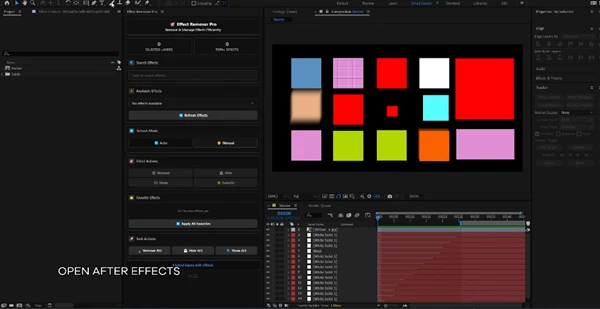
Pro Tips for Better Results
- Keep Important Elements Centered: When working with multiple aspect ratios, avoid placing essential text or logos too close to the edges.
- Use Nest Mode for Quick Adjustments: If you just need to reframe content without editing layers, the All Nest mode is efficient and fast.
- Use Duplicate Mode for Full Customization: If platform-specific changes are required, Duplicate mode gives you full editing flexibility.
- Always Export from the Active Composition: Social Exporter applies presets to the currently active composition. Make sure the correct composition is open before clicking Export Now.
Final Thoughts
Creating content for multiple social platforms no longer needs to feel repetitive or time-consuming. Social Exporter transforms the exporting process inside After Effects into a fast, structured, and professional workflow. It saves time, reduces manual errors, and keeps your projects organized. Instead of rebuilding the same video again and again, you can focus on creativity, storytelling, and delivering high-quality results across every platform. If you regularly design for social media, this tool can significantly improve your production speed and efficiency.

Files Password : gfxplugin.com OR 123456