Downloadable Files
You can download Colormate for free directly from the bottom of this product page.
🎨 Make Color Work Effortlessly in Blender
The importance of color selection in the creative process cannot be overstated. However, color selection also happens to be one of the most time-consuming aspects of the creative process. Colormate offers intelligent color harmony and palette management that allows artists to focus, be creative, and work fast in their workflow.
🌈 What Is Colormate and Why It Matters
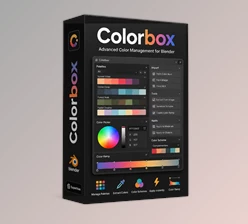
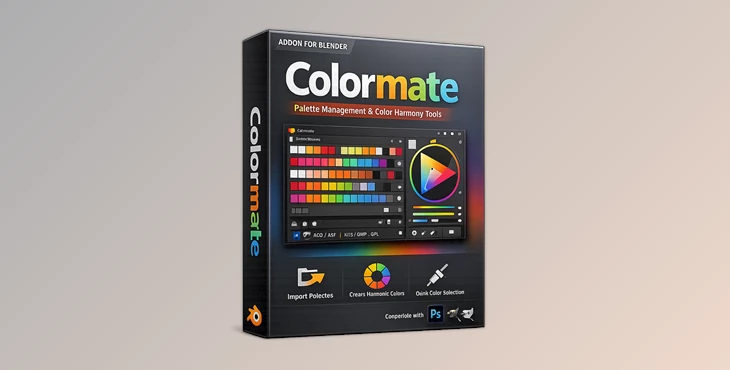
Colormate is an advanced professional color harmony and palette management tool for Blender, allowing artists to compute, manage, and reuse colors inside Blender. How does this improve your outcome?
- You get mathematically and perceptually correct color harmonies.
- You eliminate hand-input errors.
- You ensure visual consistency across materials, scenes, and projects.
Practical examples of Colormate in the real world
- Managing consistent materials in product scenes
- Using a specific brand color across scenes
- Creating a cinematic color palette for lights and shaders
- Rapidly iterating over various looks without node graph rework
All leading to cleaner visuals, faster iterations, and assured color choices!
🧩 A Professional Tool Built for Blender Artists
Colormate is designed to feel like a native extension of Blender, not a separate tool you need to learn from scratch. It works with all Blender versions later than 2.80, including modern releases.
Features
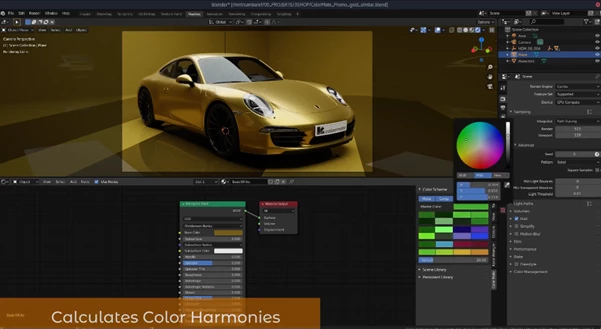
🎯 Real-Time Color Harmony
- Calculate color harmonies instantly inside the shader editor
- Supports both mathematical and perceptive harmony models
- Perfect for balanced, visually pleasing materials
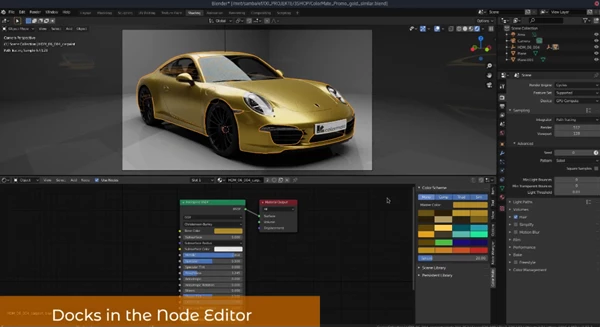
📚 Dual Color Library System
- Scene Library: Colors saved inside the current .blend file
- Persistent Library: Colors stay available across all projects and scenes
This makes long-term palette consistency effortless.
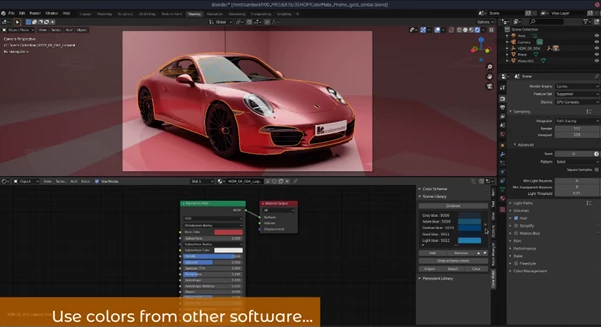
🔄 Powerful Palette Import & Export
Colormate supports popular industry formats:
- .aco, .acb, .ase (Adobe formats)
- .gpl (GIMP)
- .kpl (Krita)
- .csv (Colormate format)
You can move palettes seamlessly between Photoshop, Illustrator, Krita, GIMP, and Blender.
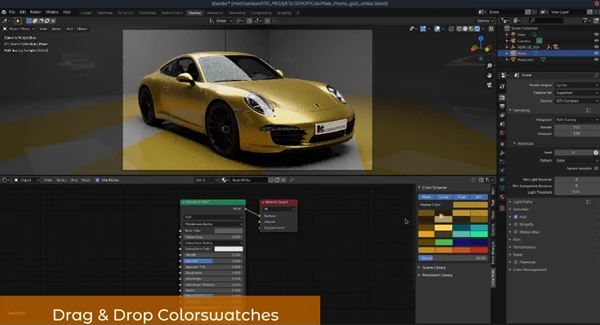
🧱 Drag & Drop Workflow
- Drag color swatches directly into shader nodes
- Create ColorRamp nodes automatically from palette colors
- Sort palettes by value (dark to light)
📝 Scratchpad (v1.3 Update)
- 12 quick-access swatches
- Ideal for frequently used or experimental colors
🛠️ Pro Techniques & Practical Tips
Here are some simple ways to get more out of Colormate:
- Use the Persistent Library for brand or project-wide color systems
- Store lighting colors in the Scratchpad for quick iteration
- Sort palettes by value before building ColorRamps for smoother gradients
- Combine harmony calculations with real-time shader previews to fine-tune materials naturally
These small habits help your materials feel more intentional and professionally designed.
✨ A Small Tool With Big Impact
Colormate proves that color management doesn’t need to be complicated. By placing harmony, palettes, and organization directly inside Blender, it removes friction from one of the most important creative decisions you make. It’s not about replacing creativity—it’s about supporting it, speeding it up, and making your results more consistent and polished. If color matters in your Blender projects (and it always does), Colormate is absolutely worth your attention.

Files Password : gfxplugin.com OR 123456