Downloadable Files
You can download AEtoGSAP for free at the bottom of this page.
AEtoGSAP — Turn After Effects Animations Into Clean GSAP Code (Fast + Web-Ready)
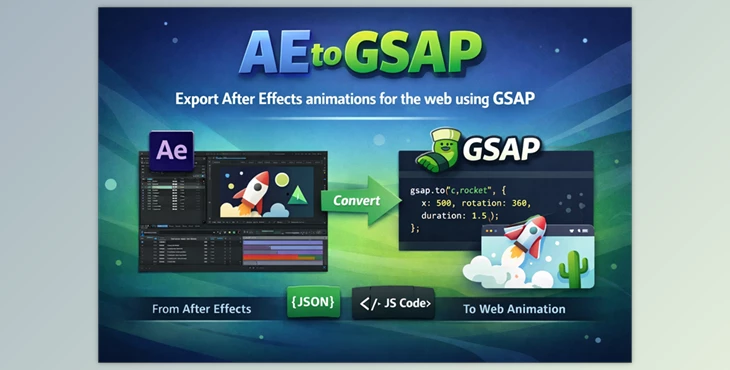
Have you ever created animations in After Effects and thought to yourself, “Okay… how do I turn this into a real website animation?” After Effects is amazing, but making the step into animating for the web requires something different. That’s where AEtoGSAP comes in. By exporting your AE animations to GSAP, you can preview your site animations without needing to recreate them manually. Even better? Your timing, duration, and easing stay intact.
What Is AEtoGSAP, and What Can You Use It For?
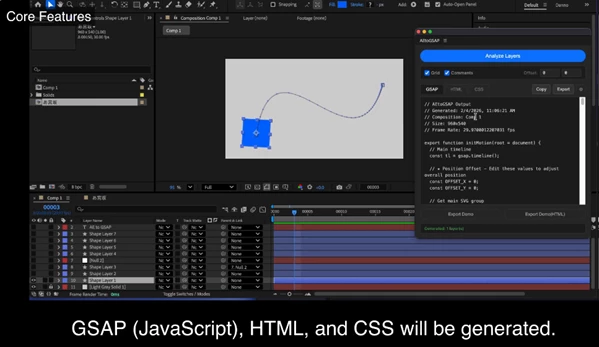
AEtoGSAP is an After Effects extension that converts your AE animations into GSAP-ready code, so you can run the same motion directly in a browser. It exports:
- GSAP timeline code
- HTML
- CSS
- A ready-to-run preview setup
So instead of guessing and rebuilding, you get an instant working output.
Real Uses You Can Actually Picture
Here are a few real-world situations where AEtoGSAP helps a lot:
Landing page animations
- You can animate UI elements in After Effects, export them, and instantly use them on a marketing website with GSAP.
UI motion for web apps
- Buttons, panels, loading animations, micro-interactions—animated in AE, shipped in code.
Motion prototypes for clients
- Instead of sending a video preview, you can export a real, interactive HTML preview that clients can click and feel.
Portfolio animations
- You can build stunning web-based motion pieces without manually recreating everything.
Why These Features Improve Your Final Result
The animation loses its personality. AEtoGSAP avoids that because it:
- Preserves timing and duration
- Keeps custom easing (the “feel” of the motion)
- Outputs clean GSAP timelines (not messy code)
- Let's you preview instantly, so you don’t waste hours debugging
The result is motion that feels designed, not “coded from scratch”.
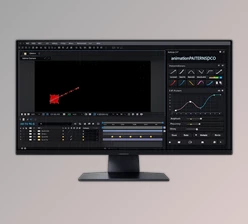
Meet the Tool: AEtoGSAP Motion Compiler
exporting AE animations into production-ready GSAP code for the web.
It makes the whole workflow smoother by letting you:
- Select layers
- Analyze the animation
- Export GSAP / HTML / CSS
- Run a preview instantly
Features
✅ Export & Preview
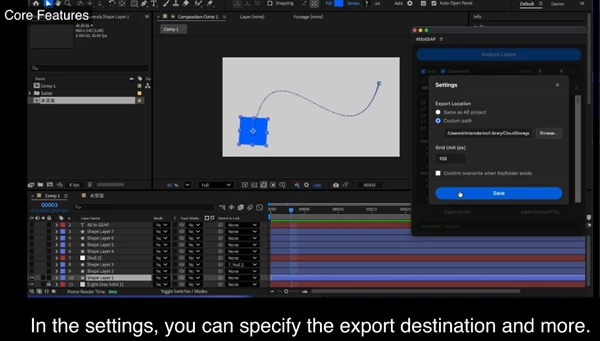
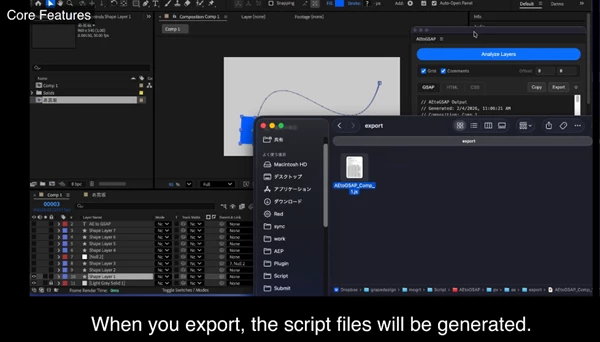
- Exports GSAP-ready timelines
- Generates HTML / CSS / GSAP files
- Exports a ready-to-run preview without additional setup
- Preview can also be exported separately
✅ Animation Accuracy
- Preserves timing
- Preserves duration
- Preserves custom easing as GSAP custom eases
(This is one of the biggest wins for professional motion.)
✅ Supported Layer Types
- Shape Layers
- Text Layers
- Null Layers
- Parented animations
- Solid layers (basic transforms)
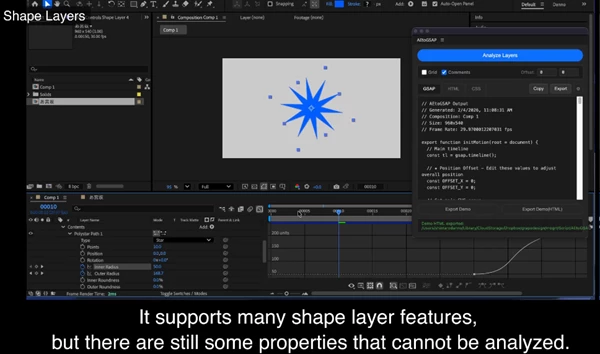
✅ Shape Layer Support
- Basic shape transforms
- Ellipse and rectangle size
- Rectangle corner radius
- Polystar point count and radius
- Fill and stroke color
- Stroke width
- Dashed lines
- Custom paths
✅ Text Layer Support
- Basic transforms
- Font data
- Alignment
- Text color
- And other key text properties needed for web output
What It Does NOT Support (Important Note)
AEtoGSAP is focused and clean—but it’s not meant to export everything.
These are not supported:
- Effects
- Layer styles
- Expressions
- Trim paths
- Text animators
- And other advanced AE-only features
Pro Tips to Get the Best Results (Even If You’re Not a Pro)
You don’t need to be a developer to use AEtoGSAP well—but a few small habits can make your export way cleaner.
Keep Your AE File “Web-Friendly”
Try to build your animation using:
- Basic transforms (position, scale, rotation, opacity)
- Shape layers with simple properties
- Text layers without heavy animators
This makes your output cleaner and prevents broken exports.
Use Nulls for Cleaner Parenting
If your animation has multiple parts moving together (like a logo build), use:
- A Null as a controller
- Parent layers to it
AEtoGSAP supports Nulls and parenting, which means your exported GSAP timeline stays structured and readable.
Don’t Overcomplicate Easing (But Do Use It!)
One of the best parts of AEtoGSAP is that it preserves easing.
So instead of flattening your animation into robotic movement, you can keep that smooth, premium motion design feel—especially for:
- UI animations
- Hero section motion
- Logo reveals
Export, Preview, Then Iterate Fast
A great workflow is:
- Export
- Run the preview HTML
- Watch the motion in browser
- Adjust in AE
- Export again
This loop is fast—and it saves you from guessing.
Final Thoughts — Why AEtoGSAP Is Worth Trying
AEtoGSAP is one of those tools that solves a very real problem:
The painful gap between motion design and real web animation. Instead of rebuilding everything manually, you get:
- Clean GSAP timelines
- Accurate timing and easing
- Support for shapes, text, nulls, and parenting
- Instant preview files you can run immediately
It doesn’t try to export every AE feature (and honestly, that’s a good thing).
It focuses on what works best for real production. If you create motion in After Effects and want it to run on websites with GSAP, AEtoGSAP is absolutely worth testing—especially with the demo version.

Files Password : gfxplugin.com OR 123456