Downloadable Files
You can download 2D Mix For Blender Cycles for free at the bottom of this page.
A Faster Way to Create Artistic 2D Materials in Blender
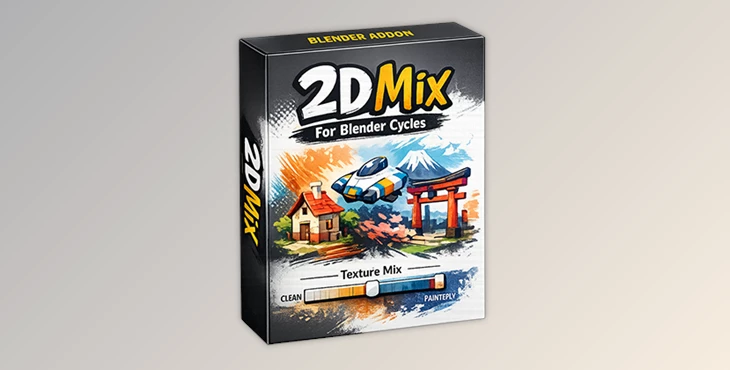
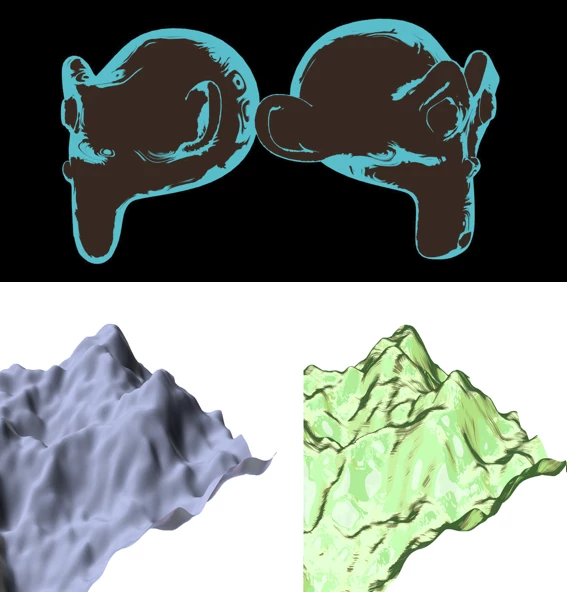
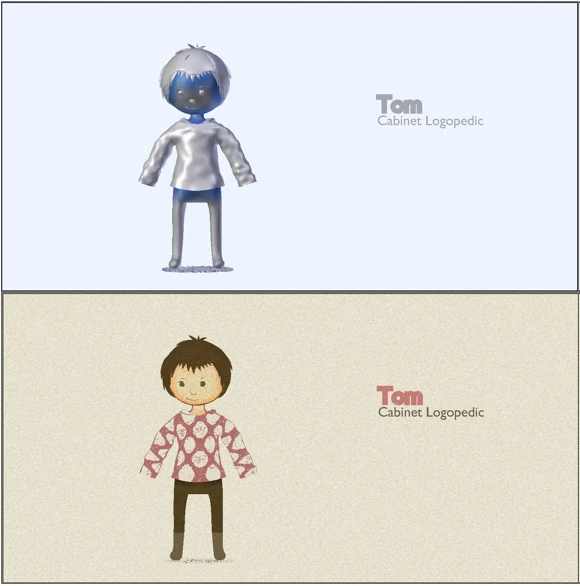
If you love the look of 2D art but don’t want to spend hours tweaking nodes and textures, 2D Mix For Blender Cycles is designed for you. This smart node-based material system lets you switch between multiple artistic styles in seconds, all while working directly inside Blender Cycles.
With just one main slider and intuitive controls, you can turn a regular 3D model into a stylized 2D artwork — from clean vector-style shading to noisy, hand-drawn brush effects — without breaking your creative flow.
What Is 2D Mix and Why Is It Useful?
2D Mix For Blender Cycles is a node-based material system built entirely with Blender Cycles’ internal textures. Its main goal is simple: create high-quality 2D art materials in a very short time.
Practical Uses in Real Projects
Stylized character renders for games or animations
Concept art and illustrations directly inside Blender
Fast look-development for NPR (Non-Photorealistic Rendering)
Artistic product visuals and motion graphics
Because the materials update live, you can instantly see how different textures, reflections, and edges affect the final look. This speed helps artists experiment more freely and achieve better visual results without technical frustration.
Meet the Tool: 2D Mix For Blender Cycles
2D Mix For Blender Cycles simplifies complex artistic shading into a clean, easy-to-use system. Everything is driven by nodes, but you never feel overwhelmed thanks to smart global controls and logical settings.
Features
Texture Mix Slider
A single global slider that lets you blend between multiple artistic textures and styles in real time.Multiple Artistic Styles
Switch from shiny vector-like looks to noisy traced effects or smooth brush strokes using the Smooth option.Three Reflection Types
Reflections are controlled by normals and can be set to:Static
Off
Follow View
Each reflection can be adjusted at any time for full creative control.
Advanced Edge Control
Edges are divided into inner edge and outer edge (end of edge), allowing precise stylization of outlines.Unified Settings System
Both reflections and edges share the same intuitive parameters:On / Off
Texture Mix
Size
Level of Details
Threshold
Smooth
Live Updates
Every adjustment updates instantly, making look development fast and enjoyable.
These features make it easy to achieve consistent, professional results without deep technical knowledge.
Pro Tips for Better Results
Optimize Cycles Preview
For near real-time previews in Cycles, increase the Start Resolution value in the Render Performance tab.Use Normals Creatively
Subtle normal adjustments can dramatically change reflections and give your materials a more hand-drawn feel.Balance Edge Intensity
Avoid pushing edge size too far — a controlled edge thickness often looks more natural and polished.Mix Styles Gradually
Small changes in the Texture Mix slider often produce the most visually pleasing results.
These simple techniques can quickly elevate your renders from basic to professional.
Final Thoughts
If you love creating 2D art materials but don't want to waste hours or days trying to figure out how to do it right, 2D Mix For Blender Cycles is for you. It will speed up your workflow and allow you more freedom to experiment with different artistic styles quickly. If you love stylized rendering and NPR look development, give it a try!

Files Password : gfxplugin.com OR 123456