Downloadable Files
You can download Retro Looks Photo Presets for free from the bottom of this page and instantly start creating cinematic, nostalgic visuals with just one click.
Dopamine Frame – Retro Looks Photo Presets
If you are an amateur photographer or a creative, you have probably been in a situation where your photos or images seem to have everything they need, but they just lack that certain wow factor. Retro Looks Photo Presets deliver on cinematic, analog, and storytelling vibes inspired by classic film and visual arts. If you want to know more about these unique presets that are easy to use and give incredible results, these retro photo presets will leave you curious!
What Are Retro Looks Photo Presets & Why They Matter
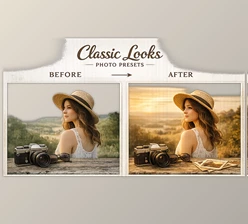
Retro Looks Photo Presets are professional editing presets that emulate the real deal—cinematic, analog film looks—without the hassle of complicated edits and technical adjustments.
Here’s how you can use them in real life, and you’ll love it
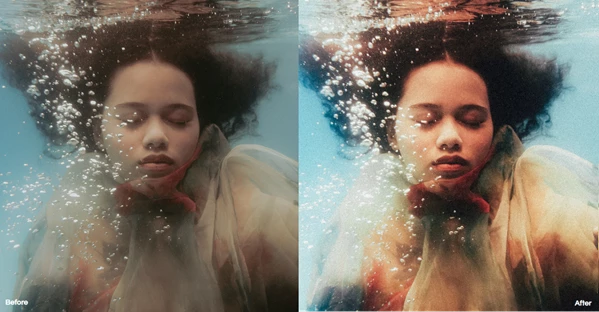
- Portrait Photography: inject warmth, soft contrast, and natural, emotional skin tones
- Street Photography: amplify nostalgia, shadows, grain, and color
- Travel & Lifestyle Photos: add film color grading to your captured memories
- Social Media & Creative Work: accomplish a professional look instantly
Meet the Tool | Dopamine Frame – Retro Looks Photo Presets
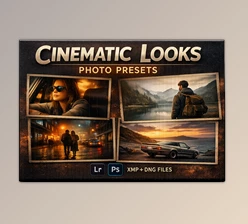
Dopamine Frame – Retro Looks Photo Presets is built for creators who want high-end cinematic results with minimal effort. One click is all it takes to upgrade your visuals.
Features
- 10 Unique Cinematic Presets: Carefully crafted for authentic retro and film-inspired aesthetics.
- 1 Halation Brush: Adds that dreamy analog glow around highlights for a true film vibe.
- Full Compatibility: Works seamlessly with Photoshop and Lightroom Mobile & Desktop.
- High-Resolution Formats: Includes.XMP and .DNG files for maximum quality and flexibility.
- One-Click Professional Results: No advanced knowledge required—just apply and enjoy.
Real Creative Impact
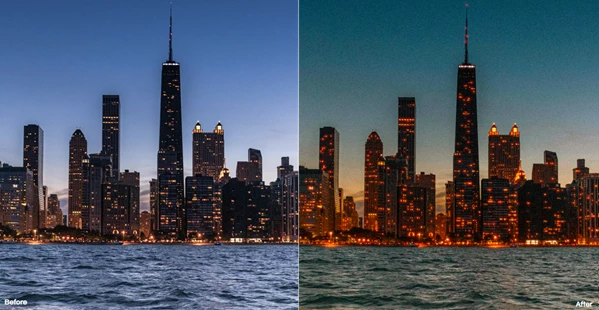
From cinematic portraits to moody urban scenes, these presets help creators achieve gallery-level results while keeping their workflow fast and enjoyable.
Pro Tips & Creative Techniques
- Start with good lighting—presets shine best on well-exposed photos.
- Fine-tune exposure or white balance before applying presets for cleaner results.
- Use the Halation Brush subtly for natural, film-like highlights.
- Mix presets with slight manual adjustments to create your own signature style.
These small tweaks help your edits feel organic, professional, and uniquely yours.
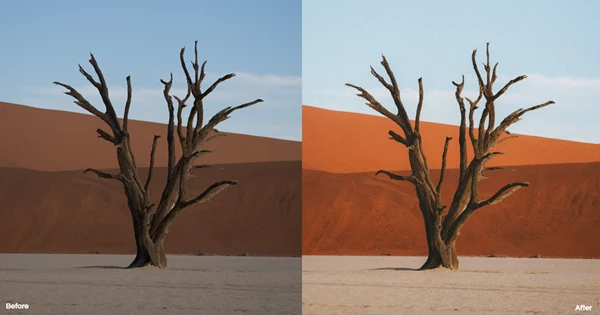
Create the Mood, Tell the Story
The best part about Retro Looks Photo Presets isn’t the effects but rather. how they help you create visuals that have more emotion, atmosphere, and storytelling. Less time editing, more time creating. If you love cinematic aesthetics, analog vibes, and professional results with minimum effort, you should try this tool.

Files Password : gfxplugin.com OR 123456
.png)