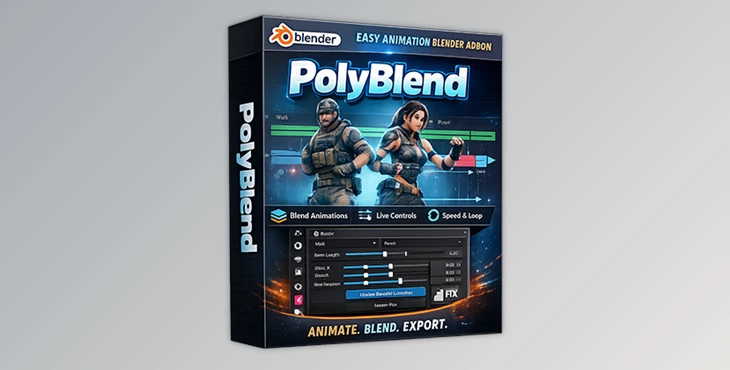
Downloadable Files
You can download PolyBlend for free at the end of this page.
Animation Blending Without the Headache
If you’ve ever had to blend multiple animations together in Blender, you’ll appreciate the time-saving convenience of PolyBlend. It’s all smooth sailing with just a few clicks and sliders as you control loop timing, root motion, transitions, and more. No fuss. No setup drama. Easy, quick, and even a little fun to play with.
What Is PolyBlend and Why Does It Matter?
PolyBlend is an extension that lets you blend and export multiple animation actions in Blender into a single motion animation stream.
What does that mean in practice?
Imagine you have:
A walk animation
A run animation
An idle animation
Normally, blending these smoothly takes time, testing, and lots of manual tweaks. PolyBlend handles this for you by giving precise control over:
Seamless transitions between actions
Looping animations without visible jumps
Speed scaling to match different movements
Root offsets and rotations for natural motion
These features dramatically improve the final result because your animations feel continuous, natural, and production-ready, not stitched together.
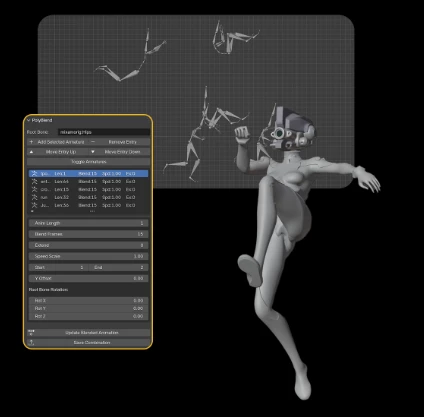
PolyBlend – A Professional Tool Made Simple
PolyBlend lets artists, game developers, and animators do production-level work without getting caught in a (confusing) procedural loop.
Features
Smooth Blending
Blend multiple animation actions in any order and control blend frames for smoothest playback.Control Sliders
Adjust root position offsets and rotation with instant effect as the animation plays!Speed/Looping
Control looping speed by scaling the action to match other animations or use infinite looping with no timing issues.Direct FBX Export
Direct export to FBX for game engines or to whatever pipeline you use.
Real-World Use Examples
Creating looping character animations for games
Blending motion capture clips into a single clean action
Preparing animations for Unreal Engine or Unity
Speed-matching animations for cinematic sequences
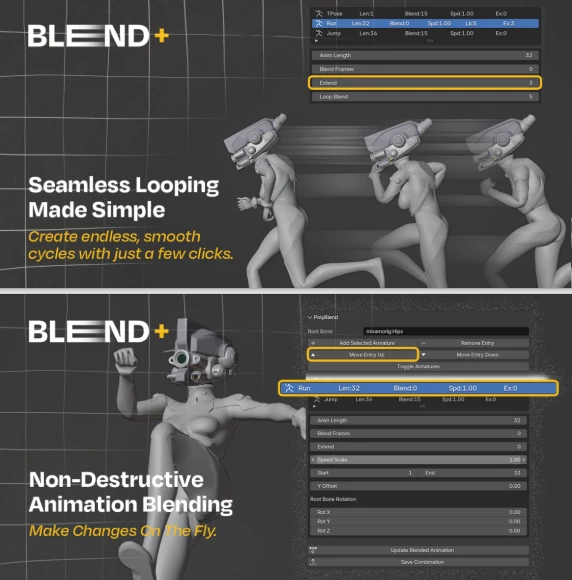
Pro Tips for Better Results with PolyBlend
To get the most out of PolyBlend, keep these friendly tips in mind:
Match animation styles first
Similar poses and motion styles blend more naturally.Use small blend frame values
Subtle transitions often look more realistic than long blends.Adjust root motion live
Use the sliders while playing the animation—it helps you instantly spot issues.Loop before exporting
Always preview loops to ensure there’s no popping or foot sliding.
These small tweaks can make your animations feel far more professional and natural, even if you’re not an advanced animator.
Final Thoughts
PolyBlend is one of those tools that will quietly improve your life without you even noticing it’s there. It takes the friction out of blending your animations and gets you back to the fun part of creating. Try it on your next game, cinematic, or personal project, and your animations will be smoother than ever! If blending animations in Blender has been a frustration for you, PolyBlend is definitely worth downloading!

Files Password : gfxplugin.com OR 123456