Downloadable Files
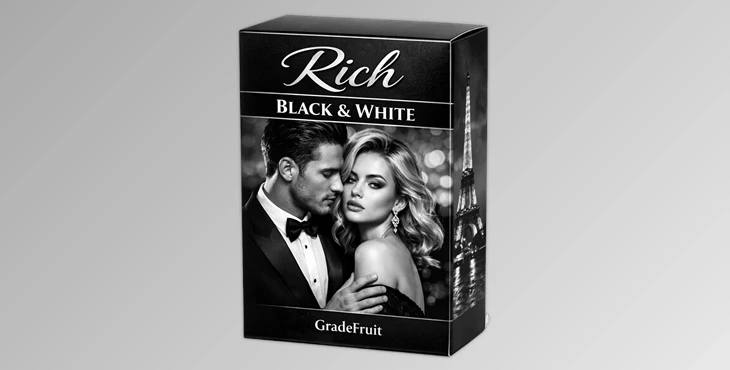
You can download Rich Black and White Presets for free from the bottom of this page.
✨ When Colors Distract You…
Ever want to make your photos or videos look Cinematic and Classic but can’t achieve those deep rich blacks and bright whites, no matter what, and even if you spend hours adjusting the sliders? There’s an easy way to do it, like a pro!
🎨 What Does Black & White Mean and Why Do We Love It?
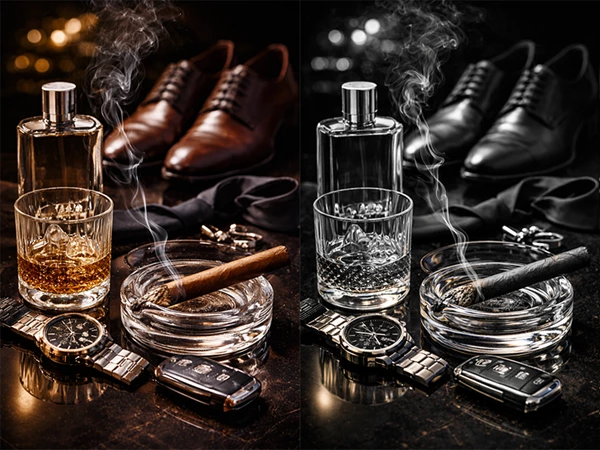
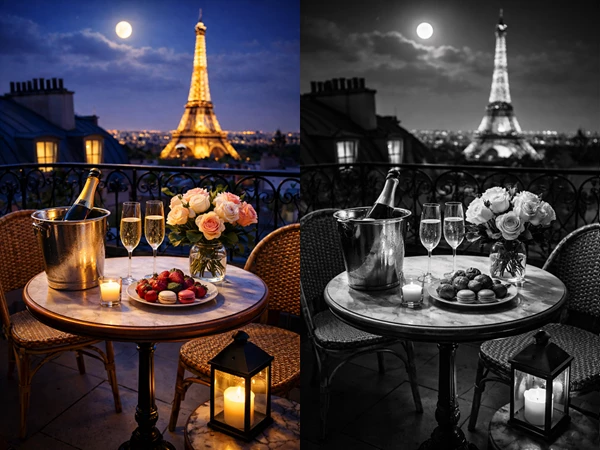
Now we have something called monochrome or black & white, which ensures all eyes focus on the form and contrast of the image without colors distracting anyone.
Features:
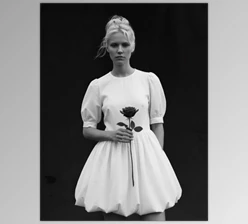
- Portraits with an artistic and classic vibe
- Urban or nature photos with high contrast
- Short videos with a cinematic and striking style
This approach makes your projects look cohesive and professional, enhancing the emotional impact of your photos or videos.
⏳ Old and Time-Consuming Methods
Without ready-made tools, we usually turn to Lightroom or video editing software:
- Manually converting photos to black & white
- Adjusting blacks, whites, shadows, and highlights using sliders
- Changing curves to achieve the desired tonality
What’s the problem?
- It takes a long time to make each photo precise and professional
- Maintaining consistency across a series of photos is difficult
- It requires experience and patience
🚀 Rich Black and White Presets - Professional Shortcut for Black & White
This is where Rich Black and White Presets save the day and make this easy. No more spending hours adjusting sliders and curves to get the contrast and gray tones just right. It’s fast, consistent, and professional.Why is this package attractive?
- 14 Ready Styles (Looks):
Each style is carefully designed so blacks are deep, and whites are bright, with precise and natural gray tones in between. You can choose the mood for each photo or video, from delicate artistic portraits to cinematic and energetic videos. - Multiple Formats:
.cube → for video; works in Premiere, DaVinci Resolve, Final Cut Pro X, and CapCut
.dng and Lightroom presets → for photos; usable directly in Lightroom desktop or mobile - Compatibility Across Platforms:
Works on Mac, Windows, iOS, and Android, allowing you to edit your projects on both laptop and mobile. - One-Click Use:
Just one click is enough to give your photo or video a professional and cinematic look—no more hours spent manually adjusting sliders. - Consistency Across Collections:
When working on a project with multiple photos or videos, these presets make all files look consistent and cohesive. For example, a series of urban portraits will share the same style, giving a cinematic and professional feel. - Customizability:
Even after applying a preset, you can adjust its intensity or use local tools like brushes and gradients to add more details, achieving exactly the mood you want. - Speed and Convenience:
These features save you time, letting you focus on creativity rather than long technical adjustments.
In the end, Rich Black and White Presets act like a magical shortcut, quickly and effortlessly making your photos and videos professional, cinematic, and cohesive. No more hours spent with sliders and curves—just one click gives your projects a classic and striking feel. Whether it’s portraits or short videos, this tool lets you focus on creativity while achieving the results you’ve always wanted.
💡 Professional Tips for Better Results
To make your black & white photos and videos look natural and professional, a few simple but impactful tips can make a big difference:
- Control the preset or LUT intensity:
Presets can sometimes be too strong, causing unnatural tonality. Adjust the opacity or strength to achieve a natural result that fits your project. - Keep collections consistent:
When you have multiple photos or short videos, apply the same preset and keep the intensity uniform. This creates a cohesive and professional look that maintains viewer focus. - Use local tools:
Presets provide the foundation, but for a more realistic effect, use brushes, gradients, or local masks. For example:
- Add more exposure to the subject’s face
- Control shadows and highlights more precisely
- Darken or lighten background areas slightly
This makes the image appear more three-dimensional and natural. - Review the entire project:
Before finalizing, take a quick overall look at all photos and videos to ensure consistency. This helps the series feel professional and avoids any mismatched files. - Combine with subtle effects:
You can mix the preset with a bit of grain, vignette, or subtle light effects to enhance the cinematic and classic feel. Even small amounts can elevate the image to a fully professional level. - Test on different screens:
If your project is for social media or multiple devices, view the images on phones, laptops, or other monitors to ensure tones and contrasts remain accurate and appealing.
🚀 Effortless, Direct Results
In the end, Rich Black and White Presets provide a quick, effortless, classic professional look to your photos and videos. It will save you a ton of time and give your collections a consistent, cohesive beauty without spending hours adjusting sliders.
Whether it’s portraits, a quick video, or an urban collection, this bundle gives you a skip the settings and make magic option. You can always adjust the strength later, brush and gradient it, or finalize it professionally.
If you want to make significant improvements to your project and breathtaking aesthetics quickly and effortlessly, Rich Black and White Presets are a fantastic avenue to ensure you get instant gratification in a few clicks.

Files Password : gfxplugin.com OR 123456