Downloadable Files
You can download Colorama Browser for free from the end of this page and start exploring its features right away.
A Faster, Friendlier Way to Use Colorama 🎨
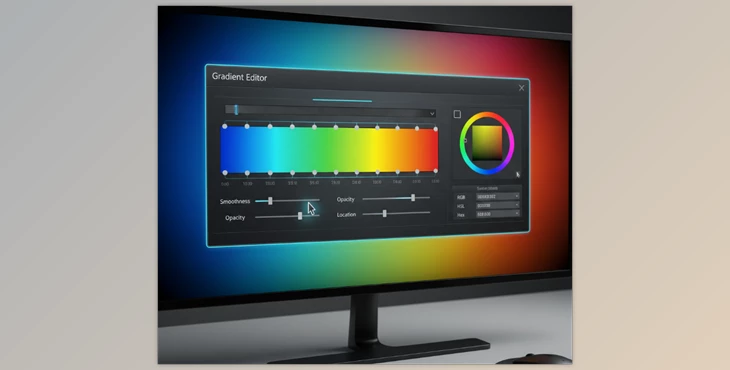
If you’ve ever opened the Colorama effect in After Effects, then you know the power of this effect — but also the pain of the gradient editor. It’s full of small controls, no visual output, and a lot of guesswork involved. It's hard not to simply use one or two of the built-in presets.
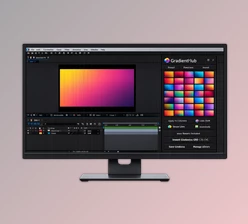
Colorama Browser changes that experience completely. It turns Colorama into a visual, intuitive playground where you can see over 350 curated gradients and apply them instantly. No guesswork, no fiddling — just creativity.
What Is Colorama Browser and Why It Matters
Colorama Browser is a simple visual preset browser for the Colorama effect in After Effects.
Instead of building and editing gradients in Colorama yourself, you can:
- Browse hundreds of ready-made, professionally designed gradients in thumbnail form
- Apply them in a second or two to your graphic
- Explore color combinations you never would have thought of
Real-World Uses
- Subtle color grading for footage and motion graphics
- Bold, stylized looks for music videos and promos
- Psychedelic, metallic, or abstract effects for experimental visuals
These features speed up your workflow and help you focus on artistic decisions instead of technical obstacles.
Meet Colorama Browser: A Professional Upgrade
Colorama Browser unlocks the true potential of Colorama by making it visual, fast, and inspiring.
Features
- 350+ curated gradients
From natural color harmonies to extreme, psychedelic looks. - Visual thumbnail browser
See exactly what you’re applying before you click. - Instant application
Double-click a preset or use the Apply button — no setup required. - Smart handling of existing effects
Apply gradients to an existing Colorama or add multiple Colorama effects to one layer. - Keyframe-friendly workflow
Preserves your Colorama settings and adds new gradients as keyframes when needed. - Dockable & resizable panel
Works smoothly inside your After Effects interface.
Real Project Examples
- Animate looping color cycles for backgrounds using Phase Shift
- Create smooth gradient transitions by duplicating layers and fading opacity
- Apply metallic or neon gradients to text and logos for immediate impact

Pro Tips for Better Results ✨
- Go subtle first
Use Blend With Original to dial back strong gradients for professional color grading. - Control what gets modified
Fine-tune results by adjusting the Modify and Input Phase settings. - Use color cycles creatively
Animate Phase Shift with cyclic gradients to create seamless looping effects. - Match Output Cycle triangles
For smooth gradient animation, keep the same number of triangles across keyframes. - Fix alpha edge issues
If edges look pixelated, simply disable Modify Alpha.
All of these tips are beginner-friendly and easy to apply, even if you’re new to Colorama.
Final Thoughts: More Creativity, Less Friction 🚀
Colorama Browser removes the biggest barrier to using Colorama effectively: its fiddly gradient editor. Turning gradients into a visual, searchable library makes experimentation fun, fast, and inspiring.
Whether you’re aiming for subtle color grading or bold, eye-catching effects, this tool helps you get better results in less time — without changing how you already work in After Effects.
If you’ve been underusing Colorama until now, Colorama Browser is the perfect reason to give it another try.
Colorama Browser makes working with the Colorama effect in After Effects fast, visual, and inspiring, letting you apply ready-made gradients to your projects with just a click. If you want even more tools for creating stunning backgrounds and color schemes, check out Kintsugi Gradient Backgrounds, featuring 25 high-resolution, editable backgrounds with beautiful gold accents for both digital and print projects.