Make Your Videos Professional and Engaging!
Have you ever created anything with the Hollywood HUD Pack? Imagine a video, though. It’s lacking something… Not the technical quality, not the content, but that ‘wow’ element that makes your eyes glued to the screen? You know, Animated bars, Icons, and Effects that really take your video to the next level and convey excitement and professionalism.
Maybe you’ve tried creating these effects yourself or fiddled with default software tools, but it takes hours, and the result often isn’t what you envisioned. Or maybe you searched for tutorials and complex plugins and felt that achieving the desired result was impossible.
What if I told you that you could add all of these exciting, professional effects to your video with just a couple of clicks? No professional experience needed. No time wasted. No complicated processes to learn. Just this alone will elevate your video to near-Hollywood effects that captivate your audience
What Are HUD and Animated Effects, and Why Are They Important?
HUD stands for “Heads-Up Display” and is composed of animated graphics and video effects that you can use to convey additional information, statistics, or even some eye candy in a video. These effects lend a polished touch to your video and make it interactive and lively for the viewer.
Concrete examples:
- Gameplay videos: Health bars, ammo indicators, maps, or timers that increase player excitement and interaction.
- Advertising videos: Eye-catching animations on text, icons, or logos that make your brand more attractive and grab audience's attention.
- Educational videos: Clear, step-by-step animations on charts, icons, and instructional stages that make complex concepts easier to understand.
- Product or tech showcase videos: Displaying features with animated visual effects that give a modern and professional feel.
- Social media videos: Fast, engaging effects that make videos more visible in feeds and boost interaction.
These effects make your video:
- Look professional and modern
- Be engaging and dynamic, preventing viewer fatigue
- Convey messages and information quickly and clearly
In short, HUD and animated effects act like a second visual language for your video. Without them, a video may appear ordinary or boring; with them, even a simple short clip can become an engaging and professional visual experience.
Without a Pack, It’s Harder…
Before ready-made professional packs like Hollywood HUD Pack existed, creating a dynamic, professional video usually meant choosing one of two paths:
Creating Everything from Scratch
In software like After Effects, Premiere Pro, or Final Cut, you had to create every HUD, bar, icon, and animated effect yourself. It was hours of design, animation, syncing movements with audio, and making everything work together.
Using Limited Default Effects
Software includes pre-made effects, but these are usually repetitive and limited. Elements may look appealing, but they resemble hundreds of other videos and add nothing unique to your project.
Common problems with traditional methods:
- Time-consuming design: Creating each HUD or animated element from scratch can take hours, even for professionals.
- Creative limitations: Default software effects are often minimally customizable, making it hard to add your personal style.
- Requires professional skill: Animations need expertise to look natural and appealing. Even small mistakes can make a video feel artificial or rough.
- Repetitive and boring effects: Without professional packs, videos often feel “ordinary” and fail to genuinely capture the viewer’s attention.
Simply put, before ready-made packs, producing professional videos was both time-consuming and required high skill. Even creative ideas could remain unfinished due to tool limitations.
Hollywood HUD Pack: The Fast and Engaging Way to Create Professional Videos
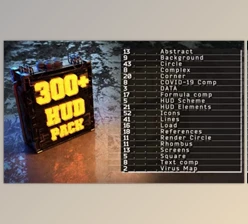
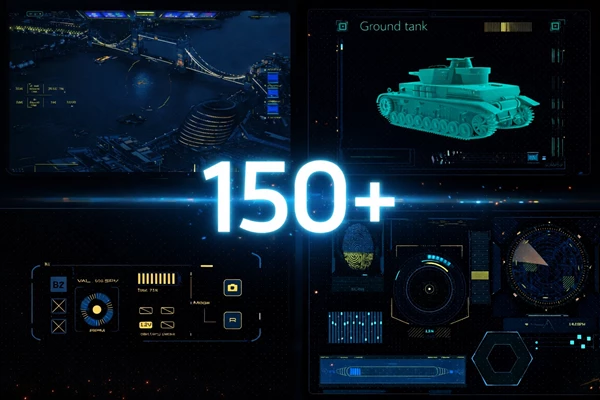
This is where the Hollywood HUD Pack comes in! This pack is an all-in-one collection of over 150 ready-to-use video elements you can drag and drop into your project to give it an instant professional, super clean appearance!
Key Features:
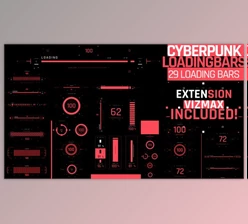
- 150+ Ready Elements: Includes HUDs, status bars, text animations, icons, and animated effects that immediately capture attention.
- Fully Customizable: Change color, size, order, and timing of each element to perfectly match your video’s style and needs.
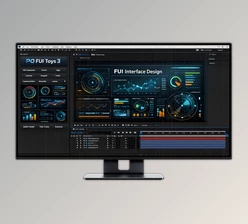
- Compatible with Any Video Software: Works with Premiere, After Effects, and even simpler tools.
- Fast Rendering: Changes are applied quickly without long waiting times.
- Easy to Use: Even beginners can just drag elements onto the timeline—done!
Practical Applications:
- Gameplay videos: Add energy bars, speed indicators, or timers to make the gaming experience more real and engaging.
- Educational videos: Display icons, charts, or tutorial steps with clear animations that make concepts easier to grasp.
- Advertising or product showcase videos: Enhance visual quality with animated elements without professional skills or hours of design.
- Social media videos: Add fast, attractive elements that increase visibility and engagement.
With Hollywood HUD Pack, you no longer need to spend hours or follow complex tutorials. Everything is ready and adjustable, letting you create engaging, dynamic, professional videos that fully capture your audience.
Take Your Videos to the Next Level with the Pack
Using the Hollywood HUD Pack is simple, but with a few small techniques, you can make your videos even more professional and natural:
- Combine Elements:
Instead of using a single effect, combine multiple elements. For example, an energy bar + speed indicator + light pulse effect can create a complex, dynamic effect that immediately draws viewers’ attention. Smart combinations add real motion and excitement. - Precise Timing:
Animations look natural when their timing is correct. Slightly adjusting start and end times for each element synchronizes movements and makes the video appear smoother. Even a few frames can make a big difference. - Change Color and Size:
Minor tweaks in color, brightness, or size prevent effects from looking repetitive and give them a unique, fresh feel. For example, a simple HUD in your brand color or slightly larger size makes the video stand out. - Use Layers:
Placing elements on separate layers adds depth and realism. Effects combine without interfering with each other, creating a natural, three-dimensional motion effect. - Sync With Music or Sound:
Coordinating elements with music beats or sound changes makes videos even more engaging and professional. Animated HUDs moving with music rhythm create a cinematic feel and genuine excitement. - Tell a Story With Effects:
Each element can act as a storyteller. For example, an energy bar filling up or an alert icon can highlight a key moment in the video and guide the viewer through the story.
By following these simple tips, even a beginner can create professional, engaging, and unique videos without complex design or animation skills.
Elevate Your Videos
With the Hollywood HUD Pack, you do not have to spend hours creating HUDs or animated elements. It’s all there, and it just takes a couple of clicks to have your elements in place. Any novice using these packs can create mesmerizing videos that look professional, and people will be glued to the screen until the very end.
It’s funny how something small can make it so much better. Just an energy bar, an animated icon, and a small light effect, and your video goes from just a clip to something that feels very polished, almost Hollywood-like. When you layer them and time them just right, the video feels seamless, very natural, and nobody will even know what you did behind the scenes.
Basically, you have complete freedom with this pack. Colors, sizes, the order in which the effects are applied; it’s all up to you. You can even build different, unique effects for different videos! If you want a fast, easy way to elevate your videos and make them stand out, this pack is the way to go. Just try it out for yourself and see how a few clicks can do so much!

Files Password : gfxplugin.com OR 123456