Why Don’t Our Photos Ever Have That “Wow” Factor?
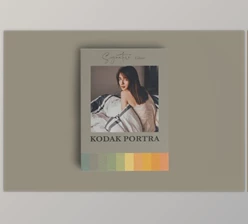
Have you used the KODAK PORTRA Presets in any projects? We all take photos, but sometimes the images don’t turn out the way we imagined. Sometimes colors are muted, the lighting is poor, and after a few adjustments here and there, it’s still not quite what you need.
The truth is, many people are looking for a quick and easy way to make their photos instantly professional and appealing, without spending hours wrestling with settings.
What Is a Preset and Why Is It Useful?
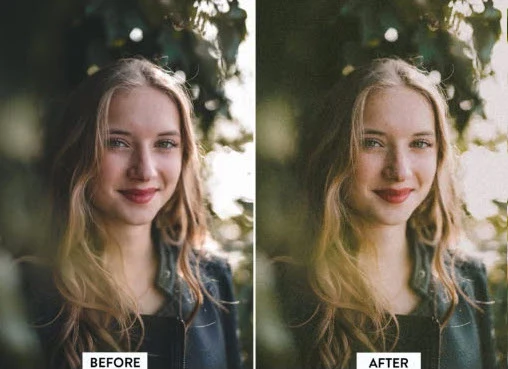
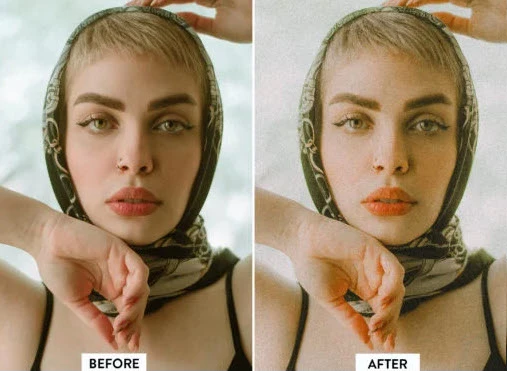
A preset is a ready-made adjustment that can change the color, lighting, and mood of a photo with just one click. This means a simple photo can instantly feel autumnal, modern, or even cinematic—without any manual adjustments.
Practical Uses:
- Makes portraits look lively and warm.
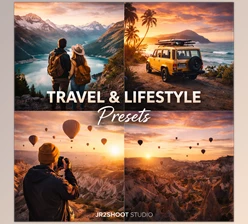
- Gives landscapes a cinematic feel.
- Ensures entire photography projects are quickly consistent and visually appealing.
- With presets, you can focus on creativity and storytelling rather than complicated color and lighting adjustments.
What Did We Do Before Presets?
Before presets existed, everything had to be done manually:
Manual Adjustments:
- Adjusting lighting, contrast, color saturation, and white balance one by one.
- Trying to copy settings from one photo to another was time-consuming and often didn’t work well.
- Combining effects sometimes resulted in unnatural or inconsistent results.
In short, without presets, it was difficult, tiring, and required a lot of experience.
How KODAK PORTRA Presets Make Things Easier
This is where KODAK PORTRA Presets come in and simplify the process. This collection includes 10 professional presets that you can use in Lightroom Desktop, Mobile, and Camera Raw.
It doesn’t matter whether you’re on a computer or phone, or which version you’re using—you're always ready!
Key Features:
- Full compatibility with all formats and versions: JPG, PNG, RAW—whatever your photos are—and any version of Lightroom.
- Different formats for convenience:
.LRTEMPLATEfor classic and older desktop Lightroom.XMPfor Camera Raw and the latest Lightroom desktop versions.DNGfor Lightroom Mobile, which works directly on your phone
- Variety of effects: From cinematic warm tones to professional dynamic lighting, everything is ready to transform your photos quickly.
Portraits:
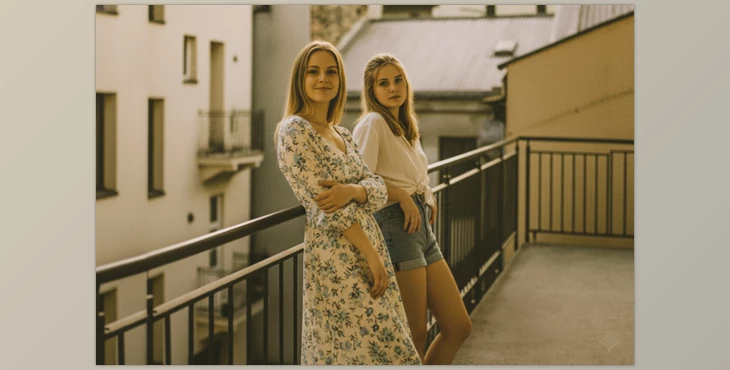
Apply a warm, vibrant preset to make skin and lighting look natural and appealing, without manual adjustments.
Landscapes & Nature:
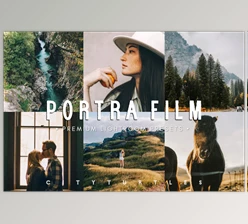
Gives photos a cinematic, film-like feel, as if you applied a professional filter to the scene.
Multi-photo Projects:
When working on multiple photos from a project, presets help all images stay consistent and cohesive, without editing each one separately.
In short, these presets act like a professional, fast assistant: they handle all complex, time-consuming adjustments, so you can focus on selecting photos and your creativity.
Practical Tips for Professional Results
- Before applying a preset, adjust the photo’s basic exposure and contrast for a better result.
- Presets can be combined and slightly modified to create a custom effect.
- For mobile, use the DNG file and apply small tweaks to keep the photo natural and vibrant.
- Even if you’re a beginner, following these tips can yield professional and appealing results.
Conclusion: One Click to Professionalism
Presets are a time-saver and a creativity booster. You don't have to sit around polishing each color and light adjustment for hours; you can get right into your photos' narratives and projects. One click and each image has an instant, new, professional look.
Should you want your photography and image collection to become bright, coherent, and appealing, these presets are an easy way to start.

Files Password : gfxplugin.com OR 123456