
When Your Video Editing Is Good, But Not “Professional”...
Are you familiar with the Hudsonfilms Editing Pack? Have you ever edited a video and felt that: technically, everything is fine, cuts on the beat, the stabilization works, and the coloring is passable, but somehow your final product doesn’t have that “professional video” feel. It’s flat and dull; the sounds aren’t punchy, the picture isn’t layered, and the situation doesn’t suck the viewer in.
This is when you understand that being proficient at the software or knowing how to order clips on the timeline isn’t enough. What separates professional videos from ordinary ones is the details that often go unnoticed but are felt: precise sound effects, controlled grain and noise, subtle lighting, and textures that bring life to the image. These differences make the audience perceive the video as “more professional” without knowing exactly why.
What Are Video Production Helper Tools?
In the world of motion graphics and video editing, skill and software are only part of the journey. What elevates the final quality significantly is the use of helper tools or assets.
What Are Assets?
Assets are collections of ready-made files that help editors add important details to their videos faster and more precisely—details that might not be obvious to the eye but have a direct impact on the video’s mood and feel.
Typical Asset Types
These tools typically include:
- Pre-made sound effects to emphasize movements, cuts, and transitions
- Visual overlays to add depth, motion, and energy to the footage
- Textures, grain, and noise to break the overly digital feel of the image
- Lighting effects to create cinematic and realistic atmospheres
Proper use of these assets makes the footage look more natural, lively, and believable without needing to build or simulate everything from scratch. In fact, these tools bridge the gap between a regular edit and a professional output.
When We Rely Only on Default Tools
Most editors start their work with the default tools provided by software—effects that are always available and work for simple tasks. But as the project complexity increases, their limitations become obvious.
Typical Workflow Without Professional Assets
Without professional packs and assets, the typical workflow often looks like this:
- Constant use of repetitive default effects from the editing software
- Sporadic downloading of sound effects and overlays from different websites
- Manually creating noise, grain, or lighting effects through trial and error
At first glance, this approach works, but the problems emerge when time and quality come into conflict.
The Issues
⛔ Time-consuming – Creating or finding each effect distracts from the main creative focus and slows down the workflow.
⛔ Hard to maintain consistency – Effects come from various sources and often don’t match in style, color, quality, or vibe.
⛔ Unpredictable file quality – Some files are overly compressed, some lack professional standards, and others aren’t suitable for serious work.
⛔ Amateur-looking final output – Even if the edit is clean, missing proper details makes the video feel “cheap” or unfinished.
In the end, relying solely on default tools limits your edits and prevents your videos from reaching a truly professional level.
Hudsonfilms Editing Pack: Everything in One Place
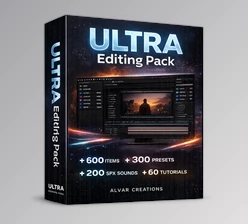
The Hudsonfilms Editing Pack is not a separate software or a plugin; it’s a complete set of professional files and assets designed for video production and editing. It contains exactly the tools editors usually search for, scattered across different sources.
The main idea behind Hudsonfilms Editing Pack is to gather all essential tools for producing professional videos in one cohesive collection—speeding up the workflow and ensuring reliable output quality.
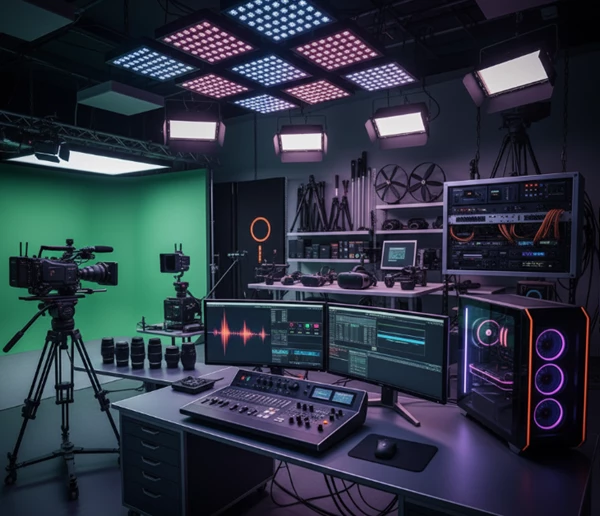
Key Components of the Pack
- 🎧 Hudsonfilms SFX Vol.2 (Over 200 sound effects) – High-quality, diverse audio effects for transitions, hits, movements, and visual emphasis that make the video feel lively and professional.
- 🎬 Pre-made overlays and movie clips – Visual layers and clips that add depth, motion, and energy to your footage, creating cinematic effects without technical complexity.
- 🖼 Textures, Grain, and Noise – Break the overly digital feel and bring your video closer to a real, filmed look.
- 🎨 Color correction tools – Help colors appear controlled, consistent, and professional without building presets from scratch.
- ✨ Cinematic light flares – Lighting effects to emphasize light, camera movement, and create dramatic impact in scenes.
- 🔤 Curated fonts for typography – Fonts chosen specifically for video and motion graphics to enhance readability and a professional feel.
- 🌐 Useful websites for content creation – Resources that simplify production, ideation, and project completion.
📌 Important Note:
Hudsonfilms Editing Pack is compatible with all video editing software and requires no installation. Just import the files and use them directly in your projects.
How to Use the Pack More Professionally
Having the complete pack is a big step, but proper usage is what distinguishes a regular video from a professional one. A few simple yet practical tips can help you maximize assets and achieve natural, cinematic results:
- Use SFX subtly; less = more – Precise and limited use of sound effects creates a realistic feeling. Overusing ready-made sounds can make the video feel crowded and artificial.
- Add grain and noise lightly – A very subtle layer of grain or noise makes digital footage feel more natural and filmed. Too much can make it look old or messy, so control is key.
- Blend overlays, don’t make them obvious – When overlays are applied with the right blend mode or opacity, they add depth and motion without distracting the viewer.
- Perform color correction before final effects – Adjusting colors early ensures light, shadow, and effects appear harmonious, keeping the image consistent through later stages.
- Pay attention to small details – Tiny changes like slight overlay movement or adding ambient sound can dramatically enhance the natural feel of your video.
Following these guidelines, the final output no longer feels “constructed,” but conveys a real, recorded vibe that communicates professionalism to the audience.
Summary: Good Tools Transform Your Editing
Even the best editors understand that, even with great skill and great software, final video quality is never a guarantee. While the Hudsonfilms Editing Pack doesn't provide skill, it definitely increases efficiency, productivity, and professional quality.
When making videos, creating motion graphics, or editing for different contexts, a consistent, pre-packaged collection comes like a professional aide. It's one less thing to worry about when gathering assets that can take up time as opposed to focusing on the creative elements and concepts of one's work.
Without this pack, every time one creates a new film, it's an additional pack of assets that requires external searching, ingested in bits and pieces, and compounded with a ton of unnecessary importing and discovering for just the smallest of adjustments. The Hudsonfilms Editing Pack allows for everything to be ready to go and not need a second thought. Videos can be completed and appear not just edited, but also natural and cinematic without being exhausting or overwhelming.
Ultimately, having this in one's arsenal creates more freedom, less time spent, and results that are above expectations and extraordinarily professional. All video masters need this in their toolkits.

Files Password : gfxplugin.com OR 123456
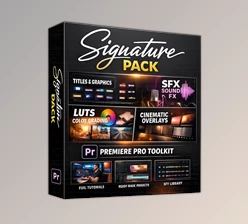
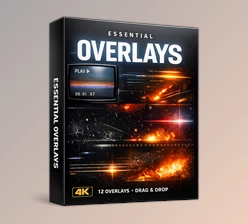


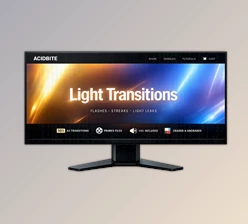
5/3/2026 4:17:07 PM
the folder is protected with password... i need a password to open it
Pass: 123456 or gfxplugin.com
5/3/2026 4:11:16 PM
the folder is protected with password... i need a password to open it