Filmworkz - Loki:
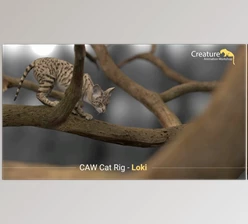
Filmworkz Loki is the next generation of their tried-and-true image processing application, promising the best image restoration, upscaling, and frame rate conversion. This is a cutting-edge application that combines workflow automation with Filmworkz's legendary DVO suite, which is unmatched for fixing and enhancing moving images.
Loki 2.0 makes it easier than ever to ensure that, no matter how bad the original image is, it can be corrected to high-quality standards with minimal time and money. Users can preview files and apply multiple tools quickly and easily. Loki's DVO tools include many parameters and options for fine-tuning. This means you can customize every aspect of your job manually and create presets. It also means you get extensive export options, including full ProRes support on Windows.
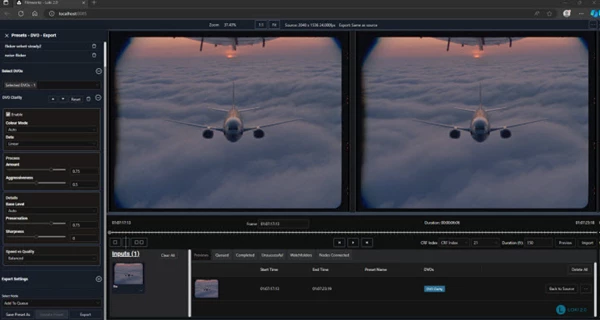
The basic software architecture includes three components: Client, Server, and Node. The Client is the front-end editor that lets you view the graphical interface and take action, set jobs, create presets, and keep track of completed jobs. The Server is the system Commander, and the Node is the system Processor. More than one Node can be used to speed up job processing. Filmworkz Loki is simple to use for professionals who will appreciate its fast interface, well-marked options, and customizable viewers. You can import MPG2, QuickTime-based image sequences, and ProRes files.
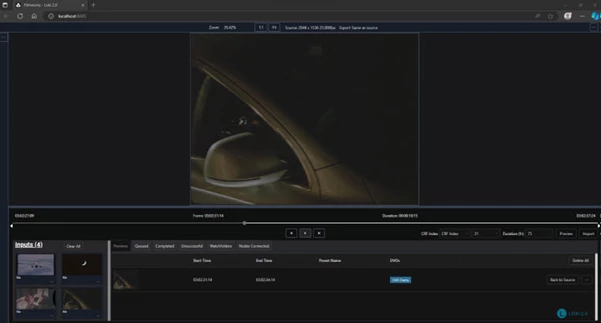
The interface includes a three-part structure: Viewer, Preset/DVO/Export Options, File Input, and Information Tabs. For an enhanced viewing experience, the new viewer options let you easily navigate timelines, create Previews (which can be used with duration adjustments), and adjust quality settings using bit rate or CRF values. Best practice for preview quality refers to a CRF value of 18-23; a high bit rate is recommended for clips with complex details.
"Filmworkz - Loki" Samples: