Motionplug - MediaBind:
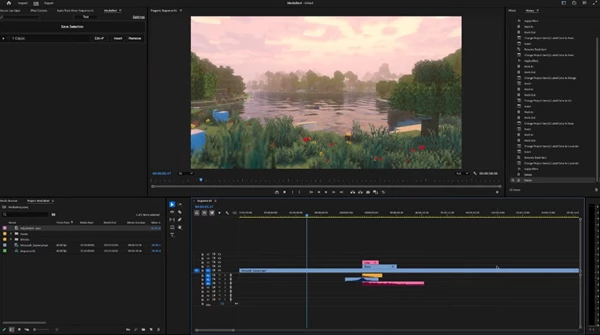
MediaBind for Adobe Premiere Pro is the ultimate time-saver for avoiding copy/pasting across your timelines or even different projects. You can select anything on your timeline, save that selection, and MediaBind remembers everything; every effect, every audio gain, and parameter, so that you can drop that selection anywhere. No need to rebuild your entire chain of effects.
MediaBind for Adobe Premiere Pro works with:
- Adjustment layers
- Video files
- Images
- Sounds
- Black video
- Bars & tone
- Subtitles (via MOGRT)
- MOGRTs
- Bezier keyframes (via simulation)
It does not work with:
- Masks
- Shape layers
- Nested sequences
Includes
Save Complex Selections
MediaBind remembers everything in your selection, including the playhead's position relative to the items in it. If you want a sound, adjustment layer, or media inserted at a specific location, just move the playhead to the intended insertion point, and when you click “Save Selection,” MediaBind will have you covered! This is particularly useful for effects and sounds that build up and don’t necessarily have the best insertion point at the very start: something impossible to do in Premiere’s native environment.
Bind to Hotkeys
You can bind your saves to hotkeys, allowing you to drop them in anytime, anywhere.
Smart Audio Randomizer (works with adjustment layers and images too)
Group your assets and let MediaBind smart randomize them for you, adding an automatic layer of sound variation to your edits. You can even do another group for complexity, or keep it simple and easy to delete sounds from groups you decide aren’t necessary.
Some great features of Motionplug - MediaBind:
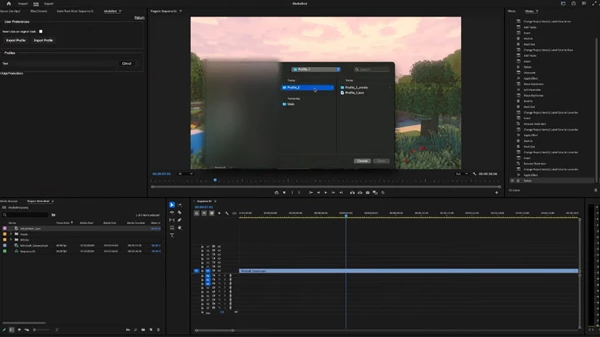
- Profile System: Users can easily keep their selections organized by creating profiles! You can create a profile for all of your transitions, another for Zooms, another for SFX, or anything else you desire! Better yet, even these profiles can be bound to hotkeys, allowing you to quickly jump from one stage of production to the next.
- Specific Clip Track Targeting: Users can designate each clip in their selection to a specific video or audio track, so when you insert your selection, everything is exactly where you need it.
- Export / Import Profiles: Users can export/import MediaBind profiles! If you create a particularly good profile, you can easily share it with others by clicking “Export Profile” in the settings menu and sending the resulting file to whoever you want! They can easily import this profile by clicking “Import Profile” and selecting the file.
- Quality-of-Life Tools: There are many features in MediaBind that improve users' quality of life! Such as rearranging the order of your selections or assigning them a color purely for organization. MediaBind also has a color-labeling function for clips that lets you pre-determine the color of the clips you insert, for organization!
"Motionplug - MediaBind" Samples:
Motionplug - Download MediaBind 1.3.0 - Premiere Pro Extension from the below link now!

Files Password : gfxplugin.com OR 123456