GoodBoy Ninja - Swatches:
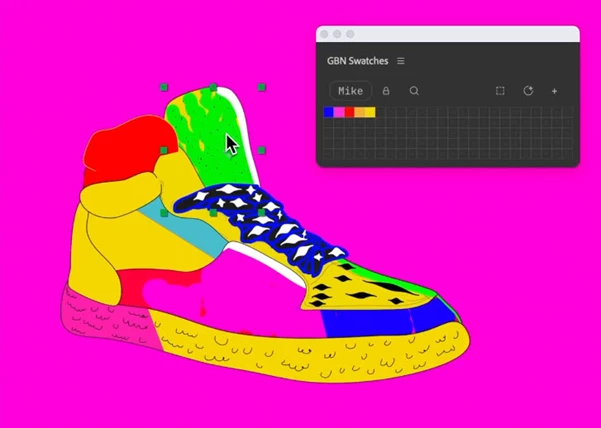
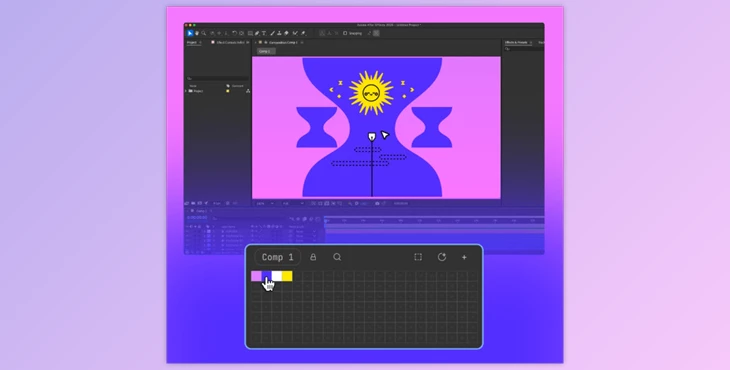
GoodBoy Ninja - Swatches is the perfect extension for any artist or designer looking to maximize their artistic productivity. Simply click anywhere, and a new swatch will be made. Use those swatches to fill in layers across the work. It makes an easy way to have libraries for different feels, projects, and clients since there are multiple boards and tabs accessible during the project process.
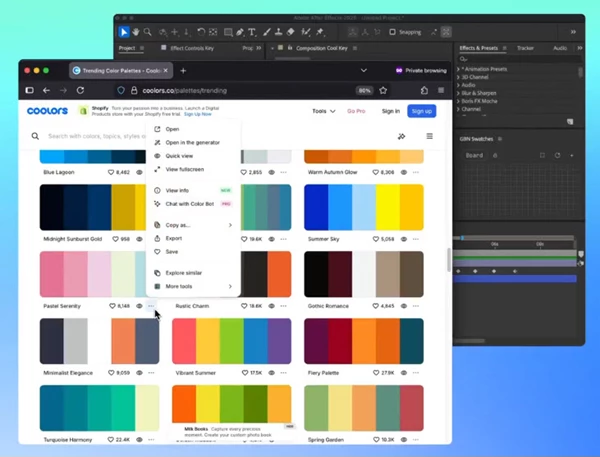
For example, there is easy integration with coolors.co, the online site used to create palettes to boost a professional translation. A user simply needs to export ideas in ASE form and then import them into Swatches as required. This means that if there's a palette online that's stunning enough, it can be utilized through Swatches. Users also have the ability to rearrange swatches via dragging, up or down, so that the most important colors are easiest to access. There's a lock option as well to ensure that no important palettes are changed. This is also useful for brand color standards and established palettes that a client may not want to be tinkered with.
Swatches can also be shared swatch by swatch, board by board, or library by library with colleagues or clients. They can be copied over as HEX, RGB, HSL, or HSV; exported as ASE or JSON for additional projects down the line. Users can even drag images into the panel and take prominent colors from the images requested. Further, up to three Swatches panels can be open for users who want to keep their preferred options available while working - and it's easy to import from other programs like Photoshop and Illustrator directly with Swatches for ease of use.
"GoodBoy Ninja - Swatches" Samples: