AeScripts - Boundary Fill:
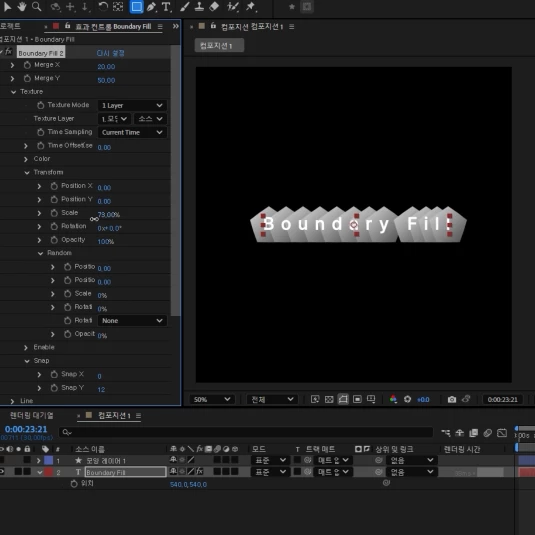
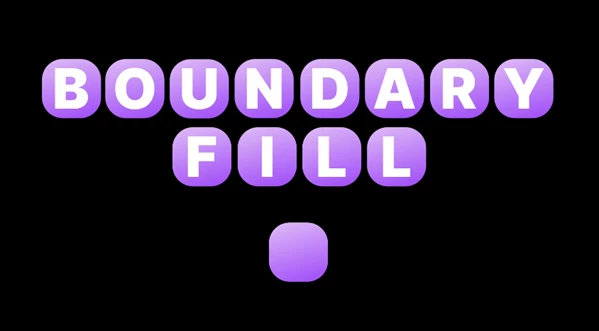
Boundary Fill is a cutting-edge solution for texture integration into your projects, as it works with text layers. Unlike old techniques where a single texture worked across a whole text layer, Boundary Fill lets each glyph bear its unique texture using text animators. This token alone greatly reduces the effort involved in what otherwise is a painstaking process. With textures prepared, a simple application of Boundary Fill to Text allows effortless control during alignment and merging, which removes tedious work.
Some great features of AeScripts - Boundary Fill:
- Texture: Designates the layer that will fill the boundary.
- Merge: Sets the distance for merging boundaries.
- Dynamic Rotation: Adjusts rotation based on Text Save, keeping the texture aligned with the text.
- Dynamic Opacity: Makes fill opacity proportional to the boundary's pixel opacity.
- Dynamic Size: Adjusts fill size to match boundary size.
- Scale By Saved Ratio: Scales texture to 100% based on saved Text Save size.
- Alignment Reverse: Reverses boundary arrangement order.
- Split Text: Divides text into units that become boundaries, allowing overlap without merging.
- Position: Alters text placement concerning and relative to textures position.
- Opacity: Changes text visibility in line with texture'stexture's transparency level.
- Line: Creates lines between boundaries and fills them.
- Overlap Smoothness: Uses opacity adjustments to soften overlaps.
- Shape Only: Shows only the texture without anything else.
- Text Save: Saves the current visual styling of the text for accuracy and subsequent use.
"AeScripts - Boundary Fill" Samples: