Blender - Flaxtrax - Automated Camera Tracking:
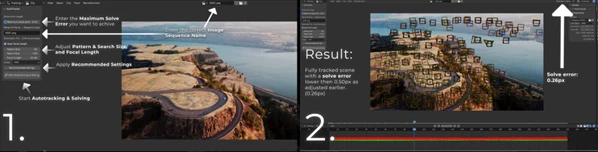
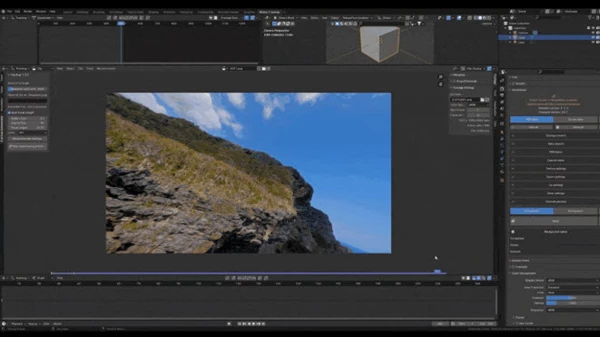
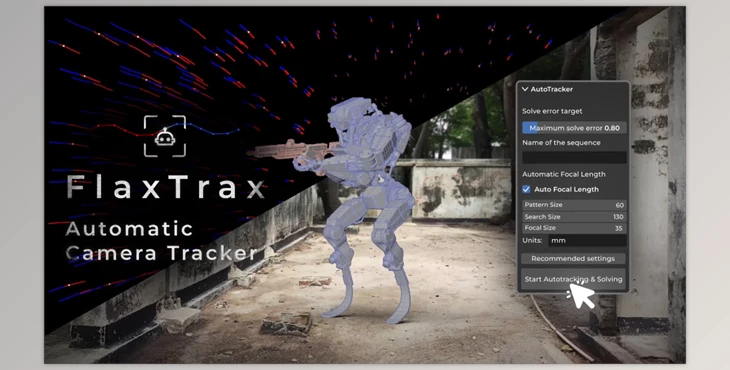
FlaxTrax for Blender speeds up camera tracking by running the whole pipeline on autopilot. Instead of wrestling with the nitty-gritty, you let this add-on handle the busy work and spend your energy on the fun parts of a shot. It scouts the footage, lays down and watches every tracker, tweaks the settings, and spits out a solved path you can trust, all with barely a button press.
Some great features of Blender - Flaxtrax - Automated Camera Tracking:
- Places trackers on detailed areas within images.
- Tracks the placed trackers automatically.
- Automatically determines the correct focal length.
- Solves the motion of the trackers without manual input.
- Identifies and cleans up poor-quality tracks automatically.
- Applies filters to optimize tracker performance.
- Adjusts tracking settings automatically while allowing users to set patterns and search sizes.
- Ensures an abundance of trackers across all footage frames.
- Sets the length of tracked footage to align with the original footage.
- Applies recommended settings with a single click.
"Blender - Flaxtrax - Automated Camera Tracking" Samples: