Downloadable Files
You can download the Ballpoint product for free from the end of this page.
Turn Ordinary Footage Into Hand-Drawn Ink Art
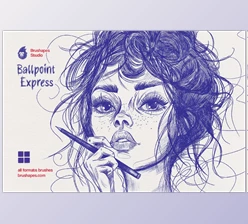
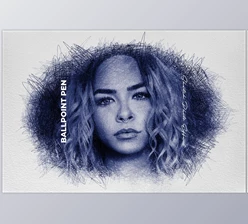
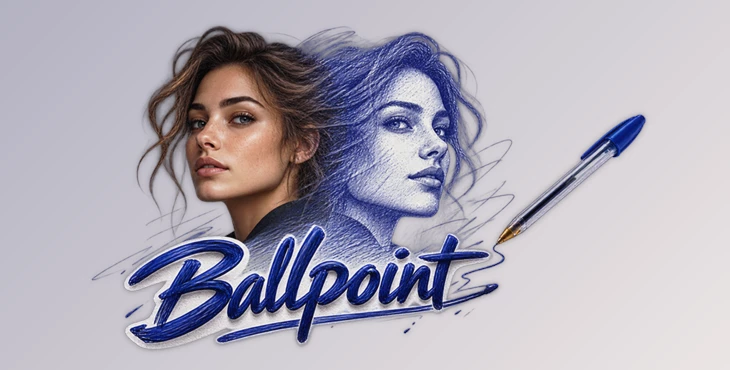
Sometimes a familiar video can feel completely different when it is recreated with a new visual language. Ballpoint transforms ordinary footage into expressive ballpoint pen sketches, giving every frame the appearance of being manually drawn on aged notebook paper.
Instead of simply placing a static texture over your footage, Ballpoint rebuilds the image using dense and reactive strokes. Motion, details, edges, and textures become part of an evolving ink illustration. The result can range from controlled technical drawings to chaotic doodles and experimental punk-style visuals.
Designed for After Effects and Premiere, Ballpoint combines a distinctive hand-drawn aesthetic with GPU acceleration, allowing artists to experiment with the effect interactively.
What Is the Ballpoint Sketch Effect?
Ballpoint's main function is to analyze video footage using lines and pen-style draws. Instead of displaying the original video pixels, Ballpoint creates stylized line art similar to drawings made with a ballpoint pen, sketches made in a notebook, and technical drawings.
Using this technique can transform commonplace video footage into something completely different. A portrait can be transformed into a complex ink drawing. A cityscape can appear similar to an architectural drawing. Moving objects can create dynamic lines that help illustrate motion.
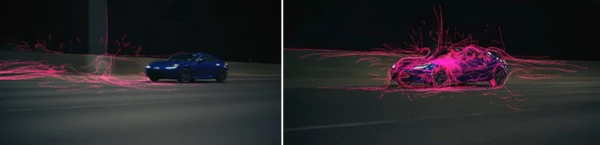
Unlike other effects which simply add a drawing layer or paper texture, Ballpoint reacts to the source video, which results in a more integrated effect. Motion and detail all play a role in the resulting drawing. This allows the stylization to have a connection to the source video.
Ballpoint can be especially useful for the following types of videos:
- Hand drawn videos
- Experimental music videos
- Edits inspired by punk zines
- Forensic and technical drawings
- Animated notebook drawings
- Artistic portraiture
- Abstract ink animation
- Stylized title and transition sequences
Using motion, texture, and linework, Ballpoint can transform a relatively simple video into something that has a much more unique visual identity.
Meet Ballpoint: A GPU-Powered Texture Engine
Ballpoint is a GPU accelerated plugin for After Effects and Premiere that turns video into animated, expressive pen style drawings.
Ballpoint offers interactive capabilities. As parameters are changed, they are updated in real time. This allows for experimentation without having to wait for renders to complete. This is very helpful when trying to find the sweet spot between recognizable source footage and abstract drawing.
Transitions can be made from clean line drawings to heavy scribbled drawings, and the appearance can be altered whilst composing or editing.
Features
GPU-Accelerated Processing
Ballpoint uses GPU acceleration to provide an interactive workflow. As parameters are adjusted, you can immediately see how they affect the image. This is especially useful when working with complex line patterns where small adjustments can significantly change the final style.
Reactive Ballpoint Strokes
The plugin redraws footage using strokes that react to details, textures, and movement. This helps create a more dynamic appearance rather than making the effect look like a fixed sketch placed over the video.
Multiple Drawing Styles
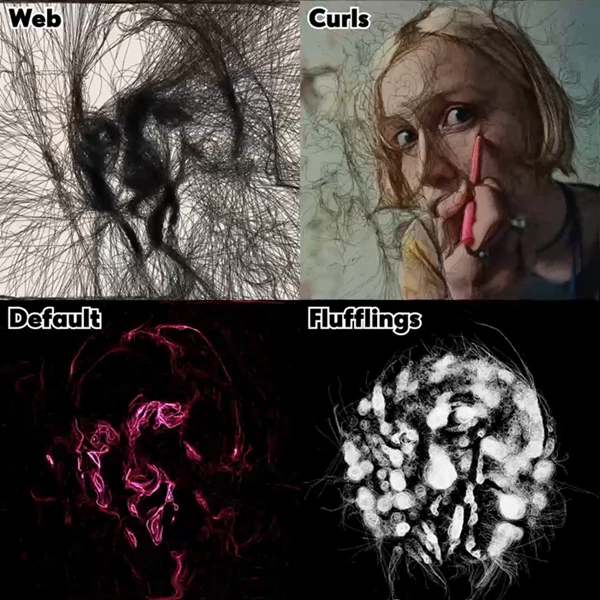
Different styles allow you to completely change the personality of the effect. Options such as Robocop, Curls, and Web can produce results ranging from mechanical and frantic to loose and organic.
For example, a structured style could work well for a technical or forensic-inspired sequence, while a more irregular style could suit experimental footage or a dreamlike music video.
Keyframable Controls
Every element can be keyframed, allowing the sketch effect to evolve throughout a shot. You could begin with relatively clean outlines and gradually increase the complexity until the image becomes filled with chaotic pen strokes.
This makes Ballpoint useful not only as a static visual effect but also as an animated design element.
Brush-Sensitive Parameters
Many settings respond to brush controls, giving you another way to influence complexity, flow, and texture directly within the timeline. This can help make different areas or moments of an animation feel more intentional.
Old Paper Aesthetic
The ballpoint linework works together with an aged notebook-paper appearance, helping footage feel like an illustration created on a physical page rather than a conventional digital filter.
Included Presets
Ballpoint includes several presets that provide useful starting points for experimentation:
- Web
- Curls
- Default
- Flufflings
- 5 O’Clock Shadow
- Crayone
- Crosshatching
These presets make it easier to quickly explore different interpretations of the same footage before fine-tuning the parameters yourself.
From Clean Sketches to Chaotic Scribbles
The flexibility of Ballpoint makes it suitable for very different visual directions.
Imagine a close-up portrait gradually transforming into dense crosshatched ink. In another project, footage of machinery could be processed with a more mechanical drawing style to create the feeling of an animated engineering diagram.
For a punk-inspired title sequence, stronger and more chaotic scribbles could be combined with the aged-paper look to create something resembling photocopied underground zine artwork.
You could also use softer, flowing lines for dream sequences or experimental animations where recognizable footage slowly dissolves into abstract ink patterns.
The ability to control these characteristics is important because it allows the effect to support the visual identity of the project instead of forcing every clip into exactly the same style.
Tips for Better Ballpoint Results
First, experiment with the included presets. They are a great way to see just how much variation can be achieved with the same footage using different pen styles. After finding a preset that is close to the look you want, tweak its settings rather than attempting to create the effect from scratch.
Also take care with the source image. If an image has identifiable shapes, edges, interesting textures, and clear subject matter, then these can be useful to the line animation process, as they can be reinterpreted.
Use keyframes in animation. Gradually alter the flow, stroke, or texture through out a clip rather than maintaining the same complexity throughout. This can be more purposeful and visually interesting.
To achieve a more hand drawn appearance, try not to have all areas of the image equally detailed. Varying the level of detail between areas can give the image a more natural hand drawn appearance.
Finally, experiment with the level of abstraction versus readability. Dense scribbles can produce interesting textures; however, maintaining a level of readable information from the source image can be more effective.
Give Your Videos a Different Kind of Linework
Ballpoint is a tool that allows for some interesting steps beyond common video effects. Rather than color or overlay transitions, Ballpoint re-creates video using expressive ballpoint pen strokes.
Thanks to GPU acceleration, experimentation remains interactive. There are multiple drawing styles available, keyframable parameters, brush-sensitive options, and built in presets that allow for the creation of a wide variety of styles.
Ballpoint allows users to take familiar video and re-interpret it using hand drawn line art. Whether the desired style is the precision of a technical drawing, the grit of a punk zine, or the chaos of a daydream drawn in ink, Ballpoint offers a flexible approach to creating these styles.
Ballpoint’s primary strength lies in the variety available within its fairly basic concept. Take moving images and give them a paper and ballpoint pen look. Then let the lines transform the way those images are viewed.
 Ballpoint - Plugin for DVR, Adobe by Aescripts (v1.6.8).rar (Size: 24.7 MB - Date: 9/12/2026 9:47:30 AM)
- Aescripts - Ballpoint v1.6.7 for Adobe and for Davinci Resolve.rar (Size: 6.3 MB - Date: 9/5/2026 12:00:26 PM)
- Aescripts - Ballpoint v1.5.1 for After Effects and for Davinci Resolve.rar (Size: 6.3 MB - Date: 7/7/2026 11:21:13 AM)
- Aescripts - Ballpoint v1.5.0 for After Effects.rar (Size: 3.1 MB - Date: 6/9/2026 12:33:37 PM)
- Aescripts - Ballpoint v1.5.0 for Davinci Resolve.rar (Size: 3.1 MB - Date: 6/6/2026 11:13:08 AM)
- Aescripts - Ballpoint v1.4.0.rar (Size: 23.4 MB - Date: 3/25/2026 11:25:02 AM)
- Aescripts - Ballpoint v1.2.rar (Size: 4.1 MB - Date: 7/22/2025 8:50:20 PM)
- Aescripts - Ballpoint v1.1.rar (Size: 4.1 MB - Date: 6/10/2025 12:32:06 PM)
- Aescripts - Ballpoint v1.0.rar (Size: 4.2 MB - Date: 6/4/2025 11:29:18 AM)
Files Password : gfxplugin.com OR 123456