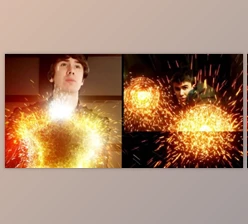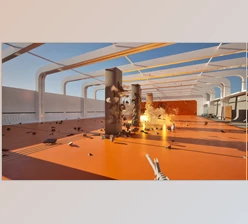
Downloadable Files
You can download Omega Particle Fx for free at the end of this page.
Bring Cinematic Effects to Your Scenes
Creating impressive visual effects from scratch can take a lot of time, especially when you want them to look polished while still working smoothly in real time. Omega Particle Fx is designed to make that process much easier, giving artists a complete collection of customizable particle and visual-effect assets for creating cinematic results quickly.
Whether you are working on destruction, magic, electricity, elemental effects, sparks, or scene decoration, this asset pack gives you ready-to-use building blocks that can add energy and atmosphere to your projects without requiring you to create every effect from the ground up.
What Are Particle Effects?
Particle effects refer to visual elements made up of many small components that can produce visual effects such as sparks, smoke-like motion, magical energy, electricity, and more.
These effects can enhance visual projects. For instance, impacts look better with debris and sparks, and magical scenes look better with glowing magical energy and particle effects.
This is where tools like Omega Particle Fx become very helpful for users interested in creating these effects in their visual projects.
Meet Omega Particle Fx
Omega Particle Fx is a complete asset pack built for creating cinema-level visual effects quickly and efficiently. The collection includes 83 assets, giving you a broad range of effects that can be adapted to different types of projects.
Most of the included assets are designed to work in both EEVEE and Cycles, making the pack flexible for different Blender workflows and rendering requirements.
Features
- 83 Total Assets: A large collection of ready-to-use visual-effect assets.
- Fully Customizable: Adjust the effects to better match the style, scale, and atmosphere of your project.
- Easy to Use: Designed to help you add professional-looking effects without building everything from scratch.
- EEVEE & Cycles Support: Most assets can be used with both Blender rendering engines.
- Real-Time Friendly: Built with fast visual-effects workflows in mind, making experimentation easier.
- Cinema-Level Visuals: Useful for adding dramatic detail and polish to scenes.
Destruction
The destruction category can help create dynamic moments involving impacts, debris, breaking elements, and explosive-looking visual details. These effects can be especially useful for action scenes, environmental destruction, and dramatic transitions.
Magic
Magic effects provide visual energy for fantasy environments, spells, supernatural events, and other stylized scenes. Combining several magical elements can help create a more convincing sense of power and movement.
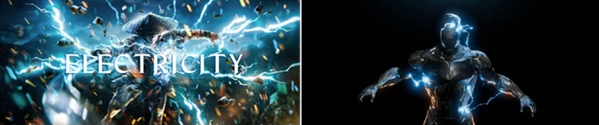
Electricity
Electrical effects are useful for adding energy, sparks, arcs, and high-voltage visual details. They can work particularly well for futuristic environments, machines, weapons, or dramatic action sequences.
Decoration
Not every effect needs to be the main focus of a shot. Decorative assets can add subtle visual details to an environment and help make otherwise simple scenes feel richer and more atmospheric.
Elemental
Elemental effects can bring additional energy to scenes involving natural or supernatural forces. They can be adapted to different visual styles depending on the requirements of the project.
Sparks
Sparks are small details, but they can have a major impact on realism. Adding them to impacts, mechanical objects, destruction scenes, or electrical effects can make motion and interaction feel much more believable.





Professional Tips for Better Results
Another of the easiest ways to get better results from Omega Particle Fx is to avoid using the effects exactly as they come. The effects are customizable, so small adjustments can be made to them to best fit the requirements of the project.
For destruction effects, try to combine a few different effects together rather than just using one.
For magic and elemental type effects, it is even more important to ensure there is some variation in the effects that are created. This will help to prevent the effects from looking artificial when they are used repeatedly within a scene.
Lighting can make a big difference to the way that particle effects look. Often, they will look best with some lighting around them that enhances the effect.
Finally, ensure that you do not use too many particle elements for each shot. While you want to use as many elements as you need to create the desired effect, you also want to ensure that your performance within the software is not compromised.
Final Thoughts
The Omega Particle Fx Blender pack is an excellent resource for anyone looking to add cinematic visual effects to their projects without spending hours creating these particles from scratch. This pack contains 83 customizable assets that will allow you to create destruction, magic, electricity, decoration, elemental, and spark effects.
These visual effects work on both EEVEE and Cycles for most of the assets in this collection. Whether you are looking to add impact, magic, electrical, or even simply some life to your scene, this addon will give your projects that extra visual punch.