Downloadable Files
You can download AtomX Extension for free at the end of this page.
✨ A Fresh Way to Create Stunning Visuals
If you’ve ever felt that creating high-quality motion graphics takes too much time or technical skill, AtomX Extension is here to change that. This powerful extension makes it incredibly easy to add professional-grade animations, transitions, and templates directly into your workflow.
It’s designed to spark creativity while saving you hours of effort—and honestly, that’s something every designer can appreciate.
🎯 What Is AtomX and Why It Matters
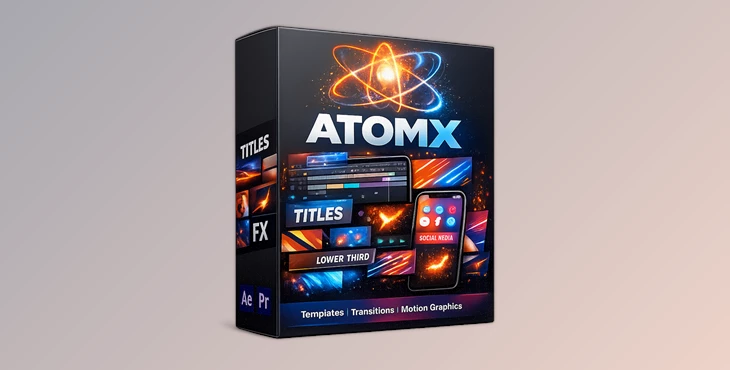
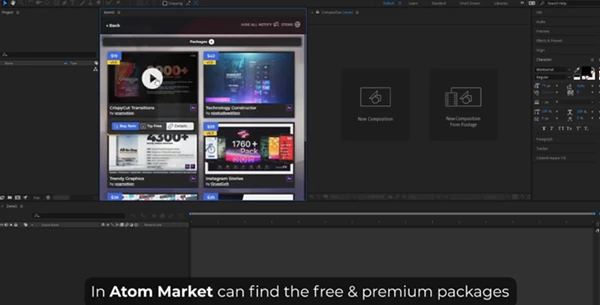
At its core, AtomX Extension is a free extension (a type of plugin) for Adobe After Effects and Premiere Pro. It gives you access to a library of ready-made motion templates that you can instantly apply and customize.
Why is this useful?
Instead of building animations from scratch, you can:
- Pick a template
- Adjust it to your needs
- Export a polished result in minutes
Real-world impact
Imagine working on:
- A YouTube intro → Add smooth transitions instantly
- A social media ad → Use adaptive templates that fit any format
- A presentation → Enhance visuals without advanced motion design skills
These features directly improve your results by:
- Saving production time
- Ensuring consistency in quality
- Making your content look more professional
🚀 Meet AtomX – Your Creative Assistant
This tool simplifies the entire motion design process and makes professional tools accessible to everyone—from beginners to experienced editors.
Features
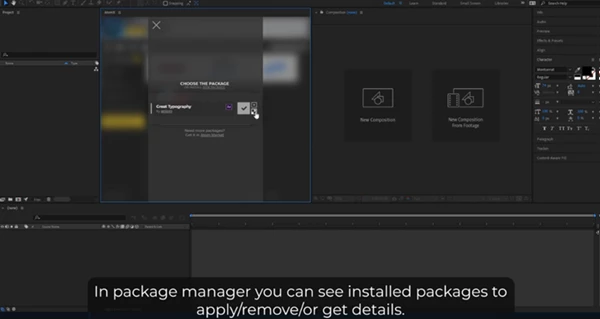
- Motion Templates: Ready-to-use animations that instantly upgrade your projects
- Seamless Transitions: Smooth and modern transitions that enhance visual flow
- Duration Control: Easily adjust timing to perfectly match your content
- Adaptive Resolution: Templates automatically adapt to any aspect ratio or resolution
- Easy Customization: No advanced skills required—everything is user-friendly
- Live Preview: Preview animations and even audio elements before applying them
Real Project Examples
- Social media reels with dynamic transitions
- Promo videos with animated titles
- Corporate presentations with polished motion elements
With AtomX, these results don’t require hours of manual work—they’re just a few clicks away.
💡 Pro Tips to Get the Most Out of AtomX Extension
Want your work to look even better? Try these simple tips:
- Keep it consistent: Stick to a style across your project for a more professional feel
- Don’t overuse effects: Clean and minimal often looks more premium
- Match timing with audio: Use duration control to sync animations with music
- Preview before applying: The live preview feature helps you choose the best option quickly
- Customize colors and fonts: Align templates with your brand or project identity
These small tweaks can make a huge difference in the final output.
🎉 Final Thoughts
AtomX Extension is a tool that can significantly improve the visual editing process. Whether you are a beginner or a professional in the field, this tool will dramatically improve your editing process and the outcome of your projects. If you’re looking to give your projects a major upgrade without adding more difficulty to your editing process, this product is a tool you should explore.
 AtomX v3.3.3.rar (Size: 5.6 MB - Date: 4/29/2026 2:43:14 PM)
- AtomX Extension v3.2.5 for After Effects & Premiere Pro.rar (Size: 8.2 MB - Date: 11/16/2025 2:36:12 PM)
- AtomX Extension V3.0.9 for After Effects & Premiere Pro (Win, Mac).rar (Size: 5.4 MB - Date: 12/11/2024 1:49:02 PM)
- AtomX Extension V3.0.8 for After Effects And Premiere Pro (Win, Mac).rar (Size: 2.6 MB - Date: 10/17/2024 6:02:24 PM)
Files Password : gfxplugin.com OR 123456