Downloadable Files
You can download Gaussian Splatting for free from the bottom of this page.
Bring Gaussian Splatting Directly Into After Effects
Typically, when using photorealistic 3D scenes, we transition between various 3D programs, create renders, and import those into our final composite. With Gaussian Splatting, we can import, edit, animate, and render 3D Gaussian Splatting .ply files directly into After Effects.
Rendering is performed using GPU acceleration, enabling interactive work with highly detailed Gaussian Splatting scenes within the composition. A 3D scan can be cropped, retouched, distorted, new parts revealed, splat sizes altered, multiple scans combined, and the animation animated.
Gaussian Splatting is ideal for motion designers and compositors looking to import photorealistic 3D scenes into After Effects whilst retaining creative control over the scene.
What Is Gaussian Splatting?
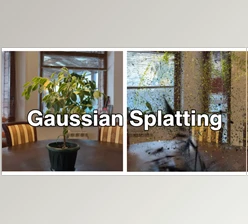
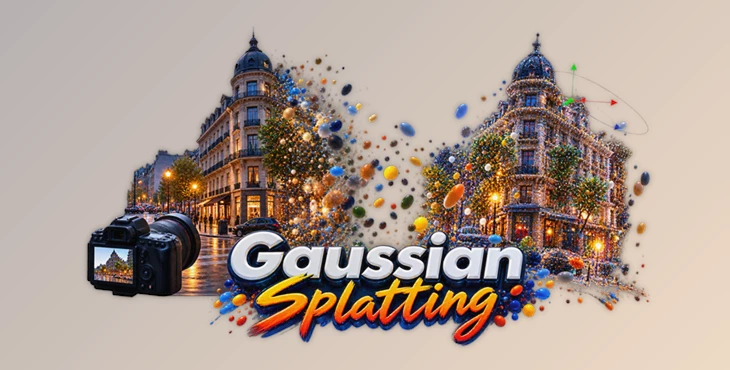
Gaussian Splatting is a rasterization technique designed to render photorealistic 3D scenes in real time from relatively small samples of images.
Rather than working with a traditional polygon-based model, a Gaussian Splat scene is represented through many individual splats that collectively reproduce the appearance and spatial structure of the captured environment.
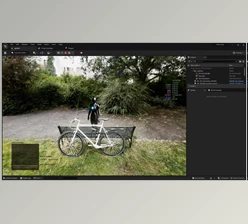
For example, you could work with a captured building, room, street, object, or environment and view it as a three-dimensional scene. Once the .ply file is imported into After Effects, the scene can become part of a larger motion graphics or compositing project.
The advantage is not limited to visual quality. Real-time GPU rendering also makes experimentation easier because you can manipulate the scene and immediately see how those changes affect the final composition.
Gaussian Splatting for After Effects
Gaussian Splatting is designed to bring .ply Gaussian Splat files trained with different software directly into After Effects.
After importing a model, you can align it, crop unnecessary areas, modify its colors, animate its opacity and splat scale, introduce noise-based distortion, or combine it with additional Gaussian Splat models.
The tool can handle up to 10 models in a single scene, opening the door to more complex compositions created from multiple scans.
A new 3D Null Generator tool further expands the possibilities when working with these 3D scenes inside After Effects.
Features
Import .PLY Gaussian Splat Files
You can import .ply files trained with different software directly into After Effects. This allows existing Gaussian Splat captures to become part of your compositing and motion design workflow without limiting you to a single training solution.
Real-Time GPU Rendering
Scenes are rendered using the GPU in real time. Interactive feedback makes it easier to experiment with animation, cropping, color, scale, and other visual changes while building your composition.
Model Alignment
The Align Model feature helps position the imported model at the center of the scene and orient it horizontally. Starting with a properly aligned scan can make later animation and scene manipulation much easier.
Flexible Cropping Tools
Gaussian Splatting provides several ways to isolate the areas you actually need.
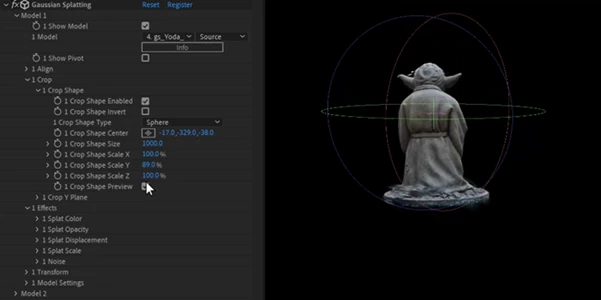
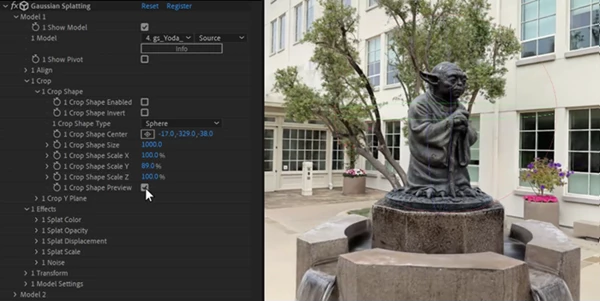
You can crop a scene using Sphere or Box shapes, as well as a Y Plane. For example, if your original scan contains unnecessary surroundings, you can remove those areas and concentrate attention on the important part of the scene.
Combine Up to 10 Models
Up to ten .ply scans can be used together in one scene.
This can be useful when a composition needs multiple independently captured objects or environments. Instead of being restricted to one Gaussian Splat model, you can build more elaborate scenes from several sources.
Colorize Splats
Individual models can be colorized using a Ramp over a spherical map. This gives you creative control beyond the original colors of the captured scene.
You could gradually introduce a new color across an environment, create a stylized transition, or visually separate different areas of a scan.
Animate Splat Scale
Splat size can be animated using a Ramp combined with Spherical or Box mapping.
This creates interesting possibilities for reveals and transformations. Instead of simply fading a complete model onto the screen, its structure can appear progressively as the splats change in size.
Control Splat Opacity
Opacity can also be controlled with a Ramp.
This makes it possible to reveal or hide areas of a model gradually and can create smoother, more dimensional transitions than simply changing the opacity of the entire layer.
Splat Displacement and Noise
Models can be distorted with Noise, while built-in displacement controls provide additional ways to animate the structure of the scene.
These effects can turn a static captured environment into a more dynamic visual element suitable for experimental motion graphics, transitions, abstract sequences, and stylized compositions.
Individual Color Grading
Each model can receive its own color grading. This is especially useful when multiple scans need to feel visually consistent within the same composition.
Rather than accepting the original appearance of every model, you can adjust them individually to better match the visual direction of your project.
Depth Pass Rendering
The tool can render a Depth Pass for 3D compositing.
Depth information is particularly valuable when integrating Gaussian Splat scenes with additional elements. It gives compositors more control when creating depth-based effects and building more convincing layered compositions.
Export Scenes to .PLY
After working on a scene, it can be exported back to .ply format, providing additional flexibility for workflows that extend beyond the current After Effects composition.
Creative Ways to Use Gaussian Splatting
One interesting approach is to use a real-world scan as the starting point for a reveal animation. Crop the scene to the important area, then combine Splat Scale and Opacity Ramp controls so that the environment gradually forms instead of appearing all at once.
For more experimental visuals, apply Noise or displacement to a model and animate the effect. A realistic captured environment can transition into a fragmented or abstract scene before returning to its original state.
When working with several scans, use the individual color-grading controls to make them visually compatible. Small differences in color between captured models can become much more noticeable once they are placed together.
Depth Pass rendering is also worth including when you know the Gaussian Splat scene will interact with other elements in your composition. Having depth information available gives you more options during the compositing stage.
Finally, take advantage of the GPU-powered real-time workflow to experiment. Gaussian Splatting becomes especially interesting when its cropping, ramps, scale, opacity, color, and distortion tools are combined rather than used separately.
Turn Photorealistic Captures Into Animated 3D Visuals
Gaussian Splatting brings an unusual combination of photorealistic 3D capture and motion-design flexibility directly into After Effects. You can import .ply scenes, align and crop them, combine multiple scans, change their colors, animate splat properties, distort models, generate depth information, and render the results with GPU acceleration.
For artists who want to explore Gaussian Splat scenes without treating them as finished, untouchable 3D assets, these controls provide plenty of room for experimentation.
Whether you’re creating realistic 3D compositions, animated reveals, abstract transformations, or combining several captured environments, the most interesting part of the workflow is the ability to manipulate the splats themselves and turn real-world captures into dynamic visual elements.
 Aescripts - Gaussian Splatting v1.7.1 (Win, Mac).rar (Size: 15.3 MB - Date: 9/2/2026 1:00:49 PM)
- Aescripts - Gaussian Splatting v1.7.0 (Win, Mac).rar (Size: 11.4 MB - Date: 4/6/2026 11:55:52 AM)
- Aescripts - Gaussian Splatting v1.6.10a (Win, Mac).rar (Size: 1.8 MB - Date: 2/19/2026 12:16:28 PM)
- Aescripts - Gaussian Splatting v1.6.9 (Win, Mac).rar (Size: 1.7 MB - Date: 2/3/2026 10:29:52 AM)
- Aescripts - Gaussian Splatting v1.6.8 (Win, Mac).rar (Size: 10.6 MB - Date: 1/5/2026 1:21:48 PM)
- Aescripts - Gaussian Splatting v1.6.6.rar (Size: 345.5 MB - Date: 8/27/2025 2:29:14 PM)
- Aescripts - Gaussian Splatting v1.6.5.rar (Size: 345.5 MB - Date: 8/25/2025 2:18:02 PM)
- Aescripts - Gaussian Splatting v1.5.2.rar (Size: 345.4 MB - Date: 2/26/2025 2:22:15 PM)
- Aescripts - Gaussian Splatting v1.5.0.rar (Size: 345.4 MB - Date: 2/10/2025 10:09:45 PM)
- Aescripts - Gaussian Splatting v1.4.1 Win.rar (Size: 4.5 MB - Date: 1/15/2025 11:35:24 AM)
- Aescripts Gaussian Splatting v1.3.5a (Win).rar (Size: 345.3 MB - Date: 11/21/2024 11:44:20 AM)
- Aescripts Gaussian Splatting v1.2 (Win).rar (Size: 1.4 MB - Date: 10/17/2024 5:52:44 PM)
- Aescripts Gaussian Splatting V1.0.2 (Win).rar (Size: 345.2 MB - Date: 10/17/2024 5:52:44 PM)
Files Password : gfxplugin.com OR 123456