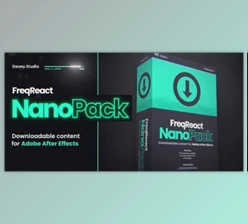
Downloadable Files
You can download FreqReact for free from the end of this page.
Make Your Visuals Actually Feel the Music
Audio-reactive animation can completely change the energy of a video. Instead of simply placing motion graphics over a soundtrack, you can make individual visual elements respond directly to what is happening in the audio. A bass hit can push an object forward, a kick can trigger a scale animation, vocals can influence a glow effect, and other frequencies can control almost any animated property.
The challenge is that building these reactions manually in After Effects can quickly become technical and time-consuming. You need to identify useful parts of the frequency spectrum, convert that information into animation data, and then connect it to the properties you want to control.
FreqReact is designed to simplify this entire process. It provides a fast, visual way to select frequencies and turn their energy into useful animation directly inside After Effects.
What Is Audio-Reactive Animation?
Audio-reactive animation is simply animation that changes according to information coming from an audio track.
Instead of creating every movement manually with keyframes, characteristics of the sound can influence visual properties automatically.
Different frequency ranges can also produce completely different types of reactions. For example, you could use:
- Low frequencies and bass to drive the scale of a logo.
- Kick drums to create short, punchy movements.
- Snares to trigger flashes or glow effects.
- Vocals to influence text or another visual element.
- Different frequency ranges to control multiple properties independently.
This connection between sound and motion can make edits feel much more synchronized. Rather than having animation that simply happens alongside the music, the movement appears to be driven by it.
That can be especially useful for music-driven motion graphics, visualizers, typography animations, energetic edits, and effects that need to feel closely connected to a soundtrack.
Meet FreqReact
FreqReact is a native After Effects extension built around speed and simplicity. Its purpose is to make frequency-based audio reactions easier to create without turning the process into a complicated technical setup.
The workflow can essentially be divided into two main steps: select the frequencies you want to analyze, and then create Reactors that connect that audio information to After Effects properties.
Once the frequency analysis is baked, those Reactors can be used across your composition to create different kinds of synchronized animation.
Features
Pick the Frequencies That Matter
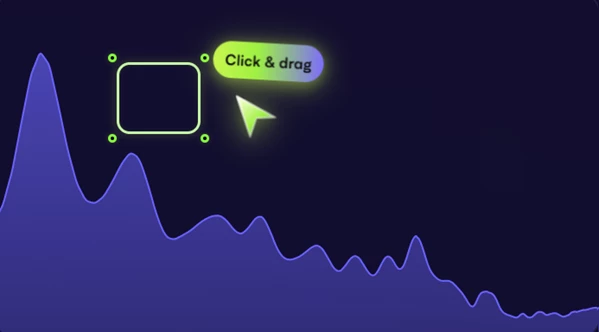
FreqReact lets you visually target specific areas of the audio frequency spectrum.
You simply drag a selection box over the frequencies you want to use. This makes it possible to concentrate on elements such as kicks, bass, snares, or vocals rather than making every animation respond to the entire soundtrack.
This is important because selective reactions usually produce cleaner results. A bass-driven scale animation, for instance, can feel much more deliberate when it reacts primarily to low-frequency energy instead of every sound in the mix.
Energy Meter for Better Frequency Selection
While choosing frequencies, the Energy meter shows how much audio energy exists within the current selection.
This provides useful visual feedback when deciding which part of the spectrum should control an animation. Instead of relying entirely on trial and error, you can see whether the selected frequency range contains enough activity to create the reaction you want.
Add Reactors to After Effects Properties
Once you have selected the audio information, you can create Reactors and map them to After Effects properties.
These can include properties such as:
- Scale
- Position
- Glow
- Text properties
- Plugin parameters
- Other animatable After Effects properties
This flexibility is where FreqReact becomes particularly interesting. Audio reaction does not have to mean a traditional music visualizer. The same system can drive subtle motion, typography, effects, plugin controls, or more experimental animation.
Fast Frequency Analysis
FreqReact allows you to bake frequency analysis and use that information to build your reactions.
The focus is on reducing the number of steps required to go from an audio track to usable reactive animation. This makes experimentation much easier because you can spend more time deciding how the visuals should react rather than repeatedly building the underlying technical setup.
Native After Effects Workflow
Because FreqReact is designed as a native AE extension, the workflow stays inside After Effects.
For motion designers and editors who already build their projects there, this means audio-driven animation can become another part of the normal compositing and animation workflow rather than a separate process.
What Can You Create with FreqReact?
One simple example would be an audio-reactive logo animation. You could select the frequency range containing the kick or bass and connect it to the logo’s Scale property. Every strong hit could then create a controlled pulse.
For a music video, you could take things further. Low frequencies might influence scale, snares could affect glow intensity, and another frequency range could control text movement.
You could also connect a Reactor to a third-party plugin property. Instead of moving an object, the audio could control the intensity of a visual effect.
The important point is that FreqReact provides the audio data and reaction system, while you decide what that reaction should actually look like.
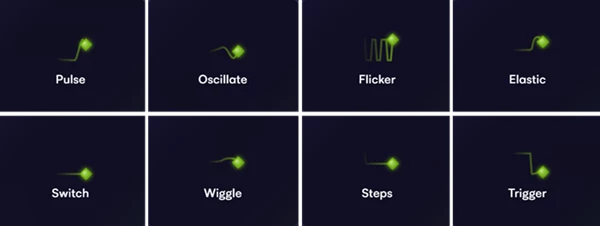
Tips for Better Audio-Reactive Animations
Match the Frequency to the Movement
Avoid making every property react to the same broad frequency range.
Think about the character of the sound first. Bass and kicks naturally work well with heavier movements such as scale pulses or impact animations, while higher-frequency sounds may work better for smaller flashes, glow changes, or detailed motion.
Separating reactions this way can make the final animation feel much more intentional.
Don’t Make Every Reaction Extreme
Audio-reactive animation does not always need huge movements.
A small change in scale, position, glow, or another effect parameter can sometimes create a stronger result than an exaggerated reaction. Subtle animation can maintain synchronization with the soundtrack without distracting from the main visual.
Use Multiple Reactors Creatively
One of the most interesting approaches is to let different parts of the soundtrack influence different properties.
For example, bass could control scale while snares influence glow and another frequency range affects text. The result can feel much richer than connecting the entire composition to a single audio value.
Watch the Energy Meter
Use the Energy meter while selecting frequencies instead of choosing ranges randomly.
If a selection contains very little energy, it may not produce the kind of reaction you expect. Adjusting the selected area can help isolate stronger or more useful elements of the soundtrack.
Let the Audio Guide the Design
FreqReact is most effective when audio reaction supports the visual idea rather than becoming the entire idea.
Start by deciding what should visually happen when a certain sound occurs. Then choose the appropriate frequency and connect it to the property that creates that behavior.
This approach usually produces animation that feels designed around the soundtrack instead of simply attached to it.
Final Thoughts
Taken as a whole, FreqReact makes frequency-based animation much more approachable for users of After Effects. It allows users to visually select frequencies and connect Reactors to after effects properties.
The Reactor could be controlling something as simple as the Scale of an element, or it could be part of a more complex animation.
By experimenting with each of the frequency bands individually, as well as combining a few different Reactors together, After Effects users can produce much more polished animations. Instead of having to manually control each element to react to the beat of the song, FreqReact allows the audio to become a part of the animation itself.

Files Password : gfxplugin.com OR 123456