Downloadable Files
You can download Substance 3D Painter for free from the bottom of this page.
Bring Your 3D Models to Life
Having created an excellent 3D model, you may still be lacking in materials and textures to give your model any real impact. This is where Substance 3D Painter really excels. It provides a very powerful platform for painting directly onto 3D objects and allows you to create anything from totally stylized to extremely realistic materials and textures.
Unlike basic texture painting onto a mesh, Substance 3D Painter allows the use of materials, masks, particles, lighting, shadows, and surface effects in addition to brushes, and all of these can be viewed directly on the 3D object. This enables much greater experimentation with various effects due to the real time nature of the painting.
What Is 3D Painting?
3D painting is the process of creating the visual appearance of a 3D object’s surface. While 3D modeling software is primarily used to create the shape or mesh of an object, 3D painting software focuses on adding textures, colors, materials, wear, scratches, dust, and other surface details.
Imagine creating a 3D metal helmet. The modeling stage defines its shape, but texturing determines whether it looks like polished steel, scratched military equipment, painted metal, or an old object covered in dirt and wear.
Substance 3D Painter is designed specifically for this part of the 3D workflow. You can texture a model in real time and immediately see how materials react to lighting and shadows. This makes it easier to judge the final appearance while you are still working.
Substance 3D Painter: Professional Texture Painting
Substance 3D Painter is a professional 3D texturing application designed to give artists detailed control over the surfaces of their models. It can handle a wide range of visual styles, from realistic assets to highly stylized artwork.
Its combination of painting tools, smart materials, masks, advanced material properties, and a modern real-time viewport means you can develop detailed surfaces without constantly switching between different stages just to see the result.
The software also uses a non-destructive workflow. Actions and strokes are recorded and can be recomputed, allowing you to modify your work or even change the project resolution later without losing the original work.
Features
Powerful Painting Engine
The painting engine supports dynamic brushes, projection tools, particles, and even Photoshop brush presets. This gives artists multiple ways to add details instead of relying on a single traditional painting method.
You might use brushes for carefully placed scratches, projection tools for specific surface details, or particles to produce more naturally distributed effects.
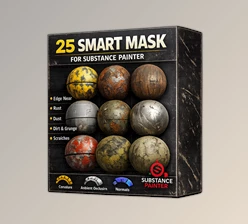
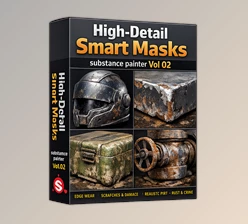
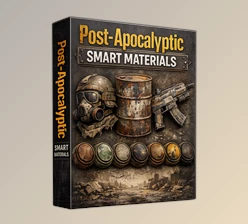
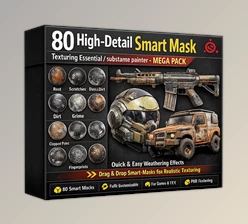
Smart Masks and Materials
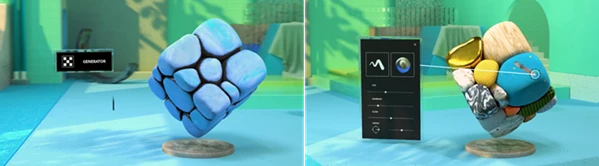
Smart masks and materials make it easier to create realistic surface variation. They can help produce effects ranging from subtle dust to heavy wear and tear.
For example, rather than manually painting every worn edge on an old metal object, these tools can help build surface details that feel connected to the physical characteristics of the model.
Advanced Material Creation
Substance 3D Painter can reproduce sophisticated material behaviors such as sheen, anisotropy, clear-coat, and subsurface scattering.
These properties are important when you want materials to behave more like their real-world counterparts. Different surfaces interact with light differently, and having control over these properties can make the final asset feel significantly more convincing.
Filled 3D Paths
Enhanced 3D path creation and manipulation provides another way to add controlled details to models. Filled 3D paths can be particularly helpful when details need to follow specific areas or shapes across an object’s surface.
Real-Time Viewport
Painter’s advanced viewport allows you to see your work as you create it, including lighting and shadow effects.
This is valuable because a material that looks good under one condition may behave very differently once light interacts with it. Real-time feedback helps you make better decisions before reaching the final rendering stage.
Non-Destructive Workflow
Painting and texturing often involve experimentation. Painter records actions and strokes so they can be recomputed later.
You can adjust previous work, modify paint strokes, or change resolution without having to sacrifice everything you have already created. This encourages experimentation because changes do not necessarily mean starting over.
Automatic UVs
Imported models do not require special preparation just to begin texturing. Automatic UV capabilities help simplify the process of getting a mesh ready for painting.
This can be particularly convenient when you want to move from modeling to texturing without spending unnecessary time on preparation.
Easy Texture Export
Once your project is ready, you can export bitmap textures or the geometry of the model. The texture export window is available through File > Export Textures.
Custom export presets can also be created, making it easier to adapt Painter to different renderers, game engines, or existing 3D production pipelines.
VFX Pipeline Support
For more advanced production workflows, Painter supports multi-tile painting with UDIMs, Alembic, camera import, and Python scripting. It is also compliant with the VFX Reference Platform.
These capabilities make it suitable not only for individual assets but also for workflows where Painter needs to integrate with broader VFX and 3D pipelines.
From Simple Meshes to Detailed Assets
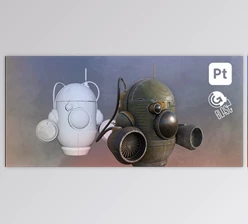
One of the easiest ways to understand Painter is to imagine starting with a plain gray model.
A basic 3D object might initially have no recognizable surface characteristics. Inside Substance 3D Painter, you could add a base material, introduce scratches around exposed areas, place dirt and dust across the surface, adjust material behavior, and inspect everything under lighting.
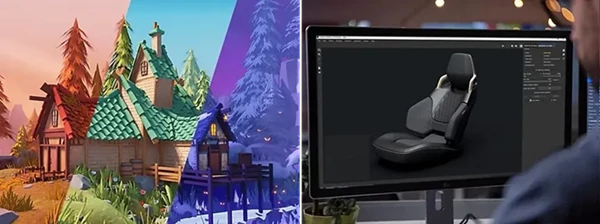
The same workflow can be adapted to completely different styles. A realistic object might require subtle imperfections and physically convincing materials, while a stylized character could use cleaner colors, exaggerated details, and more artistic surface treatment.
That flexibility allows artists to focus on the visual style they actually want instead of being restricted to one type of texturing.
Importing Models and Textures
When creating a new project and adding a mesh, Painter provides several import settings that can extract useful information from the object. Baked maps can also be imported automatically.
A good approach is to inspect the imported mesh before beginning detailed painting. Make sure the model is displaying correctly and that the available maps provide the information needed for your intended materials and effects.
Starting with a properly prepared project makes later detailing much easier.
Tips for Better Results
Build Materials in Layers
Avoid trying to create the entire surface appearance in a single step. Start with the main material and gradually introduce smaller details such as variation, dust, scratches, and wear.
This layered approach gives you more control and makes it easier to adjust individual aspects of the material later.
Use Wear and Dirt with Restraint
Smart masks can quickly produce dramatic weathering, but realistic surfaces do not necessarily need to be heavily damaged.
Think about how the object would actually be used. Frequently touched or exposed areas may show more wear, while protected areas may remain relatively clean. This kind of logic can make texturing feel more believable.
Check Materials Under Lighting
Use the real-time viewport to inspect how your materials respond to light and shadow. Surface properties can look very different depending on lighting conditions.
Regularly checking the model this way can help prevent materials from becoming too shiny, too flat, or visually inconsistent.
Take Advantage of Non-Destructive Editing
Because Painter provides a non-destructive workflow, experiment with different material combinations and settings instead of committing too early.
Being able to revisit previous decisions is especially useful when developing a visual style or trying to match a particular material reference.
Plan Your Export Workflow
Before exporting, consider the intended use of the textures. Painter lets you create custom export presets. Planning a suitable preset for your game engine or renderer will help facilitate the transition to the next step in the pipeline.
A Flexible Tool for 3D Texturing
Substance 3D Painter focuses on one of the most important stages of 3D creation: transforming a plain model into an asset with a recognizable surface, material, and visual identity.
Its dynamic painting engine, smart masks and materials, advanced material controls, automatic UV features, real-time viewport, non-destructive workflow, and flexible export system provide artists with a broad set of tools for both realistic and stylized projects.
Whether you are adding subtle dust to a clean object, building heavily worn surfaces, experimenting with sophisticated material behavior, or preparing textures for another renderer or game engine, Painter gives you room to refine the appearance while seeing the results directly on your model.
The best way to benefit from it is to experiment with its materials, masks, brushes, and viewport while paying attention to how real surfaces react to light and develop imperfections. Those small details can make a major difference in the final quality of a 3D asset.
 Substance 3D Painter by Adobe (v12.1.5 for Win).rar (Size: 2.7 GB - Date: 9/16/2026 1:56:13 PM)
- Adobe - Substance 3D Painter v12.1.4 (Win).rar (Size: 2.6 GB - Date: 9/5/2026 12:01:59 PM)
- Adobe - Substance 3D Painter v12.1.3 (Win).rar (Size: 2.6 GB - Date: 8/27/2026 10:51:06 AM)
- Adobe - Substance 3D Painter v12.1.2 (Win).rar (Size: 2.6 GB - Date: 8/5/2026 12:19:26 PM)
- Adobe - Substance 3D Painter v12.1.1 (Win).rar (Size: 2.6 GB - Date: 7/11/2026 12:02:07 PM)
- Adobe - Substance 3D Painter v12.1.0 (Win).rar (Size: 2.6 GB - Date: 6/24/2026 1:50:32 PM)
- Adobe - Substance 3D Painter v12.0.3 (Win).rar (Size: 2.6 GB - Date: 5/5/2026 3:27:58 PM)
- Adobe - Substance 3D Painter v12.0.2 (Win).rar (Size: 2.6 GB - Date: 4/8/2026 11:44:39 AM)
- Adobe - Substance 3D Painter v12.0.1 (Win).rar (Size: 2.6 GB - Date: 3/25/2026 11:31:17 AM)
- Adobe - Substance 3D Painter v11.1.3 (Win).rar (Size: 2.6 GB - Date: 2/14/2026 2:25:46 PM)
- Adobe - Substance 3D Painter v11.1.1 (Win).rar (Size: 2.6 GB - Date: 12/10/2025 8:58:29 AM)
- Adobe - Substance 3D Painter v11.1.0 (Win).rar (Size: 2.6 GB - Date: 11/19/2025 10:42:09 AM)
- Adobe - Substance 3D Painter v11.0.3.4609 (Win).rar (Size: 2.6 GB - Date: 8/6/2025 12:23:02 PM)
- Adobe - Substance 3D Painter v11.0.2 (Win).rar (Size: 2.6 GB - Date: 6/11/2025 12:04:11 PM)
- Adobe - Substance 3D Painter v11.0.1.4315 (Win).rar (Size: 2.6 GB - Date: 4/13/2025 11:26:42 AM)
- Adobe - Substance 3D Painter v11.0.0 (Win).rar (Size: 2.6 GB - Date: 3/12/2025 12:14:26 PM)
- Adobe Substance 3D Painter v10.1.2 (Win).rar (Size: 2.5 GB - Date: 12/4/2024 1:04:11 PM)
- Adobe Substance 3D Painter v10.1.1.4060 (Win).rar (Size: 2.4 GB - Date: 11/6/2024 10:40:11 AM)
- Adobe Substance 3D Painter v9.1.1.3077 (WIN) X64.rar (Size: 2.3 GB - Date: 10/17/2024 11:34:26 PM)
- Adobe Substance 3D Painter 8.3.0.2094 Multi (WIN).rar (Size: 2.3 GB - Date: 10/17/2024 11:33:58 PM)
- Adobe Substance 3D Painter 8.1.2 (Mac).rar (Size: 2.4 GB - Date: 10/17/2024 11:33:44 PM)
- Adobe Substance 3D Painter 10.1.0 (Win).rar (Size: 2.4 GB - Date: 10/17/2024 11:33:05 PM)
- Adobe Substance 3D Painter 10.0.1 (Win).rar (Size: 2.4 GB - Date: 10/17/2024 11:32:47 PM)
- Adobe Substance 3D Painter 10.0.0 (WIN).rar (Size: 2.4 GB - Date: 10/17/2024 11:32:18 PM)
Files Password : gfxplugin.com OR 123456