Some great features of Awards Titles:
- 03 Color Gradients
- No plugins are required.
- Resolution: 1080p
- Frame rate 2997
- Duration: 00:48 sec
Editing Project 1. Add your Text
To change text: Open the folder «TO EDIT» > «1. Add Text». Then you can double-click on the placeholder you want to open
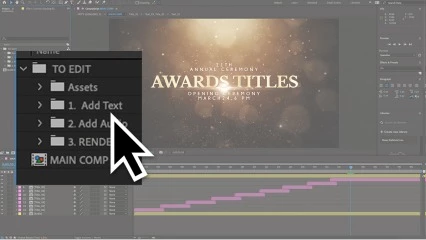
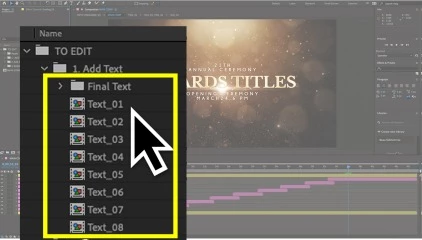
Select the desired layer Double-click on the text layer and begin typing the new text
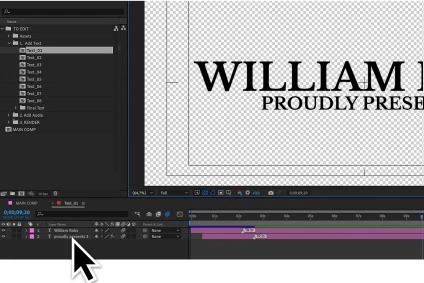
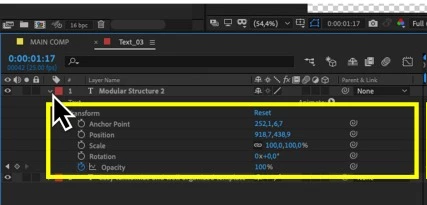
You can also change the position or scale of the text
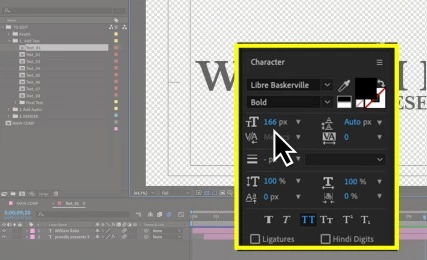
Here you can change the font setting
So you can change other text in the project
Editing Project 2. Add Audio file
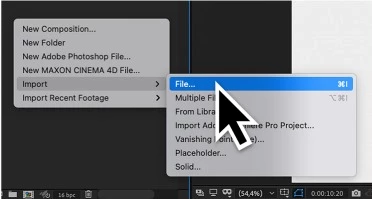
To import your audio right-click in an empty area of the window "Project" and then «Import» > «File» and select your Audio file
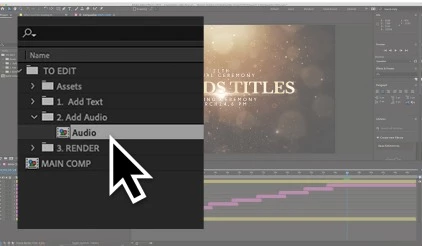
Then open the folder «TO EDIT» > «2. Add Audio», double click to open composition to add audio
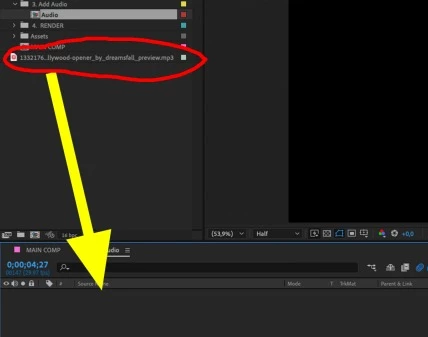
And then just drag and drop the audio file into the placeholder
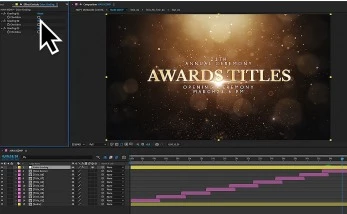
To change color grading select the layer «Color Grading» and click on one of the three color gradings
Editing Project 3. Render
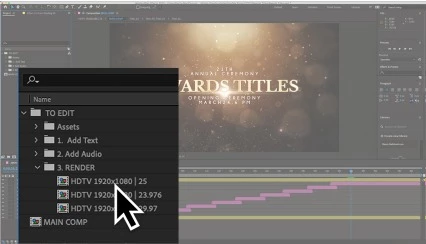
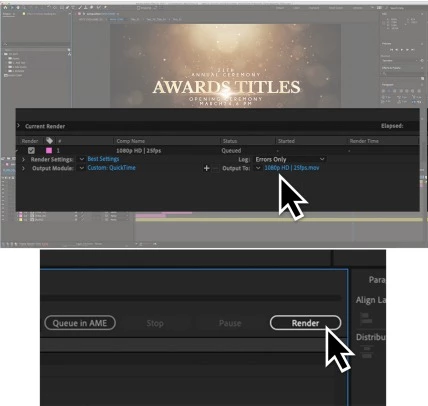
To start rendering: Open the folder «3. RENDER». Double click double click on the composition you want to open
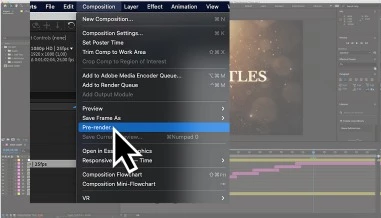
After the opening of the composition, go to "Composition" > «Pre-render...»
Open the "Output Module" and select «Lossless"
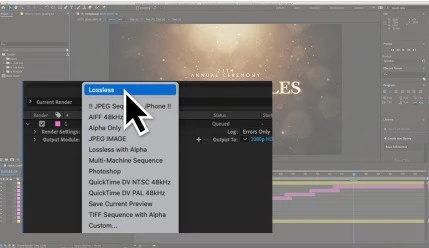
Then click on "Lossless" and select the format and codec for rendering
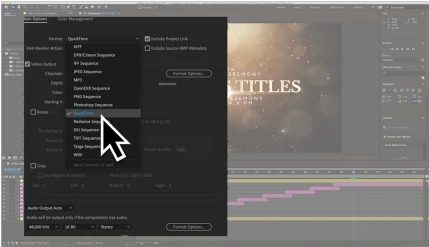
After choosing the format, click «OK». Then click on «Output to» and select a directory. Then start rendering
Download Awards Titles (VideoHive 39783921) - AE Project from the below link now!

Files Password : gfxplugin.com OR 123456