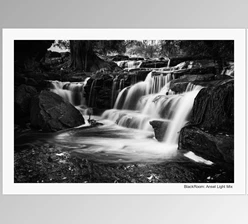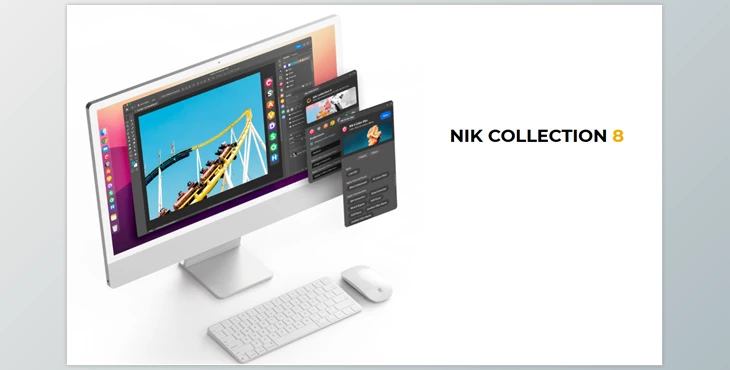
DxO - Nik Collection:
Nik Collection 8 is the ultimate creative photo-editing plug-in for Photoshop, Lightroom, DxO PhotoLab, and more. With advanced color control, customizable filters, and professional presets for the most authentic black-and-white film styles and vintage analog effects, there's something for everyone from novice to expert with one-click presets and intuitive controls.
Seamlessly integrated with PS's new dockable palette for the fastest access and export of layers, plug-ins, masks and more, Nik Collection 8 also boasts a bevy of features based on tried and true techniques from film development darkrooms and analog techniques that open a world of artistic color transformations, practical black-and-white effects, tangible textures, and localized adjustments for unparalleled creative freedom in record time.
Gfx plugin details of DxO - Nik Collection
The product is a helpful tool; for more information about this post, click the home page link in the sidebar.
To search for similar products to DxO - Nik Collection, click here.
Some great features of DxO - Nik Collection:
Creative Color Tools
- Nik Color Efex for cinematic colors, contrast and mood
- Preset library with customizable filters
- Inspired by the world of film (soft focus, bleach bypass, cross processing)
- Opacity slider with granular control tools
Black & White Mastery
- Nik Silver Efex with grain, tones and color filter editing
- Darkroom inspired tools (dodge & burn, sepia)
- Sliders controlling sensitivity for tonality
Vintage & Analog Effects
- Nik Analog Efex for double exposure and wet-plate
- NEW paper texture overlays (classic, aged, textured)
- Blending modes to scale, mirror and colorize
User-Friendly for All Skill Levels
- From one-click presets to intuitive controls
- Quick local adjustments welcome
Flexible Workflow Integration
Works in:
- Photoshop
- Lightroom
- DxO PhotoLab
- Standalone.
- Recent edits applied instantly
Improved Photoshop Integration
- Redesigned dockable palette for customization
- Access plug-ins and identify layers with proper masking quickly
- Easier handoff of layers (Smart Objects; new layer or masked layer)
- Transfer back as PS layers.
Advanced Masking System
- Import/export your masks between PS and other Nik plug-ins
- Masks are remembered across different Nik modules used in a row
- New color masks selections
- Make local adjustments with added filters (ClearView; Selective Tone)
Silver Efex Enhancements
- View compare-to-original
- Presets optimized for only what's being used
- Cleaned up panel on the right for workflow management
- Allows easier local adjustment
Color Masking Across All Plug-Ins
- Mask selections by colors of interest
- More precise select edits are made easier than ever.
Faster Export
- Improved Quick Export times
- Options available immediately without delay
- TIFF exports are faster.
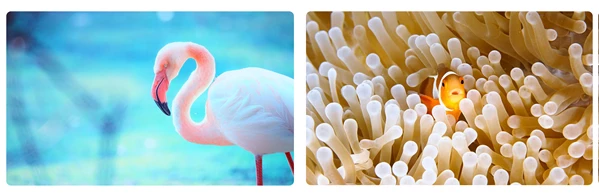
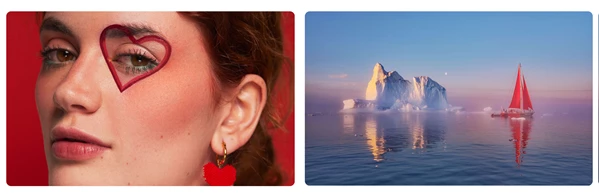
"DxO - Nik Collection" Samples:
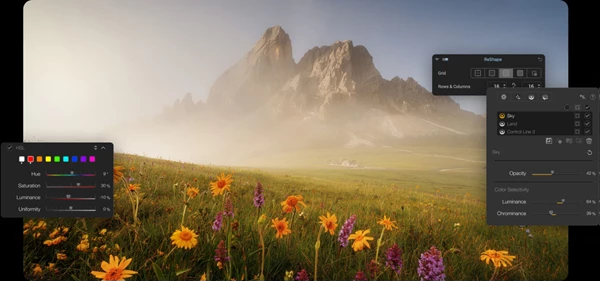
DxO - Download Nik Collection 8.2.2 (Win) from the below link now!
 DxO - Nik Collection v8.2.2 (Win).rar (Size: 1.3 GB - Date: 11/6/2025 3:09:29 PM)
- DxO - Nik Collection v8.1.101 (Win).rar (Size: 768.0 MB - Date: 7/23/2025 1:14:23 PM)
- DxO - Nik Collection v8.0.12 (Win).rar (Size: 862.5 MB - Date: 5/10/2025 1:22:39 PM)
- Nik Collection by DxO v7.0.401 (Win).rar (Size: 755.0 MB - Date: 2/26/2025 2:28:09 PM)
- Nik Collection by DxO v7.0.302 (Win).rar (Size: 744.3 MB - Date: 1/23/2025 11:23:24 AM)
- Nik Collection by DxO v6.13.0.rar (Size: 1.0 GB - Date: 12/10/2024 10:44:28 AM)
- Nik Collection V5.0.0 (WIN, MAC).rar (Size: 2.2 GB - Date: 10/17/2024 4:36:41 AM)
- Nik Collection by DxO v6.8.0 (Win).rar (Size: 1.0 GB - Date: 10/17/2024 4:36:22 AM)
- Nik Collection by DxO 6.1.0 (WIN, MAC).rar (Size: 1.8 GB - Date: 10/17/2024 4:36:03 AM)
- Nik Collection by DxO 6.12.0.rar (Size: 1.0 GB - Date: 10/17/2024 4:36:02 AM)
- Nik Collection by DxO 6.10 (win) Multilingual.rar (Size: 1.0 GB - Date: 10/17/2024 4:35:46 AM)
Files Password : gfxplugin.com OR 123456

![Download Neo-Stock – Hollywood Processing [Photoshop Training Bundle]](https://dlsb.gfxplugin.ir/Download_Files/11557/SearchSmall/banner.jpg)